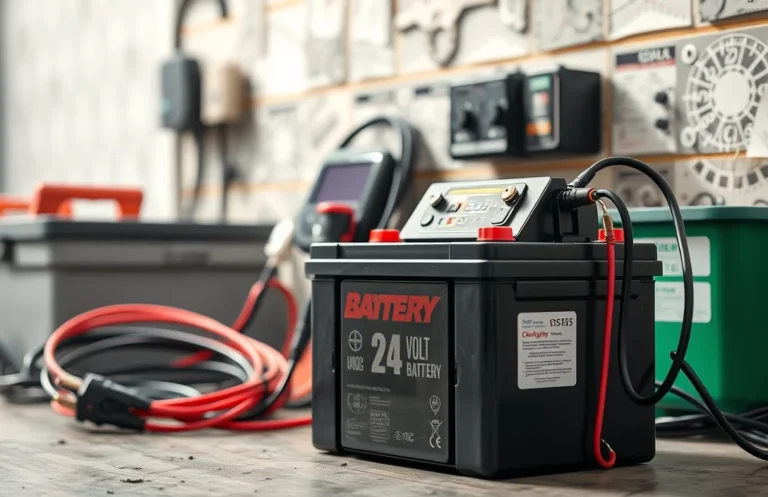
Can a Bluetti Power Bank Connect to Other Batteries for Extra Power?
Curious about the compatibility of your Bluetti power bank with other batteries? This question is common among users looking to optimize their energy solutions. Understanding how these devices can interact will help you maximize your power needs efficiently.
Yes, the Bluetti power bank can connect to other batteries, but there are specific requirements to consider. Ensure that the voltage and capacity match for optimal performance, and check manufacturer guidelines for safe connections.
Compatibility with Other Batteries
Bluetti power banks are designed to provide flexible energy solutions, but not all batteries are compatible for connection. Understanding which types of batteries can connect to these power banks is essential for maximizing their potential. The right battery can enhance your power supply, making it more versatile for various applications.
Typically, Bluetti power banks are compatible with lithium-ion batteries, which are commonly used in portable power solutions due to their lightweight and high energy density. This compatibility allows for efficient energy transfer and helps maintain the longevity of the power bank. Some models may also accept lead-acid batteries, but it’s crucial to check the specific power bank model for compatibility details.
When connecting other batteries, ensure they match the voltage and capacity requirements outlined in the Bluetti specifications. This prevents potential damage to the power bank and ensures safe operation. Always refer to the user manual for guidance on compatible battery types and connection methods.
Connection Methods Explained
Connecting a Bluetti power bank to another battery requires specific steps to ensure a secure and functional link. This process involves using the right cables and ports for optimal performance. Here’s how to establish the connection effectively.
- Identify the Connection Ports: Locate the output ports of the Bluetti power bank and the input ports of the other battery. Common connections include DC ports or XT60 connectors.
- Choose the Appropriate Cable: Select a compatible cable that fits both devices. Ensure the cable is rated for the necessary voltage and current to avoid damage.
- Connect the Devices: Plug one end of the cable into the Bluetti power bank and the other end into the additional battery. Ensure the connections are firm and secure.
- Check Power Settings: Before powering on, verify that both devices are set to the correct power mode. Some models may require specific settings for charging or discharging.
- Monitor the Connection: After powering on, keep an eye on the Bluetti display for any alerts or warnings that indicate a problem with the connection.
Following these steps ensures that you can connect a Bluetti power bank to another battery safely and effectively. Proper connections can enhance your power supply capabilities.
Voltage and Capacity Considerations
When connecting a Bluetti power bank to another battery, matching voltage and capacity is crucial for optimal performance. If the voltage levels differ, it can lead to inefficient charging, potential damage, or even create safety hazards. Understanding these specifications ensures that both batteries operate harmoniously.
The voltage rating indicates the electrical potential difference between the terminals of the battery. For instance, if the Bluetti power bank operates at 12V, the additional battery must also be rated at 12V. Connecting batteries with mismatched voltages can result in overcharging or undercharging, affecting their lifespan and reliability.
Capacity, measured in amp-hours (Ah), determines how long a battery can provide power. When connecting batteries, consider the total capacity required for your needs. If the Bluetti power bank has a capacity of 200Wh and you connect it to another battery with a similar capacity, the total available power increases, allowing for longer usage. However, ensure that the combined capacity does not exceed the power bank’s limits to avoid potential issues.
Safety Precautions to Follow
Connecting a Bluetti power bank to other batteries can enhance your energy supply, but safety must be your top priority. It’s crucial to ensure compatibility not only in terms of voltage and capacity but also regarding the connections and overall integrity of the setup.
Before attempting to connect any batteries, always check the specifications of both the Bluetti and the additional battery. Use appropriate connectors and cables designed for the specific voltage and amperage. Mismatched connections can lead to overheating, damage, or even fire hazards. Additionally, inspect both batteries for any signs of damage, such as swelling, leaks, or corrosion, which can pose serious risks when connected.
Ensure that all connections are secure and that there is no exposed wiring. Using insulated tools and equipment can help prevent accidental shorts. If you’re uncertain about the compatibility of the batteries, consult the manufacturer’s guidelines or seek professional advice. Remember, safety is paramount when expanding your power system.
Charging Efficiency Factors
Connecting a Bluetti power bank to other batteries can impact charging efficiency. Understanding these factors ensures optimal performance when seeking additional power sources. Here are key considerations to keep in mind:
- Battery Compatibility: Ensure the batteries you connect are compatible in terms of voltage and chemistry. Mismatched batteries can lead to reduced efficiency or damage.
- Connection Type: Use appropriate cables and connectors. Poor connections can cause energy loss during the charging process.
- Charging Rate: Different batteries have varying charging rates. A slower charging rate can lead to longer charging times, affecting overall efficiency.
- Battery Health: The health of the connected batteries matters. Old or degraded batteries may not hold a charge effectively, leading to suboptimal performance.
- Temperature: Operating batteries at extreme temperatures can hinder efficiency. Ensure that both the power bank and connected batteries are in a suitable temperature range.
By considering these factors, you can maximize the efficiency of your setup, ensuring that the Bluetti power bank and additional batteries work together effectively.
Limitations of Battery Connections
Connecting a Bluetti power bank to other batteries for additional power can enhance your energy capacity, but there are significant limitations and challenges to consider. Understanding these constraints is crucial for effective and safe usage.
- Compatibility Issues: Not all batteries are compatible with the Bluetti system. Ensure that the voltage and chemistry (e.g., lithium-ion, lead-acid) match to prevent damage.
- Connection Complexity: Setting up multiple batteries may require additional connectors or adapters, complicating the setup process.
- Charging Limitation: The power bank may have a maximum input limit, making it impossible to charge all connected batteries efficiently.
- Power Distribution: When connected, power distribution might not be even, leading to one battery draining faster than the others.
- Safety Risks: Improper connections can result in overheating, short circuits, or even fire hazards. Always follow safety protocols.
Being aware of these limitations can help you make informed decisions when considering if a Bluetti power bank can connect to other batteries for extra power.
User Experiences and Feedback
Users have reported varying experiences when connecting their Bluetti power banks to other batteries. Many have found it beneficial for extending their power supply, especially during outdoor activities or emergencies. Understanding these experiences can help potential users gauge the effectiveness and practicality of such connections.
One common tip from users is to ensure compatibility between the Bluetti model and the external battery. Users recommend checking voltage and capacity ratings to avoid damaging either device. Many have successfully paired their Bluetti with deep cycle batteries, which tend to provide the necessary power without risking overload.
Additionally, some users share insights on the importance of using high-quality cables and connectors. Poor connections can lead to power loss or reduced efficiency. Investing in good accessories can make a significant difference in performance.
Many users also appreciate the flexibility that comes with connecting their Bluetti to other batteries. They highlight how it allows them to power multiple devices simultaneously, making it an ideal solution for camping trips or outdoor events. Overall, the feedback suggests that connecting a Bluetti power bank to other batteries can be a practical option, provided users follow best practices for compatibility and connection quality.
Quick Summary
- Bluetti power banks can be connected to other batteries for extended power capacity.
- Compatibility with other battery types may vary; always check specifications.
- Connecting batteries can enhance portable power solutions for camping or emergency situations.
- It is essential to use the proper cables and connectors to ensure safe operation.
- Monitor the voltage and current levels when connecting multiple batteries to avoid overload.
- Consult the Bluetti user manual for guidelines on battery connections and limitations.
- Using additional batteries can increase runtime for devices and appliances powered by Bluetti.
Frequently Asked Questions
Can a Bluetti power bank be connected to other batteries?
Yes, a Bluetti power bank can be connected to other batteries, but compatibility depends on the specific models and connection types. Always refer to the manufacturer’s guidelines to ensure safe and effective use.
What types of batteries can I connect to my Bluetti power bank?
You can connect lead-acid batteries or lithium-ion batteries, as long as they match the specifications required by your Bluetti model. It’s essential to check voltage and capacity to avoid damage or inefficiency.
Is there a risk of damaging my Bluetti power bank when connecting to other batteries?
Yes, there is a risk if the connected battery has an incompatible voltage or capacity. Always ensure proper connections and follow the manufacturer’s instructions to minimize potential damage.
What precautions should I take when connecting other batteries?
Make sure to use appropriate cables and connectors, and verify that the batteries are fully charged and compatible. Additionally, avoid overloading the power bank to prevent overheating or failure.
Can I charge my Bluetti power bank using another battery?
Yes, you can charge your Bluetti power bank using other batteries, provided they supply the correct voltage and current. Consult the user manual for specific instructions on how to safely charge your Bluetti from an external battery source.