How to Safely Use a Battery Charger for Effective Charging
Using a battery charger can seem daunting if you’ve never done it before. However, understanding the basic steps and safety precautions can make the process straightforward and stress-free. With the right knowledge, you can quickly revive your dead batteries and ensure your devices are always powered up.
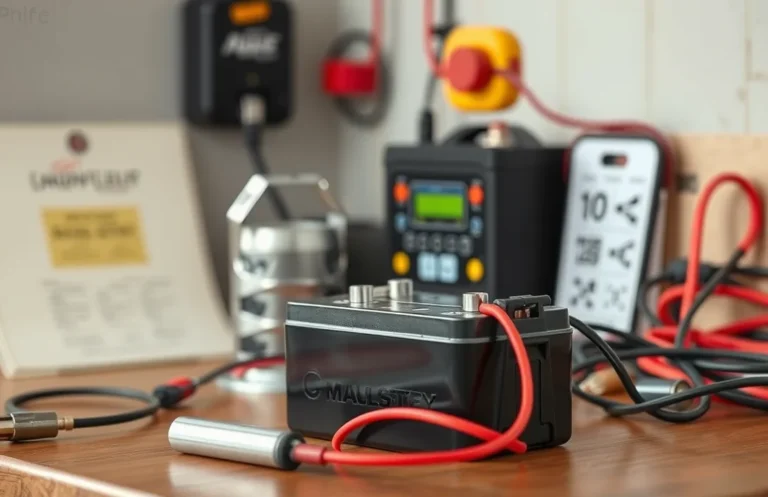
To use a battery charger, follow these key steps: first, connect the charger to a power source. Next, attach the charger clamps to the battery terminals—red to positive and black to negative. Finally, monitor the charging progress and disconnect when complete.
Choosing the Right Charger
Selecting the appropriate battery charger is crucial for ensuring efficient and safe charging. The right charger will not only match the battery type but also provide the correct voltage and current. Here are essential steps to guide your selection process:
- Identify Battery Type: Determine if your battery is lead-acid, lithium-ion, nickel-cadmium, or another type. Each battery type has specific requirements for charging.
- Check Voltage and Amperage: Look for a charger that matches the voltage rating of your battery. For example, a 12V battery requires a 12V charger. Additionally, consider the amperage; a higher amperage charger will charge the battery faster but must be compatible with the battery specifications.
- Consider Smart Chargers: Opt for smart chargers with automatic shut-off features that prevent overcharging. These chargers adjust the charge rate based on the battery’s state, enhancing safety and longevity.
- Read Reviews and Specifications: Before purchasing, read product reviews and check the specifications to ensure it meets your needs and safety standards.
By following these steps, you can effectively choose a charger that will safely charge your batteries and extend their lifespan.
Preparing the Battery
Before connecting the battery to the charger, it’s essential to ensure a safe and effective charging process. Proper preparation not only enhances the lifespan of the battery but also minimizes potential hazards. Follow these steps to get ready.
- Inspect the Battery: Check for any visible damage, such as cracks or leaks. If any issues are found, do not proceed with charging.
- Clean the Terminals: Use a wire brush or a mixture of baking soda and water to clean any corrosion from the battery terminals. This ensures a good connection with the charger.
- Verify the Voltage: Ensure that the battery voltage matches the charger specifications. Using a charger with the wrong voltage can damage the battery or create safety risks.
- Check the Fluid Levels: For lead-acid batteries, check the electrolyte levels. If low, top up with distilled water to the recommended level before charging.
- Read the Manual: Consult the battery and charger manuals for specific recommendations and safety information related to your equipment.
By following these preparation steps, you can ensure a safe and effective charging process, setting the stage for the next step: connecting the charger safely.
Connecting the Charger Safely
Connecting the charger to the battery requires careful attention to detail to ensure safety and effectiveness. Follow these guidelines to make a secure and proper connection, minimizing the risk of sparks or damage.
Begin by identifying the positive and negative terminals of the battery. The positive terminal is typically marked with a “+” symbol and often has a red cover, while the negative terminal is marked with a “-” sign and may be covered in black. Always connect the charger leads in the correct order: first, attach the red (positive) lead of the charger to the positive terminal of the battery. Make sure the connection is firm and secure.
Next, take the black (negative) lead and connect it to the negative terminal of the battery. If you’re charging a battery that is still in the vehicle, it’s advisable to connect the negative lead to a grounded metal surface away from the battery to reduce the risk of sparks near the battery. This ensures a safer environment as you proceed with charging.
Double-check your connections before proceeding to the next step. Ensuring that the leads are securely attached and not touching each other will help prevent short circuits or electrical hazards.
Monitoring the Charging Process
Keeping an eye on the charging status is crucial for ensuring safety and efficiency. Most battery chargers come equipped with indicators that provide real-time feedback on the charging process. Understanding these indicators can help you monitor the battery’s condition and avoid potential issues.
- Check the Indicator Lights: Most chargers have LED lights that indicate the charging status. A red light often means charging is in progress, while a green light indicates a full charge.
- Listen for Sounds: Some chargers emit sounds when charging is complete or if there’s an error. Pay attention to any unusual beeping or alerts.
- Monitor Temperature: Feel the charger and the battery for excessive heat. If either becomes too hot to touch, discontinue use immediately to avoid damage or hazards.
- Use a Multimeter: For precise monitoring, you can use a multimeter to check the battery voltage. This will help confirm whether it reaches the required charge level.
- Consult the Manual: Refer to the user manual for specific instructions related to your charger model. Understanding the manufacturer’s guidance can provide additional insights into monitoring during charging.
Monitoring the charging process effectively allows for safer operations and maximizes the battery’s lifespan. Stay alert to the indicators and signs throughout the charging cycle.
Disconnecting After Charging
Once the charging process is complete, disconnecting the charger safely is crucial to prevent damage to both the battery and the charger. Follow these best practices to ensure a smooth disconnection process.
Begin by turning off the charger. This step protects the battery from potential over-voltage or surges that can occur during disconnection. After powering down the charger, carefully unplug the charging cables from the battery terminals. Always remove the negative terminal first, followed by the positive terminal. This sequence minimizes the risk of a short circuit.
Inspect the cables and connectors for any signs of wear or damage before storing them. If you notice any issues, replace them promptly to maintain safety during future use. Store the charger in a cool, dry place away from direct sunlight or moisture, ensuring it is ready for the next charging session.
Storing the Charger Properly
Proper storage of your battery charger helps ensure its longevity and safety. When you finish using it, consider how you can keep it organized and protected from damage or wear. Here are some straightforward steps to follow for effective storage:
- Unplug the Charger: Always disconnect the charger from the power source before storing it. This reduces the risk of electrical hazards.
- Remove Cables Carefully: Detach any cables or connectors gently, avoiding sharp pulls that could damage them.
- Clean the Charger: Wipe down the charger with a dry cloth to remove dust and debris. Ensure that the ports are clean to prevent corrosion.
- Use a Storage Bag: Place the charger in a protective storage bag or container. This prevents tangling with other tools and keeps it dust-free.
- Store in a Cool, Dry Place: Keep the charger in a location that is not exposed to extreme temperatures or humidity. A closet shelf or drawer works well.
Following these steps will help maintain the efficiency of your charger and ensure it’s ready for use when needed.
Recognizing Charging Issues
Identifying and troubleshooting charging problems is essential for maintaining the longevity of your battery and ensuring efficient performance. By recognizing potential issues early, you can prevent further damage and ensure your devices remain powered. Here are some common signs and steps to address them:
- No power indication: If your charger shows no lights or indicators, check the power outlet and ensure the charger is securely plugged in. Try another outlet to rule out issues with the socket.
- Overheating: If the charger or battery feels excessively hot, disconnect it immediately. Allow it to cool down before attempting to charge again. If overheating persists, consider replacing the charger or battery.
- Charging time exceeds normal: If your device takes significantly longer to charge than usual, inspect the charger for wear or damage. Test with another charger if possible to determine if the issue lies with the charger or the battery itself.
- Battery not holding charge: If your device doesn’t retain a charge, it may indicate a failing battery. If the battery is removable, try replacing it. For embedded batteries, consult a professional for assessment.
By following these steps, you can effectively recognize and troubleshoot common charging issues, ensuring your battery charger operates efficiently and your devices remain functional.
Quick Summary
- Identify the type of battery you need to charge and ensure compatibility with the charger.
- Read the user manual for both the battery and the charger for specific instructions.
- Connect the charger to a power source before attaching it to the battery.
- Attach the charger’s positive (red) lead to the battery’s positive terminal and the negative (black) lead to the negative terminal.
- Set the charger to the appropriate voltage and amperage settings for the battery type.
- Monitor the charging process and disconnect the charger once the battery is fully charged.
- Store the charger in a safe place after use, ensuring it is unplugged and cool.
Frequently Asked Questions
How do I know if my battery charger is working?
You can check if your battery charger is working by plugging it in and looking for indicator lights. Most chargers have a light that turns on when they are connected to power and functioning correctly.
What type of battery can I charge with my charger?
Battery chargers are designed for specific types of batteries, such as lead-acid, lithium-ion, or nickel-cadmium. Always check the charger’s specifications to ensure compatibility with the battery you intend to charge.
How long does it take to charge a battery?
The charging time varies based on the battery type, capacity, and charger specifications. Typically, a standard charger can take anywhere from a few hours to overnight to fully charge a battery.
Can I leave my battery on the charger overnight?
While many modern chargers have built-in safety features to prevent overcharging, it’s generally best to avoid leaving batteries on the charger for extended periods. Refer to your charger’s manual for specific guidelines regarding charging duration.
What should I do if my battery won’t charge?
If your battery won’t charge, check if the charger is functioning and if the connections are clean and secure. If everything seems fine, the battery may be damaged or at the end of its life and may need to be replaced.

- How to Jump-Start a Motorcycle with a Car Battery Safely - February 22, 2026
- Does Life360 Really Drain Your Battery? What You Should Know - February 22, 2026
- Do Hardwired Smoke Detectors Need Batteries for Backup Support? - February 22, 2026