How to Safely Charge an 8V Battery: Essential Tips and Techniques
Charging an 8V battery may seem daunting, but it can be a simple and rewarding task. With the right knowledge and safety precautions, you’ll gain confidence in managing your battery without the fear of causing damage or hazards.
To charge your 8V battery successfully, remember these key points: use a compatible charger, monitor the charging time, and follow safety protocols to prevent any mishaps. Understanding these basics will make the process straightforward and safe.
Choosing the Right Charger
Selecting the appropriate charger for your 8V battery is crucial for ensuring safe and efficient charging. Using the wrong charger can lead to overcharging, overheating, or even damaging the battery. Here are the steps to help you choose the right charger:
- Check the battery type: Determine if your 8V battery is lead-acid, lithium, or another type. Each type has specific charging requirements.
- Find a compatible charger: Look for a charger specifically designed for 8V batteries. Many chargers are labeled for specific voltages and types.
- Verify the amperage rating: Check that the charger’s output amperage matches the requirements of your battery. This will help prevent damage and ensure efficient charging.
- Consider smart chargers: Opt for chargers with automatic shut-off features. These can prevent overcharging and enhance battery lifespan by adjusting the charging process based on battery status.
By following these steps, you can confidently select a charger that works well with your 8V battery, ensuring safety and longevity during the charging process.
Understanding Charging Amperage
Determining the appropriate charging current is essential for safely charging your battery. Charging amperage can affect the battery’s lifespan and performance. By following these steps, you can ensure you select a safe and effective charging rate.
- Check Battery Specifications: Review the manufacturer’s specifications for your 8V battery. This information typically includes the recommended charging current (measured in amps).
- Calculate the Charge Rate: As a general rule, the charging current should be around 10-20% of the battery’s capacity in amp-hours (Ah). For example, if your battery has a capacity of 20Ah, aim for a charging current between 2A and 4A.
- Use a Variable Charger: If possible, choose a charger that allows you to adjust the current. This flexibility can help you start with a lower rate and increase it gradually as the battery charges.
- Monitor Temperature: During charging, check the battery’s temperature. If it becomes excessively hot, reduce the charging current to prevent damage.
By following these steps, you can confidently determine the appropriate charging amperage for your battery, ensuring a safe and effective charging process.
Setting Up Charging Environment
Creating a safe and effective charging environment is crucial when charging an 8V battery. A well-organized space minimizes risks and enhances efficiency. Here are essential tips to ensure your charging area is prepared correctly.
- Choose a well-ventilated location: Ensure the area has good airflow to prevent heat buildup, which can lead to battery damage or hazards.
- Use a stable surface: Place the battery on a flat, non-conductive surface to avoid accidental contact with metal objects.
- Keep flammable materials away: Remove any combustibles from the vicinity to reduce fire risks during the charging process.
- Gather necessary tools: Have your charger, multimeter, and safety gear (gloves, goggles) ready and within reach before starting.
- Set up proper lighting: Ensure the area is well-lit, making it easier to monitor the charging process and identify any issues.
By following these guidelines, you can create a safe environment that supports effective charging practices and helps protect both you and your equipment.
Connecting the Charger Properly
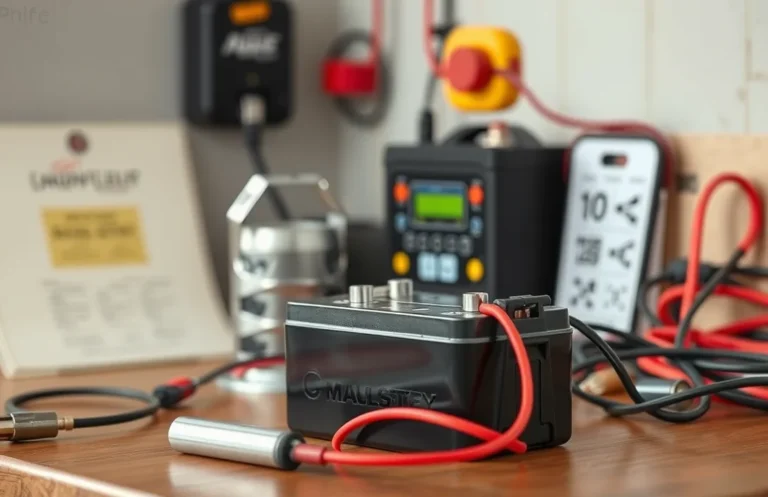
Connecting your charger to the 8V battery correctly is crucial for safe and effective charging. Follow these steps to ensure a proper connection, minimizing the risk of damage to the battery or charger. Always prioritize safety and double-check your connections before powering on the charger.
- Turn off the charger: Before making any connections, ensure that the charger is powered off to prevent accidental short circuits or sparks.
- Identify the terminals: Locate the positive (+) and negative (-) terminals on the battery. These are usually marked with corresponding symbols or color codes (red for positive and black for negative).
- Connect the positive lead: Take the positive (red) lead from the charger and securely attach it to the positive terminal of the battery. Ensure a solid connection to avoid any resistance that may lead to overheating.
- Connect the negative lead: Next, attach the negative (black) lead from the charger to the negative terminal of the battery. Again, ensure a secure connection.
- Check connections: Inspect both connections to make sure they are tight and correctly placed. A loose connection can cause charging issues.
- Power on the charger: Once you’ve confirmed that everything is connected properly, turn on the charger. Monitor the initial connection for any unusual sounds or smells, which could indicate a problem.
Monitoring the Charging Process
Keeping an eye on the charging process is vital for ensuring that your battery charges safely and effectively. Monitoring helps prevent overcharging and identifies any potential issues before they escalate. Here are steps to follow during the charging of your 8V battery:
- Check Voltage Regularly: Use a multimeter to monitor the voltage of the battery throughout the charging process. Ensure it doesn’t exceed the recommended voltage for your specific battery.
- Observe Temperature: Feel the battery’s surface periodically. If it becomes excessively hot, disconnect the charger immediately as this may indicate a problem.
- Look for Signs of Damage: Inspect the battery for any swelling, leakage, or corrosion. If any of these signs appear, stop charging and assess the battery’s condition.
- Set a Timer: Keep track of how long the battery has been charging. Refer to the manufacturer’s specifications for the recommended charging time to avoid overcharging.
- Use a Smart Charger: If available, use a smart charger that automatically adjusts the current and voltage as the battery charges, ensuring optimal conditions.
By following these steps, you can safely monitor the charging process, reducing the risk of damage to the battery and enhancing its lifespan.
Disconnecting After Charging
Once the charging process is complete, it’s crucial to disconnect the charger safely to prevent any potential hazards or damage to the battery. Follow these steps to ensure a secure disconnection:
First, turn off the charger before unplugging it from the wall outlet. This reduces the risk of electrical shock and prevents any surge that could affect the battery. Next, carefully unplug the charger from the battery terminals. Always disconnect the negative terminal (usually marked with a minus sign) first, followed by the positive terminal. This sequence minimizes the risk of short-circuiting.
Check the battery and charger for any signs of overheating or damage before storing them. Ensure that the terminals are clean and dry, as moisture can lead to corrosion. Properly store your charger in a safe place, away from direct sunlight and extreme temperatures, to extend its lifespan. Following these disconnection steps helps maintain the integrity of the battery and enhances safety during future charging sessions.
Storing the Battery Safely
Proper storage of your 8V battery after charging is essential for maintaining its longevity and safety. Batteries can degrade or become hazardous if not stored correctly. Follow these guidelines to ensure your battery is stored safely and effectively.
Choose a cool, dry location away from direct sunlight and heat sources. Extreme temperatures can affect a battery’s performance and lifespan. Ideally, the storage temperature should be between 32°F (0°C) and 77°F (25°C). Make sure the area is well-ventilated to prevent the buildup of any potentially harmful gases that could be emitted from the battery.
Keep the battery in an upright position to prevent any leakage of fluids, especially for lead-acid types. If the battery is not going to be used for an extended period, consider disconnecting it from any devices and charging it to about 50% to maintain its health. Regularly check the battery’s charge level and condition, ensuring that it doesn’t drop too low, which can lead to sulfation in lead-acid batteries and reduced capacity in others.
Lastly, store the battery in a secure container or on a shelf where it won’t be bumped or knocked over, reducing the risk of damage. By following these steps, you can help ensure your battery remains safe and ready for use when needed.
Quick Summary
- Ensure the battery is rated for 8 volts before charging.
- Use a compatible 8V battery charger to prevent damage.
- Check the battery for any signs of damage or leakage before charging.
- Connect the charger to the battery terminals, ensuring correct polarity.
- Monitor the charging process to avoid overcharging, which can reduce battery life.
- Disconnect the charger once the battery is fully charged.
- Store the battery in a cool, dry place after charging for optimal longevity.
Frequently Asked Questions
What type of charger do I need for an 8V battery?
You will need a charger specifically designed for 8V batteries, often labeled as an 8V battery charger. Ensure it is compatible with the battery type, such as lead-acid or lithium, to avoid damage and ensure safe charging.
How do I safely connect the charger to my 8V battery?
Start by ensuring the charger is unplugged. Connect the positive (red) lead of the charger to the positive terminal of the battery, and the negative (black) lead to the negative terminal. Double-check the connections to prevent short-circuiting.
How long does it take to charge an 8V battery?
The charging time depends on the battery’s capacity and the charger’s output rate. Typically, it can take anywhere from a few hours to overnight. Always monitor the battery during charging to avoid overcharging, which can lead to damage.
What signs indicate that my 8V battery is fully charged?
Many chargers have indicator lights that change color or turn off when the battery is fully charged. Additionally, you can check the battery voltage with a multimeter; a fully charged 8V battery should read around 8.4V to 8.6V.
What safety precautions should I take while charging?
Always charge the battery in a well-ventilated area to prevent gas buildup, and avoid charging near flammable materials. Additionally, monitor the battery for excessive heat, swelling, or any unusual smells, which may indicate a problem.