How to Replace the Battery in Your Can-Am Defender
Replacing the battery in your Can-Am Defender can seem daunting, but it doesn’t have to be. Understanding the process can save you time and money while ensuring your vehicle runs smoothly. This guide will provide you with the essential steps and tips for a successful battery replacement.
To replace the battery in your Can-Am Defender, follow these key steps: locate the battery compartment, disconnect the old battery, and install the new one. Always ensure you use the correct battery type and follow safety precautions during the process for optimal performance.
Identifying Battery Type
Choosing the correct battery for your Can-Am Defender is essential for ensuring optimal performance. Each model may require a specific battery type, making it crucial to identify the right one before proceeding with a replacement. Follow these steps to determine the appropriate battery for your vehicle.
- Check the owner’s manual: The manual contains detailed specifications about the battery type required for your specific model. Look for sections related to electrical components or battery specifications.
- Inspect the existing battery: If the original battery is still in place, examine it for labels or markings that indicate its type, size, and specifications. Common types include lead-acid and AGM (Absorbent Glass Mat).
- Visit the manufacturer’s website: Can-Am’s official website often provides resources, including compatibility charts that list the correct battery types for various Defender models.
- Consult with a dealer or expert: If uncertain, reaching out to an authorized dealer or a qualified mechanic can provide clarity on which battery suits your Can-Am Defender.
By following these steps, you can ensure that you select the right battery for your replacement needs, paving the way for a seamless installation process in the next steps.
Gathering Necessary Tools
Before proceeding with the battery replacement, ensure you have all the necessary tools on hand. Having the right equipment will make the process smoother and more efficient, allowing you to focus on the task without unnecessary interruptions.
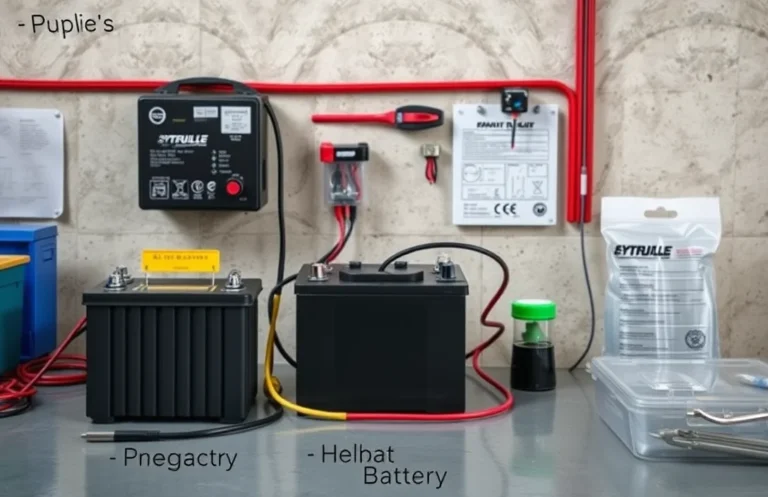
Here’s a list of tools you’ll need:
- Socket wrench set: Essential for removing the battery terminals and securing the new battery.
- Screwdriver set: A Phillips and flathead screwdriver will help with any covers or brackets that need to be taken off.
- Battery terminal cleaner: This tool ensures that the terminals are clean and free of corrosion, promoting a good connection.
- Safety goggles: Protect your eyes from any potential battery acid or debris during the process.
- Gloves: Wear gloves to avoid skin contact with battery acid and to maintain a good grip on tools.
- Multimeter (optional): Useful for checking the voltage of the battery if needed.
Having these tools ready will help you efficiently replace the battery and ensure your Can-Am Defender operates smoothly.
Preparing the Vehicle
Before replacing the battery in your Can-Am Defender, it’s essential to ensure that the vehicle is properly prepared. This step enhances safety and streamlines the process for effective battery replacement. Following these steps will help you avoid potential hazards and make the task simpler.
- Park on Level Ground: Choose a flat surface to park your vehicle. This prevents any rolling and ensures stability while you work.
- Turn Off the Engine: Make sure the engine is completely off and cool to avoid burns or electrical issues during the replacement.
- Engage the Parking Brake: Activate the parking brake to further secure the vehicle and prevent movement.
- Disconnect the Battery Cables: If you are not removing the battery yet, just ensure that the ignition is off, and the battery is not connected to avoid any accidental shorts.
- Wear Protective Gear: Equip yourself with safety goggles and gloves to protect against any acid or debris that may be present.
By taking these precautions, you can ensure a safe and efficient battery replacement process for your Can-Am Defender.
Removing the Old Battery
To successfully replace the battery in your Can-Am Defender, you must first remove the existing battery safely. Follow these steps to ensure proper handling and avoid damage to your vehicle or yourself.
- Disconnect the Negative Terminal: Use a wrench to loosen the bolt on the negative terminal of the battery (usually marked with a minus sign). Remove the cable and tuck it away to prevent accidental contact.
- Disconnect the Positive Terminal: Repeat the process for the positive terminal (marked with a plus sign). Ensure the cable is completely detached and secured away from the battery.
- Remove Battery Hold-Downs: Locate and remove any brackets or hold-downs securing the battery in place. This may involve unscrewing bolts or unclipping fasteners.
- Lift the Battery Out: With the terminals disconnected and hold-downs removed, carefully lift the battery straight up. Use both hands to maintain balance and avoid dropping it.
- Inspect the Compartment: Before proceeding, check the battery compartment for any corrosion or debris. Clean it if necessary to prepare for the new battery installation.
Installing the New Battery
Properly installing the new battery is crucial for ensuring optimal performance in your Can-Am Defender. Follow these steps to securely place the new battery in the compartment and connect it correctly, avoiding any potential issues in the future.
- Carefully position the new battery in the compartment, ensuring the terminals are accessible and aligned correctly.
- Connect the positive terminal first. Slide the connector over the positive terminal (usually marked with a +) and tighten it securely, ensuring a solid connection.
- Next, connect the negative terminal. Slide the connector onto the negative terminal (marked with a -) and tighten it as well, making sure it is secure.
- Double-check that both terminals are tight and that there are no exposed wires or loose connections.
- If your model includes a battery tie-down mechanism, reattach it to secure the battery in place, preventing movement while driving.
Following these steps will help ensure a successful can am defender battery replacement, leading to a reliable power source for your vehicle.
Testing the New Installation
After installing the new battery, it’s essential to verify its functionality to ensure your Can-Am Defender operates smoothly. This step helps prevent potential issues and confirms that the battery replacement was successful. Follow these steps to test the installation effectively.
- Reconnect the battery terminals, ensuring they are tight and secure.
- Turn the ignition key to the “On” position without starting the engine. Check if the electrical components, such as the lights and dashboard indicators, power on without any issues.
- Start the engine. Listen for any unusual noises and observe if the engine starts smoothly.
- Allow the engine to run for a few minutes and monitor the battery voltage using a multimeter. The reading should be between 12.6 to 13.8 volts, indicating a healthy battery charge.
- Test the accessories, such as the winch or lights, to ensure they function properly while the engine is running.
If all tests are successful, the new battery installation is complete. If there are any issues, double-check the connections or consider further troubleshooting.
Disposal of Old Battery
Proper disposal of your old battery is crucial for environmental safety and compliance with local regulations. Batteries contain toxic materials that can harm the ecosystem if disposed of improperly. Following the right procedures ensures that these materials are handled responsibly.
Take your old battery to a recycling center or a retailer that offers battery recycling services. Many auto parts stores and electronic retailers participate in recycling programs, making it easy to dispose of your old battery. Check local laws to determine if there are specific regulations regarding battery disposal in your area. Some regions require that batteries be recycled rather than thrown in the trash.
Additionally, avoid dismantling or damaging the battery before disposal. This can release harmful substances and increase the risk of accidents. If you’re unsure where to take your old battery, consult with your local waste management authority for guidance on safe disposal options. By following these best practices, you contribute to a healthier environment while ensuring compliance with regulations.
Quick Summary
- Replacing the battery in a Can-Am Defender is essential for optimal performance and reliability.
- Choose the correct battery type and size as specified in the owner’s manual for compatibility.
- Always wear safety gear, including gloves and goggles, when handling batteries to prevent accidents.
- Disconnect the negative terminal first to avoid short circuits before removing the old battery.
- Ensure proper disposal of the old battery at designated recycling centers to protect the environment.
- Regularly check the battery’s condition and connections to prolong its lifespan.
- Consider using a trickle charger during long periods of inactivity to maintain battery health.
Frequently Asked Questions
What type of battery does a Can-Am Defender use?
The Can-Am Defender typically uses a 12V lead-acid battery. Depending on the model year, it may require a specific size such as Group 30 or Group 31. Always check your owner’s manual for the exact specifications.
How do I know when it’s time to replace the battery?
Signs that your Can-Am Defender battery may need replacement include difficulty starting the engine, dimming lights, or low voltage readings. If the battery is more than three years old or shows signs of corrosion, it’s advisable to consider a replacement.
What tools do I need to replace the battery?
To replace the battery in a Can-Am Defender, you’ll typically need a socket wrench set, pliers, and a battery terminal cleaner. It’s also helpful to have safety glasses and gloves for protection while working.
Can I replace the battery myself?
Yes, replacing the battery in a Can-Am Defender can be a straightforward DIY task if you have basic mechanical skills. Just ensure you follow safety guidelines and refer to the owner’s manual for specific instructions related to your model.
Where can I buy a replacement battery for my Can-Am Defender?
You can purchase a replacement battery from authorized Can-Am dealerships, auto parts stores, or online retailers. Make sure to choose a reputable source to ensure you receive a quality product that fits your specific model.

- How to Jump-Start a Motorcycle with a Car Battery Safely - February 22, 2026
- Does Life360 Really Drain Your Battery? What You Should Know - February 22, 2026
- Do Hardwired Smoke Detectors Need Batteries for Backup Support? - February 22, 2026