Does Ecobee Have a Battery? Understanding Its Impact on Performance
If you’re considering upgrading your home with smart technology, you may have questions about the ins and outs of devices like the Ecobee smart thermostat. One common inquiry is whether these thermostats run on batteries or rely on your home’s electrical system.
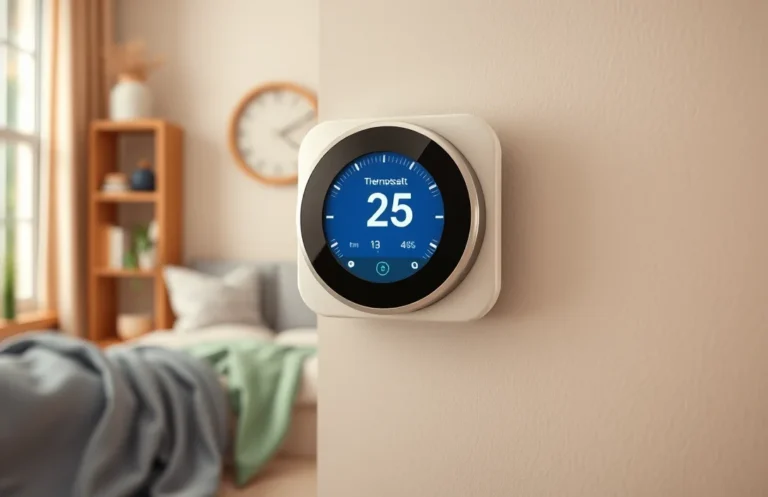
Ecobee smart thermostats do not use batteries for their primary operation. Instead, they are typically powered through your HVAC system’s c-wire connection. This means no battery maintenance is required, simplifying your smart home experience.
Battery Functionality in Ecobee
Many users wonder about the battery functionality in Ecobee thermostats and how it impacts their performance. Understanding whether these devices have a battery can clarify how they operate and what to expect during installation and daily use.
Ecobee smart thermostats do not have a traditional battery like you might find in a remote control or smoke detector. Instead, they are designed to draw power directly from your home’s HVAC system through the common wire, often referred to as the “C wire.” This wire provides a constant source of electricity, ensuring that the thermostat remains powered without needing a battery backup.
However, some models do incorporate a small internal battery to maintain certain settings in the event of a power outage. This battery is not meant for regular operation but serves as a temporary solution to keep essential functions intact until power is restored. So, while the main power source for an Ecobee is your HVAC system, it does have a backup mechanism for brief interruptions.
Power Source for Ecobee
Understanding how Ecobee devices are powered is crucial for ensuring they function effectively with your existing HVAC system. These smart thermostats are designed to operate primarily using the power provided by your HVAC system, which means they don’t rely on batteries for their main functions. Below are key points regarding their power source:
- Compatibility with HVAC Systems: Ecobee devices typically require a C-wire (common wire) connection to provide continuous power. If your system lacks this wire, an adapter may be necessary for proper installation.
- Power Over Wi-Fi: While these thermostats connect to your home network via Wi-Fi, they still need a stable power source from the HVAC system to operate features like scheduling, remote access, and energy reports.
- Built-in Battery Backup: Although primarily powered by the HVAC system, Ecobee models may have a small internal battery. This battery is not intended for continuous use but helps maintain settings during brief power outages.
- Installation Considerations: Before installation, check the wiring of your HVAC system to ensure compatibility. If in doubt, consult a professional who can help verify the necessary connections.
By understanding the power source for your Ecobee, you can ensure optimal performance and compatibility with your home’s heating and cooling system.
Impact of Battery on Performance
The presence or absence of a battery in a smart thermostat significantly influences its functionality and reliability. Understanding this impact helps you appreciate how the device maintains performance, especially during power interruptions or outages. Here’s how it affects operation:
- Continuous Functionality: Thermostats without a battery rely entirely on wired power. If the main power fails, they will stop functioning, leading to temperature control issues.
- Data Retention: A battery allows the thermostat to retain settings and schedule data even when power is lost. This ensures you won’t have to reprogram the device after a power outage.
- Remote Access: Some Ecobee models use a battery to maintain Wi-Fi connectivity during brief power cuts, allowing you to manage your home’s temperature remotely without interruptions.
- Installation Flexibility: With a battery option, installation may be more flexible since you won’t be limited to locations with direct access to power sources, making it easier to place the thermostat where it’s most effective.
Overall, having or lacking a battery affects not just reliability but also your convenience and control over your home environment. Understanding these aspects will help you make an informed decision regarding your smart thermostat choice.
Battery Life Expectations
Understanding the typical battery life of smart thermostats like Ecobee can help you plan your usage and maintenance. While Ecobee models primarily rely on a constant power source through your home’s HVAC system, they also feature a small backup battery for specific functions. This battery ensures that your thermostat remains operational during power outages and maintains data settings.
The battery in Ecobee devices is designed to last several years under normal circumstances. However, factors such as extreme temperatures, humidity levels, and how often the thermostat communicates with the HVAC system can influence its longevity. For example, if the thermostat is constantly adjusting settings or if it’s placed in a location with fluctuating temperatures, the battery may drain faster. Regular maintenance checks can help you monitor the battery’s condition and ensure optimal performance.
Ultimately, while the backup battery is not the primary power source, being aware of its life expectancy can help you avoid unexpected interruptions in your thermostat’s operation. Keeping an eye on this aspect of your smart home technology will contribute to a smoother experience overall.
Installation Without a Battery
If you’re installing an Ecobee smart thermostat and there’s no battery involved, the process is straightforward. This device typically relies on your home’s HVAC system for power, so understanding how to connect it properly is essential. Follow these steps for a successful installation.
- Turn off the power to your HVAC system. This is crucial to avoid any electrical hazards during installation.
- Remove your old thermostat carefully. Take note of the wire connections and their corresponding terminals.
- Identify the wires coming from your HVAC system. Typically, you’ll see wires labeled as R (power), C (common), W (heat), and Y (cool).
- Connect the wires to the Ecobee baseplate according to the color codes and terminal designations. Ensure the C wire is connected, as it provides continuous power.
- Attach the Ecobee thermostat to the baseplate, securing it in place.
- Restore power to your HVAC system and follow the on-screen setup instructions on the Ecobee display.
By following these steps, you can successfully install your Ecobee without the need for a battery, relying on your HVAC system to keep it powered and functional.
Maintenance and Battery Care
To ensure optimal performance of your Ecobee device, maintaining battery health is crucial, especially if you’re concerned about whether it has a battery. These smart thermostats are designed to be efficient, but proper care can enhance their longevity and reliability.
- Check the power source regularly. If your Ecobee relies on a C-wire (common wire) for power, ensure that the connection is secure and functioning.
- Keep the area around the thermostat clean and free from obstructions. Dust buildup can affect sensors and performance.
- Monitor battery levels through the Ecobee app if applicable. Some models may display battery status, allowing you to address issues promptly.
- Consider seasonal maintenance of your HVAC system. A well-maintained system can help your thermostat operate more effectively, reducing strain on any internal battery.
Taking these steps will help maintain the health of your Ecobee device, ensuring it operates efficiently and effectively.
Troubleshooting Power Issues
Power-related problems can affect the performance of your smart thermostat. If you’re experiencing issues, here’s a straightforward process to help identify and resolve them effectively.
- Check the Power Supply: Ensure that your Ecobee is properly connected to the power source. If it’s powered by a C-wire, confirm that it’s securely connected. If you’re using batteries, replace them to see if that resolves the issue.
- Examine Circuit Breakers: Inspect your home’s circuit breakers to ensure that none have tripped. If a breaker has tripped, reset it and check if your thermostat powers back on.
- Inspect Wiring Connections: Turn off the power to your HVAC system and carefully check all wiring connections at the thermostat and the HVAC unit. Loose or damaged wires can cause power issues.
- Utilize Ecobee’s Diagnostics: Access the settings on your Ecobee and run the built-in diagnostics to check for any error codes or alerts that could indicate specific power issues.
- Consult Customer Support: If the problem persists after these steps, reach out to Ecobee customer support for assistance. They can help troubleshoot and provide further guidance.
By following these steps, you can effectively troubleshoot power issues and ensure your Ecobee operates smoothly. Remember, maintaining a consistent power supply is crucial for optimal performance.
Quick Summary
- Ecobee smart thermostats do not have a built-in battery.
- They are designed to operate using power from your HVAC system.
- Ecobee thermostats can work with a C-wire for constant power supply.
- If a C-wire is not available, a power extender kit can be used.
- Some models may have rechargeable battery backups for certain features.
- External power sources are necessary for Wi-Fi connectivity and display functions.
- Regular maintenance of the HVAC system is essential for optimal Ecobee performance.
Frequently Asked Questions
Does the Ecobee smart thermostat have a battery?
No, Ecobee smart thermostats do not have a rechargeable battery. They are designed to be powered through a common wire (C-wire) connected to your HVAC system, ensuring continuous operation without the need for battery replacements.
What happens if there is a power outage?
In the event of a power outage, the Ecobee will not function until power is restored. However, once power returns, the thermostat will automatically reconnect to your Wi-Fi and resume its programmed settings.
Can I install Ecobee without a C-wire?
Yes, you can install an Ecobee without a C-wire, but you might need to use a power extender kit (PEK) which is included with some models. This kit helps provide the necessary power to the thermostat by utilizing existing wires in your system.
How does Ecobee ensure compatibility with my HVAC system?
Ecobee thermostats are compatible with most HVAC systems, including conventional, heat pump, and multi-stage systems. Before installation, you can check compatibility through the Ecobee website or consult the installation guide.
What maintenance does an Ecobee thermostat require?
Ecobee thermostats are low-maintenance devices. Regularly check and replace your HVAC system’s air filters, and ensure the thermostat is clean and free from dust. Additionally, occasional software updates may be available to enhance functionality.

- How to Jump-Start a Motorcycle with a Car Battery Safely - February 22, 2026
- Does Life360 Really Drain Your Battery? What You Should Know - February 22, 2026
- Do Hardwired Smoke Detectors Need Batteries for Backup Support? - February 22, 2026