Does My Thermostat Need Batteries? Key Signs to Look For
Understanding whether your thermostat requires batteries can save you time, money, and frustration. Many homeowners are unaware of the power needs of their thermostats, leading to unexpected temperature issues or system failures. This article will clarify the necessity of batteries for different types of thermostats.
Your thermostat may or may not need batteries, depending on its type. Battery-operated models require regular battery changes, while wired thermostats get power directly from your home’s electrical system. Always check your model’s specifications for accurate information.
Check for Battery Compartment
Determining if your thermostat requires batteries starts with locating the battery compartment. Many digital thermostats are powered by batteries, while others may rely solely on your home’s electrical system. Identifying whether your model has a battery slot is the first step in troubleshooting power issues.
Begin by removing the front cover of your thermostat. Most models allow you to gently pull or slide the cover off. Once the cover is removed, look for a compartment that houses batteries. This is typically a small section that may require some effort to open. If you spot a battery slot, check the number and type of batteries needed. If no compartment is visible, your thermostat likely operates on a wired connection and may not need batteries at all.
Knowing whether your thermostat needs batteries is essential for maintaining optimal functioning and ensuring consistent temperature control in your home.
Look for Low Battery Warning
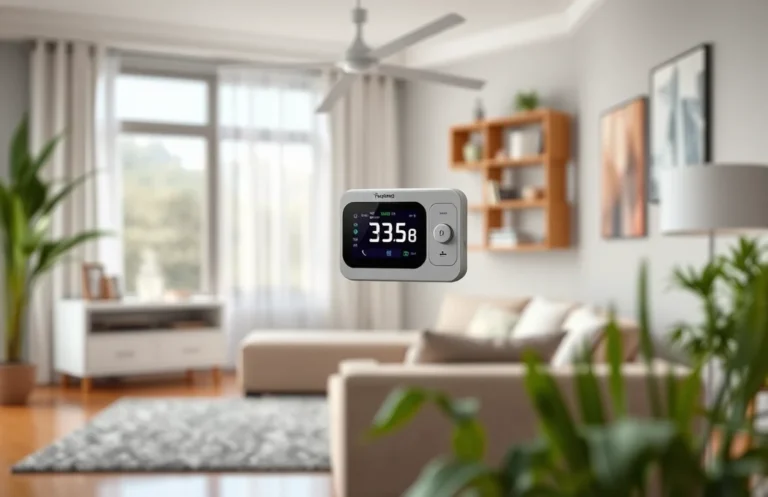
One of the most noticeable signs that your thermostat may need batteries is a low battery warning displayed on its screen. Many modern thermostats include a notification feature that alerts you when the battery level is running low. This warning can manifest as a flashing icon or a specific message, depending on the model.
Pay close attention to any alerts that appear. If you see a low battery icon, it is crucial to replace the batteries promptly to avoid any disruption in your heating or cooling system. Ignoring this warning could lead to the thermostat shutting down unexpectedly, which might result in uncomfortable temperature fluctuations in your home.
Checking the user manual for your specific thermostat model can provide additional insights into how low battery warnings are indicated. Some devices may even offer a percentage indicator of battery life, allowing you to monitor it more effectively. Regularly observing these notifications will help ensure that your thermostat remains functional and responsive to your climate control needs.
Monitor Temperature Inconsistencies
Temperature fluctuations can be a clear indicator of underlying issues with your thermostat, including potential battery problems. If you notice that your home is experiencing inconsistent heating or cooling, it may be time to investigate further. Sudden changes in temperature, especially when your system is set to a specific level, could reveal that your thermostat is not functioning properly.
- Pay attention to any significant temperature swings throughout the day. If the thermostat is set to maintain a steady temperature but the actual room temperature varies widely, this may indicate a malfunction.
- Check if the system frequently cycles on and off more than usual. This erratic behavior can stem from a weak battery affecting the thermostat’s communication with the HVAC unit.
- Compare the temperature reading on your thermostat to a separate, reliable thermometer. If these readings differ significantly, the thermostat may be misreading the temperature due to low battery power.
Addressing these inconsistencies promptly can enhance your home’s comfort and energy efficiency. If you suspect battery issues, consider replacing them to see if that resolves the temperature fluctuations.
Assess Display Functionality
Evaluating the display of your thermostat is crucial in determining its operational status. A well-functioning display provides essential information about current settings and system status. If the display is not responding, it may indicate that the device requires new batteries or has another underlying issue.
Check for any signs of life on the display. If it is completely blank, the first step is to replace the batteries, as this is the most common reason for a non-functional display. Ensure you are using the correct type of batteries specified in the thermostat’s manual. If the display lights up but shows incorrect information or flickers, it could also suggest battery issues. Poor connections or corrosion in the battery compartment can lead to display malfunctions, so inspect those areas closely. Clean any corrosion with a small brush and replace the batteries if necessary.
Additionally, a dim or fading display can also signify low battery levels. If your thermostat uses a touchscreen, ensure that it responds to touch input. If the display remains unresponsive even after replacing the batteries, it may be time to consult a professional or consider a replacement unit. Understanding these display functionalities will help you determine if your thermostat needs batteries or if further action is required.
Inspect Thermostat Reset Issues
Battery replacement can cause your thermostat to lose its programming or require a reset. If you’ve recently changed the batteries and are experiencing inconsistent readings or functionality, this may indicate that the thermostat hasn’t reset properly. Following the battery change, ensure the device is adequately powered and check for any reset options.
To reset your thermostat, locate the reset button, usually found on the device’s front or inside the battery compartment. Press it, and the thermostat should return to its default settings. If there’s no reset button, removing the batteries for a few minutes may also achieve a reset. After restoring power, observe if the device operates normally.
Keep in mind that older models may have specific reset procedures that differ from newer ones. If issues persist beyond a simple reset, consider checking the wiring and connections to ensure there are no other underlying problems. This step can help determine if the thermostat needs batteries or if there’s a more significant issue at hand.
Check User Manual Specifications
Consulting the user manual is essential for understanding the specific battery requirements of your thermostat. Each model may have different needs regarding battery types and replacement intervals. The manual will provide clear instructions on whether your thermostat requires batteries and if so, what type to use.
In addition to battery type, the manual will often include guidance on how to replace them properly. This can prevent damage to the device and ensure optimal performance. Check for any signs that may indicate low battery levels, such as erratic temperature readings or an unresponsive display. If your thermostat is battery operated, it may also have a low battery indicator on its display screen.
By following the specifications outlined in the manual, you can maintain your thermostat effectively and ensure it operates smoothly. Keeping the right batteries on hand will help you avoid any unexpected temperature control issues in your home.
Identify Wired vs. Wireless Systems
Understanding whether your thermostat is wired or wireless is crucial in determining if it needs batteries. Typically, battery-operated thermostats require periodic battery changes for functionality, while hardwired models draw power directly from the home’s electrical system. Familiarizing yourself with your specific model can prevent unexpected malfunctions.
To identify your thermostat type, check the following:
- Wired Thermostats: These types connect to your home’s HVAC system via wires. They usually have a backup battery option, but they primarily rely on electrical power. If you notice a display issue, it may be due to a power interruption rather than a battery failure.
- Wireless Thermostats: These devices operate on batteries and are typically easier to install. If you experience malfunctioning controls or a blank screen, replacing the batteries is likely necessary. Keep an eye on battery life indicators, if available.
By determining your thermostat type, you can effectively manage its power needs and avoid unexpected disruptions in your heating or cooling system.
Quick Summary
- Not all thermostats require batteries; many are hardwired into the home’s electrical system.
- Batteries are commonly used in wireless or battery-operated thermostats for convenience.
- Some smart thermostats may use batteries as a backup for Wi-Fi connectivity or settings retention.
- Check the manufacturer’s instructions to determine if your specific thermostat model requires batteries.
- Regularly replacing batteries can ensure optimal performance and prevent system failure.
- Indicators or alerts may signal low battery levels in some thermostat models.
- Consider upgrading to a hardwired thermostat if frequent battery replacements are inconvenient.
Frequently Asked Questions
Does my thermostat need batteries?
It depends on the type of thermostat you have. Some programmable or smart thermostats require batteries to operate, while others are hardwired and receive power directly from the HVAC system.
How can I tell if my thermostat uses batteries?
Check the thermostat’s user manual or look for a battery compartment on the device. If you don’t see any batteries, it’s likely hardwired, but you can also check for any battery indicator on the display.
What type of batteries do thermostats typically use?
Most thermostats that require batteries use AA or AAA batteries, but some may use a specific type like 3V lithium batteries. Always refer to the manual for the correct specifications.
How often should I replace the batteries in my thermostat?
It’s recommended to replace the batteries at least once a year, ideally at the start of the heating or cooling season. Some thermostats may have a low battery indicator that alerts you when it’s time to change them.
What happens if my thermostat batteries die?
If the batteries die, your thermostat may stop functioning, leading to heating or cooling issues in your home. In many cases, you will need to replace the batteries to restore normal operation.