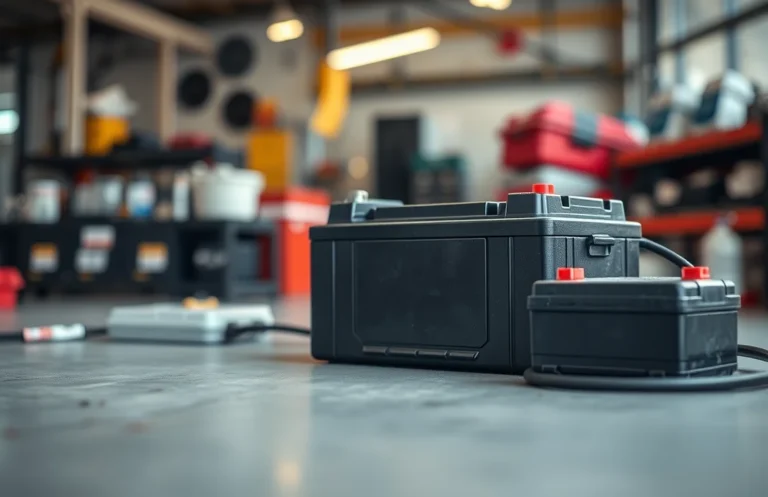
How to Effectively Charge a Dead Battery: Step-by-Step Guide
Have you ever found yourself stranded with a dead battery, unsure of what to do next? Understanding how to charge a dead battery can save you time and frustration, allowing you to get back on the road quickly and safely.
Charging a dead battery involves a few straightforward steps. Use jumper cables and a working vehicle or a battery charger. Connect the cables properly, wait for a few minutes, and then attempt to start the vehicle or check the charger’s progress.
Identifying a Dead Battery
Recognizing a dead battery is crucial before attempting to charge it. A battery may appear dead due to various reasons, including lack of charge or damage. Here are some practical steps to identify whether your battery is truly dead:
- Check for Signs of Life: Attempt to power on your device. If it shows no signs of activity, proceed to the next step.
- Inspect for Corrosion: Look for any corrosion on the battery terminals, which can prevent proper connection and might indicate other issues.
- Test with a Multimeter: Use a multimeter to measure the voltage of the battery. If it reads below the manufacturer’s specified voltage, the battery is likely dead.
- Look for Physical Damage: Examine the battery for any bulging, leaking, or cracks. Physical damage can render the battery unusable.
- Confirm Age: Check the age of the battery. If it’s older than the typical lifespan, it may need replacement rather than charging.
By following these steps, you can effectively determine if your battery is dead and needs charging or replacement. Understanding this will prepare you for the next crucial step in restoring power.
Choosing the Right Charger
Selecting a compatible charger is crucial for effectively charging your dead battery. Different batteries require specific chargers to ensure safety and efficiency. Using the wrong charger can lead to damage or even hazardous situations.
Check the battery type before proceeding. Common types include lead-acid, lithium-ion, and nickel-cadmium. Each has unique charging requirements. Look for the voltage and amperage specifications on the battery label, as these should match the charger you intend to use. For instance, if your battery is 12 volts, ensure your charger is also 12 volts.
Additionally, consider the charger’s features. Smart chargers automatically adjust their output based on the battery’s charge state, preventing overcharging and prolonging battery life. If you’re unsure, consult the battery’s manual or manufacturer’s recommendations for compatible chargers. This careful selection process helps ensure safety and effectiveness when charging a dead battery.
Preparing the Charging Area
Creating a safe and effective charging environment is crucial for successfully reviving a dead battery. This preparation ensures that both you and the battery are protected during the charging process. Follow these steps to set up your charging area properly.
Begin by selecting a dry, well-ventilated space away from flammable materials. Avoid areas with excessive heat or moisture, as these conditions can lead to battery damage or even hazards during charging. Ensure that the surface is stable and free from clutter to minimize the risk of accidents.
Gather necessary tools such as gloves and safety goggles, especially if you are charging a lead-acid battery, as it may emit gases that can be harmful. It’s also wise to have a fire extinguisher nearby for extra safety, particularly when dealing with batteries that can potentially leak or swell.
Finally, ensure you have sufficient space to move around safely. This consideration is especially important if you need to disconnect or reposition the battery during the charging process. Proper preparation of your charging area can significantly enhance safety and efficiency when dealing with a dead battery.
Connecting the Charger Properly
Establishing a proper connection between the charger and the battery is crucial to ensure an effective charging process. This section outlines the step-by-step procedure for making secure connections, which will help prevent any potential damage and ensure safety while charging a dead battery.
- Identify the terminals: Locate the positive (+) and negative (-) terminals on the battery. The positive terminal is usually marked with a red cover or symbol, while the negative terminal is often black.
- Connect the positive lead: Take the red (positive) clamp from the charger and attach it to the positive terminal of the battery. Ensure it is securely connected, as a loose connection can hinder the charging process.
- Connect the negative lead: Next, take the black (negative) clamp from the charger and attach it to a grounded metal part of the vehicle or a designated negative terminal if available. Avoid connecting it directly to the negative terminal of the dead battery to prevent sparks.
- Check the connections: Visually inspect both connections to ensure they are firmly attached. A secure connection is essential for the charger to function properly and efficiently.
Monitoring the Charging Process
Keeping track of the charging process is essential to ensure safety and effectiveness. Monitoring helps prevent overcharging, which can damage the battery or reduce its lifespan. Follow these steps to efficiently track your charging progress.
- Check the charger’s indicators: Many chargers come with LED lights that indicate the charging status. A green light often means the battery is fully charged, while a red or orange light indicates that charging is in progress.
- Set a timer: Depending on the battery type, set a timer for the recommended charging duration. For instance, smaller batteries may only need 1-2 hours, while larger batteries might require several hours. This helps you stay aware of when to check on the battery.
- Use a multimeter: If you want a more precise measurement, a multimeter can help you check the battery voltage. This way, you can determine whether the battery is approaching a full charge.
- Listen for unusual sounds: While charging, pay attention to any unusual noises such as hissing or popping. This could indicate a problem with the battery and should prompt you to disconnect the charger immediately.
- Inspect for heat: Batteries can become warm during charging; however, excessive heat is a warning sign. If the battery feels too hot to touch, disconnect the charger and allow it to cool down.
Testing the Battery After Charging
Once the battery has charged, confirming that it is functioning properly is essential. Testing ensures that your efforts in reviving it were successful and that it can hold a charge. Here are some effective methods to check if the battery is ready for use.
One straightforward method is to use a multimeter. Set the multimeter to the appropriate voltage setting, and connect the probes to the battery terminals. A healthy, fully charged battery should read close to its rated voltage. For example, a 12V car battery should ideally show around 12.6 volts or more. If the reading is significantly lower, the battery may still be undercharged or faulty.
Another practical approach is to reconnect the battery to the device it powers. Observe the device’s performance; if it operates effectively and without interruption, the battery is likely charged. For rechargeable batteries, consider performing a load test, which can reveal how well the battery can sustain a load over time. This step is particularly useful for automotive batteries.
By applying these tests, you can ensure that the battery is not only charged but also capable of providing reliable power for your needs.
Maintaining Battery Health
After successfully charging a dead battery, following specific practices can significantly prolong its lifespan and efficiency. Implementing these tips will help you maintain optimal battery health, ensuring your device remains reliable for an extended period. Consider the following strategies:
- Charge Regularly: Avoid letting the battery fully deplete before recharging. Keeping it between 20% and 80% can enhance longevity.
- Use the Right Charger: Always use the manufacturer-recommended charger. Using an incompatible charger can lead to overheating and damage.
- Avoid Extreme Temperatures: Keep the battery in a moderate environment. Excess heat or cold can negatively impact its performance and lifespan.
- Enable Battery Saver Mode: Utilize battery saver settings on your device to reduce power consumption and extend battery life during usage.
- Update Software: Ensure your device’s software is up-to-date, as manufacturers often release updates that improve battery management.
By adhering to these practices, you can ensure that your battery remains healthy and performs well over time, reducing the frequency of having to deal with dead batteries.
Quick Summary
- Determine the battery type (lead-acid, lithium-ion, etc.) before charging.
- Use the appropriate charger designed for the specific battery type.
- Check the battery’s condition; look for damage or leaks before charging.
- Connect the charger to the battery terminals correctly (positive to positive, negative to negative).
- Charge the battery in a well-ventilated area to avoid gas buildup.
- Monitor the charging process and disconnect once fully charged to prevent overcharging.
- Consider using a multi-stage charger for optimal charging and battery maintenance.
Frequently Asked Questions
1. How can I tell if my battery is dead?
If your battery is dead, your vehicle or device will not start or power on. You may also notice dim lights or a clicking sound when you try to start your vehicle.
2. What is the best method to charge a dead battery?
The best method to charge a dead battery is to use a battery charger or jump-start it with another vehicle. If using a charger, connect it to the battery following the manufacturer’s instructions, and allow it to charge for the recommended time.
3. Can I charge a dead battery with a regular charger?
Yes, you can charge a dead battery with a regular battery charger, but ensure it’s compatible with your battery type. Some chargers are designed for specific battery types, such as lead-acid or lithium-ion, so check the specifications before use.
4. How long does it take to charge a dead battery?
The time it takes to charge a dead battery varies based on the charger and battery capacity. Typically, a standard charger may take several hours to fully charge a dead battery, while a fast charger can reduce this time significantly.
5. What should I do if my battery won’t hold a charge?
If your battery won’t hold a charge, it may be old or damaged and could need replacement. Consider having it tested at an auto parts store or by a professional to determine if it needs to be replaced.

- How to Jump-Start a Motorcycle with a Car Battery Safely - February 22, 2026
- Does Life360 Really Drain Your Battery? What You Should Know - February 22, 2026
- Do Hardwired Smoke Detectors Need Batteries for Backup Support? - February 22, 2026