Does Fast Charging Damage Batteries Iphone?
Fast charging an iPhone is not the instant battery killer many imagine; recent iPhones are built to accept higher power safely. The spec that matters most is battery temperature, more than raw wattage. A common mistake is assuming any high-watt charger is safe, so first check the charger wattage printed on the adapter or its USB Power Delivery label.
Does fast charging damage iPhone batteries? No, not by itself; using a 20W to 30W USB-C PD charger to reach roughly 50% in about 30 minutes is normal, but repeated high-temperature charging and keeping the battery at 100 percent frequently can accelerate long-term capacity loss.
How iPhone fast charging works
Recommended Products
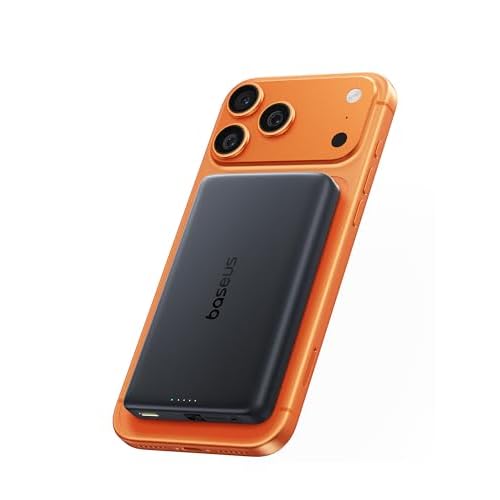

Fast charging an iPhone uses a negotiated higher voltage or current from a USB-C charger while the phone controls the battery current and voltage, so the phone’s battery management system is the primary controller of stress on the cell. Damage risk is mostly indirect: excess heat, bad cables, or chargers that do not follow USB Power Delivery or PPS standards can increase wear.
USB-C Power Delivery, or PD, is a communication protocol between charger and device that negotiates a higher charging voltage and current than basic USB. The phone and charger exchange messages, then the charger supplies the agreed voltage so the phone can draw more power without forcing raw current into the battery.
Programmable Power Supply, PPS, is an extension of PD that lets the charger adjust voltage in smaller steps during the charge session. Smaller voltage steps reduce wasted heat inside the phone and charger during the high-power phase, which lowers a key factor that speeds battery aging.
iPhones apply a charge curve that limits peak current as the battery state of charge, or SOC, rises. The phone allows higher power when SOC is low to refill quickly, then tapers current as SOC climbs and as cell voltage approaches safe limits. That tapering is done by the phone, so using a higher-power PD or PPS charger does not keep forcing high current all the way to full.
Apple also uses thermal management and software features that delay or slow charging if the phone is hot, and there is an “optimized charging” behavior that can limit how long the battery stays at high SOC. Those features reduce long-term wear when fast charging is used regularly.
| Protocol | Voltage behavior | Benefit for iPhone | Compatibility note |
|---|---|---|---|
| USB-C PD | Fixed negotiated voltage steps | Allows higher charging power under phone control | Most recent iPhones support PD, check Apple specs |
| PPS | Programmable, fine-grained voltage adjustment | Reduces heat during fast charge, lowers stress on battery | Better when both charger and phone support it |
| Legacy QC / USB-A | Older negotiation schemes, less efficient | May charge slower or run hotter on modern phones | Use only when PD/PPS is unavailable |
Fast charging itself is not a guaranteed killer of iPhone batteries, but higher power increases the importance of heat control and correct protocol handling. Use PD or PPS chargers, good cables, and pay attention to device temperature to keep degradation minimal.
Battery degradation basics
Recommended Products


Fast charging does not automatically ruin an iPhone battery, but anything that increases cell temperature or forces large amounts of charge into the cell can speed aging. The real drivers of long term capacity loss are cycle wear, calendar aging, depth of discharge, and temperature, with heat being the single most damaging factor.
Cycle life means capacity lost from repeating charge and discharge cycles, while calendar aging means capacity lost over time even when a phone mostly sits idle. Both processes are chemical, and they add up: a battery with many shallow cycles can still age from calendar effects if it is kept hot or at a high state of charge for long periods.
| Aging type | Main drivers | Common mitigations |
|---|---|---|
| Cycle aging | Number of full-equivalent cycles, depth of discharge, charge/discharge rate | Prefer shallow charges, avoid repeated deep drains, charge curves that reduce time at high voltage |
| Calendar aging | Time, average state of charge, temperature (especially elevated) | Store at lower SOC, keep device cool, avoid long periods at 100 percent |
For example, charging quickly can be harmless if the phone keeps the battery cool and reduces current as it nears full. If fast charging raises the battery temperature repeatedly, that heat accelerates both cycle and calendar loss and can cause swelling or other failures over time.
Takeaway: fast charging only accelerates aging when it raises temperature or forces harmful internal reactions; managing heat and avoiding prolonged high states of charge protects battery life more than avoiding higher charge rates alone.
Does fast charging increase wear?
Recommended Products


Yes, fast charging can increase battery wear on iPhone batteries, but the effect is usually moderate and heavily controlled by Apple hardware and software. Higher current and higher voltage accelerate chemical side reactions that reduce capacity over many cycles, yet Apple’s charging profile and management make the real-world difference small for most users.
Higher current and higher voltage put electrochemical stress on lithium-ion cells. That stress speeds growth of the solid electrolyte interphase layer on the anode and raises the chance of microscopic lithium plating during the top portion of a fast charge, both of which reduce usable capacity over time.
Those mechanisms are additive with other factors, especially charge level and temperature. Repeatedly charging to full state of charge and staying at high state of charge increases cumulative wear, while occasional fast top-ups cause much less additional degradation.
For example, using fast charging daily to jump from 30 percent to 80 percent will wear the battery less than daily 0 to 100 percent cycles, even if both use fast power. The pattern of usage, how often the phone sees high temperature while charging, and how long it sits at 100 percent all change the long-term outcome.
| Fast charging | Standard charging | |
|---|---|---|
| Electrical stress | Higher current/voltage early in charge | Lower current, gentler voltage profile |
| Short-term effect | Faster top-up, possible extra heat | Slower but gentler on chemistry |
| Long-term wear | Moderately faster capacity loss if used constantly | Slower capacity fade over many cycles |
Public, long-term head-to-head data comparing repeated fast charging and slow charging on iPhones is limited, and Apple does not publish complete internal test data, so precise lifetime penalties are uncertain and vary by usage and temperature.
Bottom line, Apple limits damage by negotiating power delivery, tapering current as the battery fills, and using software features to delay full charges. If you want lower wear prioritize avoiding constant 100 percent charges, keep Optimized Battery Charging on, and use reputable PD chargers; occasional fast charging is a reasonable tradeoff of convenience versus a modest additional wear rate.
Heat, swelling, and safety risks
Recommended Products


Fast charging raises the temperature inside the iPhone during the high-current part of the cycle, and elevated temperature is the primary safety concern because it can lead to swelling, premature cell failure, or an internal protection cutoff. Persistent overheating while charging is what creates abnormal behavior and, in rare cases, physical battery deformation that needs immediate action.
Heat matters because lithium-ion cells generate waste heat and because higher temperature speeds the breakdown of the electrolyte, which can create gas inside the cell and increase internal pressure. Higher pressure warps the cell pouch and can push the screen or case outward, and when the phone crosses thermal thresholds its internal software or hardware will throttle charging or shut the device down to protect the battery.
Prevention steps you can check right away include using certified chargers and cables, keeping vents clear, avoiding charging on soft surfaces, and removing heavy cases while fast charging. If you are unsure whether heat or swelling came from fast charging or a hardware fault, seek a professional inspection rather than continuing to use the device.
Charger compatibility and standards
Fast charging does not inherently damage iPhone batteries, provided that users utilize certified chargers and cables that meet Apple’s specifications. The iPhone is designed to manage charging speeds, balancing power delivery with battery health to mitigate risks associated with heat and wear.
When selecting a charger for fast charging, consider these essential aspects:
In practice, using a low-quality charger or a non-compliant cable can lead to overheating and might affect battery longevity. It is crucial to avoid using chargers that do not comply with the USB PD standard, as they may not regulate voltage and current correctly.
Here are some common mistakes to avoid:
Overall, fast charging is safe for iPhone batteries when using the correct equipment. Users should always prioritize quality and compatibility to maintain battery health and ensure safe charging practices.
Troubleshooting and buying checks
Recommended Products


Fast charging technology is designed to optimize battery charging without causing significant damage, but monitoring your device’s battery health is essential. Regularly checking battery health and using compatible chargers can help maintain battery longevity while benefiting from fast charging features.
Buying Checklist for Chargers and Power Banks
When selecting chargers and power banks for fast charging, ensure they meet specific criteria to protect your device:
Quick Summary
Fast charging does not significantly damage iPhone batteries when proper precautions are followed.
Frequently Asked Questions
Does fast charging damage batteries on an iPhone?
Fast charging is designed to be safe for your iPhone’s battery, as Apple implements technology to manage heat and voltage. However, prolonged exposure to high temperatures can impact battery lifespan, so it is essential to monitor your device while charging.
How can I ensure my charger is compatible with fast charging?
To ensure compatibility, look for chargers that support USB Power Delivery (USB PD), which is required for fast charging on newer iPhones. It is advisable to use Apple-certified chargers or cables for optimal performance.
What is the impact of heat on battery performance during fast charging?
Heat is a significant factor in battery health; excessive heat can lead to decreased battery capacity over time. Make sure to charge in a cool environment and avoid using your phone heavily while charging to reduce heat generation.
How often should I replace my iPhone battery to maintain optimal performance?
Apple recommends replacing your battery when it retains less than 80% of its original capacity. You can check your battery health in the settings, and if it drops significantly, consider a replacement to maintain device performance.
What are common mistakes to avoid when using fast chargers?
A common mistake is using non-certified chargers, which can lead to overheating or damage. Always opt for Apple-certified accessories to prevent potential issues and ensure safe charging practices.

- 10 Best Battery For Generator Ev Battery Bank Marine 2026 - October 27, 2026
- 10 Best Battery For Generator Ev Battery Bank Lto 2026 - October 27, 2026
- 10 Best Battery For Generator Ev Battery Bank Low Voltage 2026 - October 27, 2026