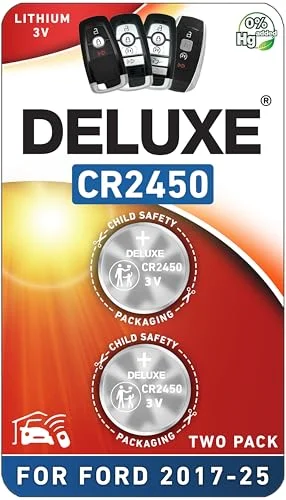
How To Replace Battery Mazda Key?
A dead key fob battery has a knack for dying right when you need to get somewhere. Suddenly your keyless entry stops responding or the push-button start goes silent. The good news?
Swapping in a fresh battery yourself is usually a five-minute job and costs a fraction of what a dealer charges. Let’s walk through how to find the right battery for your specific Mazda model and get that remote working again fast.
Identifying Your Mazda Key Type
Recommended Products


Mazda has used several different smart key designs over the years, and not all of them take the same battery.
Battery Types by Key Design
| Key Fob Style | Common Models | Battery Type |
|---|---|---|
| Smart Remote (Side Buttons) | 2019-2026 CX-5, Mazda3 | CR2032 |
| Older Smart Key | 2009-2018 Mazda6, CX-9 | CR2025 |
| Flip Key | Pre-2010 Models | Varies |
Modern Mazda smart fobs (think 2019 and newer) typically run on a CR2032 lithium coin cell. Older models, especially from the late 2000s and early 2010s, often use a thinner CR2025 instead.
The easiest way to know for sure is to crack open your current fob and check the number printed right on the battery itself.
Don’t just assume based on the model year alone; Mazda has tweaked battery compartments across refreshes, so what worked for your neighbor’s CX-5 might not work for yours.
Tools Needed for Safe Removal
Recommended Products


You do not need professional tools to replace your key fob battery. A few household items or included kit components work perfectly. Proper technique prevents scratching the plastic casing or breaking internal clips.
- Use a plastic pry tool to avoid scratching the key casing.
- Apply gentle pressure near the seam to release internal clips.
- Keep track of small screws if your fob has them.
- Note the battery orientation before removing the old cell.
- Clean contacts with a dry cloth if corrosion is visible.
Most replacement kits toss in a little plastic pry tool that slips into the seam of the fob and pops it open without scratching the shell. If you’re flying solo without one, a flathead screwdriver wrapped in electrical tape does the trick.
Just twist it gently into the slot near the key ring and work your way around the edges. Don’t force it; those internal clips snap easy if you’re aggressive. Once it’s open, swap the old battery out and pay attention to which side is facing up.
It matters for the connection.
Reliable Batteries for Your Mazda Key
We’ve pulled together a few solid options that cover both the newer CR2032 setups and the older CR2025 designs. Whether you want bare batteries or a full kit with tools and instructions, there’s something here that should match your fob.
|
1
|
Key Fob Replacement Batteries for Mazda 2019-2027, Pack of 2 | Fits Mazda 3 6 CX-5 CX-30 C |

Two-pack of CR2032 batteries for 2019-2027 Mazda smart keys with side buttons.
If you’re rolling in a 2019 or newer Mazda, chances are your key fob takes a CR2032, and this two-pack covers just about every model in that range. Think CX-5, CX-30, Mazda3, CX-90, you name it.
The batteries are standard lithium cells that keep a steady 3V output, so your keyless entry and push-button start stay snappy. The real perk here is the picture-based compatibility guide they mention in the description; it saves you guessing whether your fob matches.
You can swap the battery yourself in minutes, no dealer trip required.
Solid choice if you’ve got two keys or just want a spare on deck. My only gripe is that there’s no pry tool included, so you’ll need to track one down separately if you don’t already have one handy. Worth it if you’re comfortable cracking open the fob yourself.
|
2
|
Key Fob Battery Replacement for Mazda CR2032 Batteries Two Pack | Fits 2019-2025 3 6 CX-5 |

Industrial-grade CR2032 batteries with an eight-year shelf life.
These aren’t your dollar-store batteries; they’re rated for an eight-year shelf life, which means if you tuck a pack away in the glovebox, they’ll still fire up when you need them. They’re compatible with a wide range of Mazda smart keys, including newer models like the CX-50 and CX-90.
The lithium composition holds voltage well, so you’re not fighting a weak signal mid-week. Installation is straightforward, though you’ll want to have your own tool to open the fob.
Ideal for those who prioritize long-term storage stability and consistent power output. The high capacity ensures your key fob remains responsive over many months. However, the package does not include any tools for opening the key casing.
You will need to use a separate pry tool or coin to access the battery. Verify your model year against the fitment chart before purchasing.
|
3
|
Key Fob Battery Replacement for Mazda CR2032, Pack of 2 | 2019-2025: Mazda3, Mazda6, CX-3, |

Kit with two CR2032 batteries and a video guide for Mazda key fobs.
What sets this one apart is the video guide; it walks you through the whole process without needing to dig around in the manual or YouTube. The batteries themselves are standard CR2032s that cover a broad range of Mazda models, including the CX-70 and CX-90.
Voltage stays consistent, and they slot right into place where the old battery was. The description mentions a fitment guide to double-check, which is smart if you’re not 100% sure of your fob type.
For anyone who learns better with visuals, this kit takes a lot of the guesswork out of the process. The batteries do the job reliably, though if you’re hoping for included tools, you might want to grab a pry tool separately.
All said, it makes the swap approachable even if you’ve never touched a key fob before.
|
4
|
ZIWLU Key Fob Battery Replacement for Mazda (2009-2020) 3 6 CX-3 CX-5 CX-9 MX-5 Miata Remo |

CR2025 kit with pry tool for older Mazda key fobs (2009-2020).
If you’re driving something pre-2020 and your key isn’t a smart fob, odds are it wants a CR2025 instead. This kit covers older Mazda3, Mazda6, and CX-5 models from 2009 to 2020 and actually tosses in a pry tool so you don’t have to root around for one.
The battery holds steady voltage, and installing it takes minutes once the housing pops open. No programming needed afterwards, which always feels like a bonus.
Smart buy if you’ve got an older Mazda and don’t want to mess around sourcing tools separately. The included opener is a nice touch and keeps the whole process cleaner. Just make sure your key actually calls for a CR2025 before ordering; not every older fob does.
|
5
|
Pinochi Key Fob Battery Replacement for Mazda (2019-2025) Smart Remote | Fits 3 6 CX-30 CX |
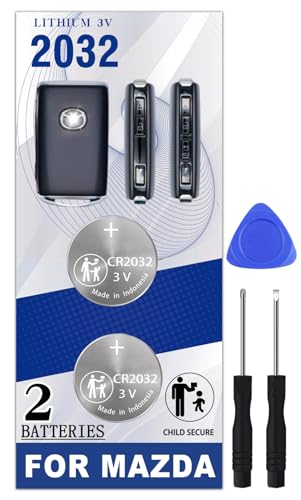
CR2032 batteries with pry tool and video guide for 2019-2025 Mazda remotes.
This kit puts together everything you’d want if you’re tackling the job yourself: two CR2032 batteries, an actual pry tool, and an installation video. It’s aimed at 2019-2025 Mazda smart keys like the CX-30, CX-50, and CX-90.
The batteries are supposed to be OEM-grade in terms of specs, so you get that same reliable 3V output you’d expect. The included tool makes opening the fob much cleaner than trying to improvise with a screwdriver.
If you value having everything in one box, this is probably your best bet. The video removes the guesswork, and having the pry tool built in means you’re not scrambling to find one.
The only thing keeping it from being perfect is that it’s limited to the newer style fobs, so if you’ve got a mix of old and new keys, you might need another option for some of them.
|
6
|
Lucrum 2PCs CR2032 Key Fob Battery Compatible with Mazda (2019-2026) | Fits 3, 6, CX-5, CX |

Lucrum CR2032 batteries with 240mAh capacity and child-resistant packaging.
Lucrum keeps things simple with these two CR2032 batteries; they’re rated at 240mAh each and come sealed in individual child-resistant packaging. They cover a wide range of Mazda models, including the CX-5, CX-9, and CX-90, and install just like the originals.
The packaging is actually a thoughtful touch if you’ve got kids or just want to keep spares safe until you need them. The voltage stays consistent, so your key fob keeps responding the way it should.
Nice option if you’re someone who worries about safe storage or just likes having backups organized. The batteries work fine, though there’s no tool included if this is your first time cracking open a fob. You’ll need to grab one separately, but otherwise, it’s a no-frills, reliable choice.
|
7
|
BBXSA Key Fob Battery Replacement for Mazda (2009-2020) CR2025 (2 Pack) |
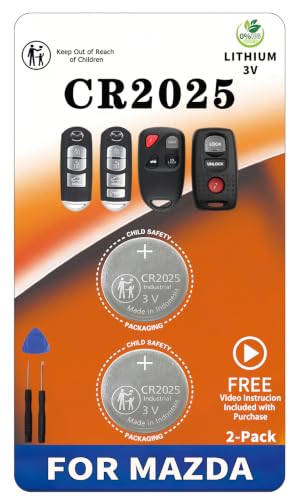
CR2025 batteries with pry tool for older Mazda key fobs (2009-2020).
Another CR2025 option for the older Mazda crowd, this two-pack is meant for 2009-2020 models including the Mazda3, Mazda6, and CX-5. The pry tool is the main draw here; it makes getting into the fob mess-free and protects the plastic housing.
The batteries are standard 3V cells that power the older remotes just like the originals did. No programming required once you swap them in.
Decent pick if you’ve got an older Mazda and didn’t want to deal with ordering tools separately. The only catch is it’s strictly for that 2009-2020 window, so newer fobs or flip keys are out. If your model falls within that range and your key eats CR2025s, this covers you.
|
8
|
Pinochi Key Fob Replacement Battery for Mazda (2003-2020) Smart Remote | Fits 3 6 CX-3 CX- |

Pinochi CR2025 kit with three tools and installation videos for 2003-2020 Mazdas.
If you’ve got a handful of older Mazdas or just want to err on the side of caution, this Pinochi kit throws in three different pry tools, which is way more than you’ll probably need but nice for peace of mind.
The two CR2025 batteries cover Mazda3, Mazda6, and CX-9 models from 2003-2020, and there are videos walking through the process. The batteries are supposed to match OEM specs, so you’re getting that same steady performance.
Honestly, the triple-tool setup feels overkill until you actually need a backup. If your first tool bends or you just prefer having options, this gives you plenty to work with.
The only downside is it won’t touch newer 2021+ models, so if you’ve got a mixed fleet, you’ll need another solution for the recent ones.
|
9
|
Knmipm CR2025 Key Fob Replacement Battery for Mazda |

Knmipm CR2025 batteries with tools and a video card for 2004-2018 Mazdas.
If your Mazda falls somewhere between 2004 and 2018, this Knmipm kit probably has you covered. It’s got two CR2025 batteries, a few opening tools, and even a video card that walks through the steps.
Models like the CX-5 and MX-5 are in the mix, and the batteries are supposed to be OEM quality. Swapping them out takes minutes, and there’s no need for dealer reprogramming afterward.
The video card is a nice touch if you’re not comfortable going in blind. The tools do their job without marring the key housing, and having the batteries pre-tested gives you that little extra confidence. Just remember it skips newer 2018+ models, so double-check your year before ordering.
Between the CR2032 options for newer fobs and the CR2025 kits for older ones, you’ve got choices for just about every Mazda generation. If you’d rather have everything in one box, go for the kits with included tools and videos.
Otherwise, bare batteries work fine if you’ve already got the tools or don’t mind grabbing them separately.
Step-by-Step Battery Swap Guide
Getting the battery replaced is the easy part; getting the fob back together without breaking anything is where things can go sideways.
Locate the small notch or seam on the side of your key fob.
Insert the pry tool gently into the notch to separate the halves.
Twist the tool slightly to pop the internal clips loose carefully.
Remove the old battery and note the positive side orientation.
Insert the new battery with the positive side facing up correctly.
Snap the two halves of the fob back together firmly until sealed.
Find the seam around the outside edge of your key fob, usually near the key ring loop. Slide your pry tool or taped screwdriver into that gap and twist gently until you hear the first click. Work your way around the edges to release the other clips without forcing it.
Once it’s open, pop out the old battery and note which side was facing up. Drop the new one in with the same orientation, and press the two halves back together until everything clicks. Give the buttons a quick test before tossing the old battery.
Troubleshooting Common Issues
Sometimes the remote acts up even after a fresh battery, and it’s usually something simple.
- Ensure the battery is inserted with the correct polarity direction.
- Check that the battery contacts are clean and free of debris.
- Verify the key fob halves are snapped together completely tight.
- Try resetting the key by removing and reinserting the battery.
- Confirm you purchased the correct battery type for your model.
If nothing’s responding, double-check that the battery’s in the right way; the positive side should face whatever direction is marked inside the compartment. Try cleaning off any corrosion or grime on the metal contacts with a dry cloth.
Make sure the two halves are firmly snapped back together, because a loose shell can mess with the connection. If it’s still giving you grief, try pulling the battery and reinserting it after a few seconds.
Worst case, you might have the wrong battery type, so peek at the old one again or check with a dealer if you’re unsure.
Replacing the battery in your Mazda key fob is one of those small DIY tasks that saves you a trip to the dealer and a chunk of change. Take the time to confirm which battery your model calls for, and don’t rush the reassembly.
A little patience now means your key keeps working later, and that’s worth its weight in spares.

- 10 Best Battery For Generator Ev Battery Bank Marine 2026 - October 27, 2026
- 10 Best Battery For Generator Ev Battery Bank Lto 2026 - October 27, 2026
- 10 Best Battery For Generator Ev Battery Bank Low Voltage 2026 - October 27, 2026