How Long Do Lithium Ion Batteries Last?
Lithium-ion batteries usually “last” 2 to 10 years, but the spec that matters most is the battery’s capacity fade from heat and charge habits. If your power bank runtimes shrink or a UPS switches to battery mode sooner than expected, it might be aging, or it might be a charging or load problem. This article lays out practical ranges, what shortens life fastest, and how to tell whether to replace the pack or troubleshoot.
Lithium-ion batteries last about 2 to 10 years in real use, or roughly hundreds to a few thousand full charge cycles, depending on heat and how often you run them to 0%. Most aging shows up as reduced capacity and shorter runtime long before the battery “dies.” Cycle life and calendar life both matter.
How Long Do Lithium Ion Batteries Last?
Recommended Products



Most lithium-ion packs give you several years of usable capacity, then progressively less runtime as their capacity fades and internal resistance rises. Typical “noticeable wear” is often in the 2 to 5 year range under everyday use, with best-case use stretching longer, especially in devices that stay cool and are not frequently charged to 100%. Worst-case wear can show up within about 1 to 2 years when batteries run hot or are repeatedly deep-cycled.
“Last” usually means the point where performance becomes inconvenient: shorter runtime, more frequent charging, slower device behavior, or an operating system that warns about battery health. Battery management systems can also reduce output if the pack senses high resistance or overheating risk, which feels like “battery dying” even before capacity is completely gone.
Typical Years And Cycle Expectations (What To Plan For)
Cycle life depends on both how many times you charge and how you charge, plus temperature and whether you regularly sit at very high state-of-charge. A common planning model is that life is limited by either calendar aging (time, even if unused) or cycle aging (repeated charge and discharge), with heat and high charge levels accelerating both.
| Use pattern | What “noticeable” wear looks like | Typical timeframe | Cycle-count ballpark |
|---|---|---|---|
| Light use, cool storage | Small runtime loss, slow decline | 4 to 8 years | Often several hundred to low-thousands |
| Everyday use | Clear runtime reduction, more charging | 2 to 5 years | Often a few hundred to a few thousand |
| Hot use or frequent 100% charges | Faster drop in runtime, higher heat under load | 1 to 3 years | Can be on the low end |
| Rough handling, high stress cycling | Sudden shutdowns under load, rapid health decline | ~1 to 2 years | Can be below expectations |
Cycle-count numbers vary widely by cell type, pack design, charge algorithm, and temperature. Use this table to set expectations, then check your device’s battery health readout and the manufacturer’s specs.
Best-case scenarios usually involve moderate charge levels, infrequent full charges, and operation that stays cool.
For instance, a power tool battery that is charged promptly after use and stored in a cool place typically ages more slowly than one left fully charged in a hot environment.
End-of-life usually shows up as a noticeable capacity drop and reduced peak power.
For example, a device may feel fine at idle but shut down under load, or a portable power station may trigger low-battery protection sooner than before. If you see swelling, persistent overheating, a strong chemical smell, or repeated charging faults, stop using the pack and have it inspected.
In practice, the most reliable decision point is trend data: battery health indicators, runtime changes over weeks, and whether the device starts behaving differently under the same usage. When runtime loss becomes consistent and inconvenient, or when shutdowns happen early, replacement is the practical fix, while charging issues may still be a separate problem you should troubleshoot first.
Cycle Life Vs Calendar Life
Recommended Products
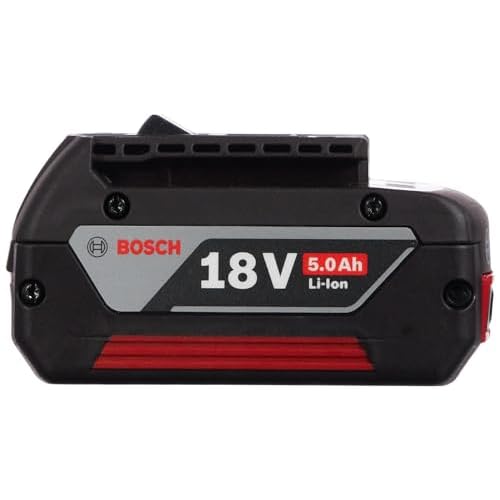

Battery wear comes from two different “clocks”: cycling damage from repeated charge and discharge, and calendar aging from time spent at high charge or warm temperatures even when you are not using the pack. Real-world “life” is the earlier of the two, because either can make capacity fall below useful levels.
Cycle life is about how many charge-discharge events a cell can handle before noticeable capacity loss or increased internal resistance. A full cycle usually means the cell goes from about 0% charge to 100% charge in total delivered energy terms, but many devices only see partial swings between, for example, 30% and 80%. That still consumes a fraction of a cycle each time.
Partial cycles change the math because wear scales with how deep and how often you swing state of charge. Two small swings can add up to one full cycle worth of energy movement, even if neither swing reaches the endpoints. For day-to-day use, aim to keep the pack out of long deep discharge patterns.
Why Calendar Aging Still Matters
Calendar aging happens while the battery sits in storage or stays idle in the device. High state of charge and heat accelerate side reactions inside lithium-ion cells, so a pack that is left at a high charge level for months can age faster than a pack that is cycled more lightly but stored cooler. This is why unused or lightly used batteries can still lose capacity over time.
Calendar aging also explains why two owners with the same battery model can see different runtimes after the same number of years. One person may keep the battery mostly near full charge, while the other keeps it closer to mid charge and avoids heat buildup during charging and use. Both choices affect the same pack, but through different wear mechanisms.
How Two Packs Used Differently Still Age
Cycle-heavy use tends to show up as faster runtime loss after repeated trips, cameras, tools, or power-hungry loads. Calendar-heavy use often shows up as capacity loss even when usage looks normal, especially when the device stores for long periods while warm or near full charge.
End-of-life clues typically include reduced usable capacity, shorter runtime at the same load, and occasional instability like sudden shutdowns under demand. Swelling, cracking, or hot spots are stop-using signals. Replace the pack or get it serviced, and treat charging problems as safety-critical if the battery casing looks damaged.
Heat, Charge Level, And Speed
Recommended Products

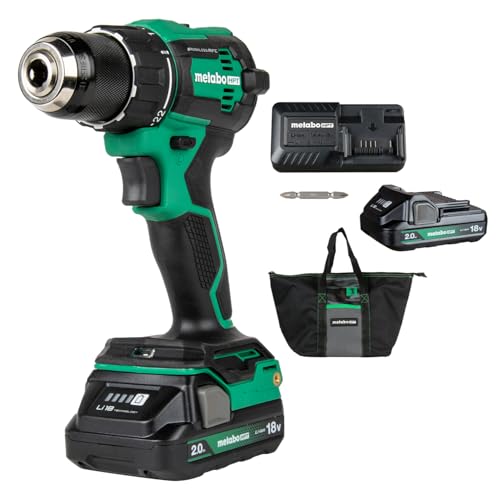

Heat is the biggest day-to-day lifespan killer for lithium-ion batteries, and it scales wear fast once cells run hot. Keeping charge near full for long stretches also speeds capacity loss, while frequent full swings and aggressive fast charging add extra stress.
In practice, battery life is usually described in “how many charge cycles until capacity feels noticeably worse” plus “how many years until it ages out.” Heat and charge behavior can push a battery into earlier “noticeable degradation” even if the number of calendar years is short.
Heat: Why Warm Batteries Age Faster
Charging a warm battery accelerates chemical reactions inside the cell, which increases wear and can trigger safety limits in the battery management system (BMS). For consumer devices, the common culprit is heat from the environment or the phone or tool itself, followed by charging during that warm state.
For example, a power bank left in a car window or a drone battery packed tightly in a bag stays hot, then gets charged right away. That combo adds thermal stress and can cause uneven cell heating, which makes capacity fall sooner.
Charge Level: Keeping It Full For Days Adds Wear
Staying near 100% most days increases the time cells sit at high voltage, which increases aging rate. This is why a device that spends weeks docked and fully charged can degrade faster than one used and recharged more often, even with the same total capacity throughput.
For instance, if you charge a laptop every night and leave it plugged in at a high state of charge, you are trading convenience for faster “calendar-style” wear. Many chargers and devices provide battery protection modes that aim to reduce time at the highest charge level.
| Common habit | Main aging driver | What to try instead |
|---|---|---|
| Leaving near full for days | High-voltage time | Use a built-in limit mode if available, unplug when you do not need it |
| Charging after heavy heat | Thermal stress | Cool first, avoid covering vents |
| Regular 0% to 100% swings | Deep cycling stress | Recharge more often, avoid running fully empty when possible |
Fast Charging: When It Helps And When It Hurts
Fast charging can help because it reduces the time the battery spends at a high current level, but it also creates heat, which can erase the benefit. When the battery or charger forces high power into a warm pack, the heat can dominate and shorten lifespan.
Fast charging tends to be gentler when the battery is cool and the device can manage temperature effectively. Fast charging tends to hurt more when you start with a hot battery (sun, gaming, rapid use) or when airflow is blocked.
Charging Too Hot: What Actually Happens
When a lithium-ion pack is too hot, the BMS usually limits charging current, pauses charging, or changes the charge profile to prevent damage. That means the charger may appear “slow,” cycle on and off, or eventually refuse charge until the battery cools down.
If temperature stays high anyway, cell degradation accelerates and the pack can become more prone to capacity loss and instability. Swelling, repeated shutdowns while plugged in, or a charger that repeatedly trips errors are strong “stop and inspect” triggers, since the issue can be the pack, the contacts, or a fault in the charging setup.
Quick reality check: a battery that “works fine” but loses runtime fast, charges inconsistently, or runs hot during normal use is already showing lifespan stress.
Device Use Patterns And Timescales
Recommended Products

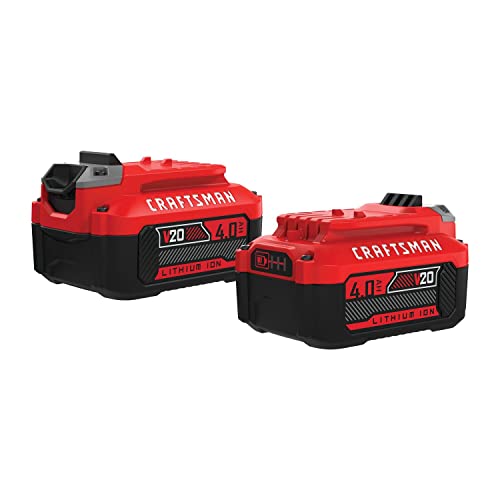
Lithium-ion batteries usually last years, with wear driven more by time at high temperature and frequent deep charge cycling than by the battery chemistry alone. Many consumer devices still feel “usable” for 3 to 5 years, while heavy-cycle products can show faster capacity loss. The exact outcome depends on how often you charge, how high you let the state of charge get, and how hot the battery runs.
How Charge Style Maps To Wear
Phone and tablet habits change the wear pattern because small batteries see constant partial use and frequent charging. Daily top-ups tend to be gentler than draining to near-empty, but high average charge level (staying near full for long periods) still increases stress. A common trade-off is convenience versus battery longevity: short, frequent charges are often fine, yet leaving the device parked at 100 percent in heat speeds aging.
Laptops and tablets shift wear from “number of charges” to “battery time at elevated temperature” and “cycle depth.” Running on AC power with occasional battery use often slows long-term decline, while battery cycles (especially frequent full discharges) add wear. Docking habits matter because cramped enclosures and high CPU load can keep the pack warm even while charging or discharging.
Power tools are a different story because seasonal storage creates long calendar aging and occasional heavy cycles dominate. Batteries that sit for months at high charge, especially in hot garages, often age sooner even if they are rarely used. Storage with a moderate charge and keeping packs cool is usually more protective than repeated full-charge storage before a future job.
Power banks and small USB chargers usually see intermittent cycling, which means capacity decline can be slower than a laptop that runs daily on battery. Wear still happens whenever the pack is pushed through deeper charge swings, and frequent overheating inside a pocket is a real risk. Staying within the device’s rated power limits reduces heat, which directly impacts longevity.
Long Storage And Extreme Use Cases
UPS and solar storage batteries tend to idle most of the time, so aging can be dominated by calendar time rather than cycle counts. Occasional discharge events matter, but the bigger threat during long standby periods is high temperature and holding a high charge level. If a UPS battery area runs warm or the unit sits in a hot location, the pack can wear faster even with few actual power outages.
EV battery aging is dominated by heat and time, and the battery spends many years at high temperatures and high state of charge. High-speed charging and repeated near-full operation can accelerate wear, but driving style and climate also matter because they control temperatures and how deeply the pack cycles.
In practice, EV owners usually judge “last” by remaining range and how quickly performance falls in heat or cold, since that is what degrades first in daily use.
| Device category | Typical use pattern | What drives wear most | Rough “how long” users notice |
|---|---|---|---|
| Phones and tablets | Daily top-ups, partial discharges | Time at high charge, warmth, occasional deep cycles | Often 3 to 5 years for noticeable runtime reduction |
| Laptops and tablets | Dock or AC most days, then battery sessions | Battery temperature during use, cycle depth | Often 3 to 5 years, faster if frequently cycled deeply |
| Power tools | Irregular use, seasonal storage, job-based cycles | Calendar aging during storage, heat, deep discharges | Often 3 to 5 years, can be shorter after hot high-charge storage |
| Power banks and small USB chargers | Intermittent cycling | Heat from high output, occasional deep swings | Often 2 to 4 years depending on how hot and how hard they’re used |
| UPS and solar storage | Long standby, occasional deeper events | Calendar aging, standby temperature, charge management | Often 3 to 7 years for serviceable performance, location temperature swings matter |
| EVs (high-level) | Years of driving, frequent warm operation | Heat, time at high charge, charging intensity | Often many years before range feels meaningfully reduced |
For example, a phone used at 100 percent while charging overnight in a warm room can age faster than the same phone that spends more time between about 20 and 80 percent.
For example, a laptop that runs mostly on AC but stays warm in a closed dock can age faster than one used on the desk with airflow and only occasional battery work.
Signs Of Near End-of-life
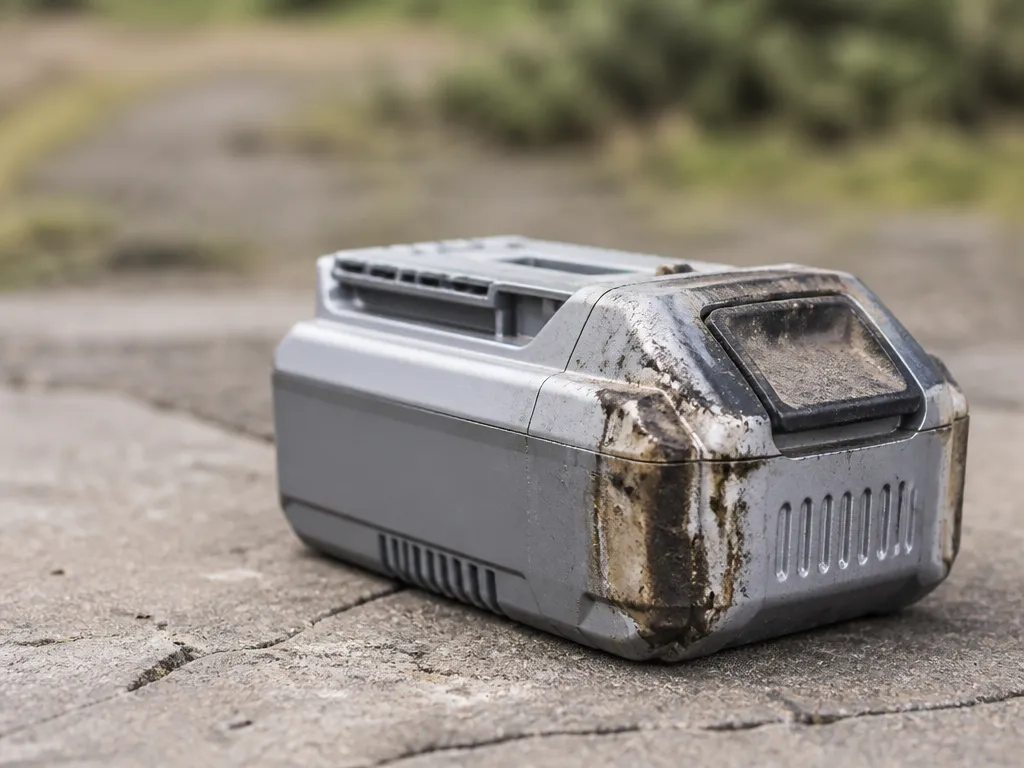
Most lithium-ion batteries show aging as loss of usable capacity and instability under load. Battery issues can look similar to charger or power accessory problems, so treat physical safety signs as the first priority.
Capacity Drop You Can Measure With Runtime
Runtime shortens even when you use the same apps, devices, and settings. Cause is gradual loss of capacity from calendar aging (time at high state of charge) and wear from repeated charge cycles, which raises internal resistance and reduces how much energy the pack can deliver safely.
Fix is to compare battery health readings (if your device provides them) and do a simple repeat test: charge to the same percentage, then run the same workload until shutdown, while noting start and end battery percentage. If the runtime loss is big and consistent across different outlets and chargers, plan for replacement.
Voltage Sag And Sudden Shutdowns
Voltage sag causes dimming, app crashes, or sudden shutdowns even with remaining “battery percentage” showing on-screen. Cause is increased internal resistance, which means the pack voltage drops too far under higher current draw, and the battery protection circuit may cut out early.
Fix starts with ruling out power delivery problems: try a different compatible charger and cable (or different wall outlet), then load-test with a known power-hungry scenario while watching for immediate cutoffs. If shutdowns happen at the same low charge points or during normal use even with proper charging, the pack is aging.
Charging Becomes Unreliable Or Stops Early
Charging may stop at a low percentage, take much longer than before, or get stuck in a “charging but not progressing” state. Cause is degraded cells that accept charge poorly, a failing battery management system (BMS), or a connection issue such as worn ports, damaged cables, or a charger that does not maintain the expected USB-C PD negotiation profile.
Fix is to do a controlled check: charge from 10 to 100% using a reputable, compatible charger and a cable you trust, then try a second known-good cable. If charging stops early on multiple chargers, the battery or its BMS is likely near end-of-life.
Excessive Heat During Charging Or Discharge
Excessive heat is a warning sign, especially if the battery gets hot while charging at normal rates or heats rapidly during everyday discharge. Cause is internal resistance rising with age, or active protection behavior from abnormal cell behavior, which can be triggered by damage, contamination, or internal shorting tendencies.
Fix is to stop use if heat is extreme, if the device feels hotter than usual for the same charger and environment, or if the battery area is hot to the touch. If overheating is repeatable, discontinue charging and replacing the pack is the safer path than troubleshooting it further.
Swelling, Odor, Or Physical Damage
Swelling, a warped casing, a popping or cracking sound, leaks, or any sweet, chemical, or “burnt” odor means the pack is unsafe. Cause is electrolyte decomposition or gas generation from abnormal cell stress, and damage can also compromise insulation and increase fire risk.
Fix is strict: stop using immediately, power down, and do not charge or puncture the battery. Place the device on a non-flammable surface away from papers or bedding and follow manufacturer or local hazardous waste guidance for disposal, or seek help from a qualified service center.
What To Do Next: Troubleshoot Safely Or Replace
Replacement is the right call when symptoms are repeatable across chargers and cables, show up as sudden shutdowns or consistent runtime loss, or occur alongside heat and capacity degradation. Troubleshooting is appropriate when issues look like a connection problem, such as intermittent charging, a loose port, or a specific cable causing failures.
Fix checklist for your decision:
- Try a different known-good charger and cable that match the device’s charging requirements (USB-C PD profiles where applicable).
- Inspect the port and cable ends for bent contacts, debris, corrosion, or cracks.
- Measure behavior across 2 to 3 full charge cycles before declaring the battery dead.
If you see swelling, odor, or repeated overheating, skip troubleshooting and treat the battery as end-of-life.
Estimate Remaining Useful Life
Recommended Products


Most lithium-ion packs become noticeably less useful when usable capacity drops to around 70% to 80% of original, which often shows up as shorter runtime for the same load. A practical estimate comes from comparing your device’s runtime over the last few weeks and translating your charging habits into an approximate cycle count.
Start by logging what you can observe, even if you do not have battery health data. Record charge level at start, run time until the device hits its low-voltage cutoff (or you see “low battery” warnings), and the rough load (phone screen on, laptop performing, lights on, etc.). Then compare that runtime to earlier baseline runs, ideally from the first week of your notes.
Approximate cycle count from your habits by treating one full 0% to 100% discharge as 1 cycle, while partial use counts as fractions. A common method is to estimate “equivalent full cycles” from how much energy you remove from the pack over time.
Example: using about 40% of capacity each day is roughly 0.4 cycles per day, which is about 12 cycles per month.
Charge-window observations help refine that estimate. For instance, keeping the pack between 20% and 80% uses about 60% of capacity per “round trip,” so each complete round-trip is roughly 0.6 cycles, even if you recharge frequently.
| Charging window or habit | Approx. capacity used per round trip | Cycle equivalent |
|---|---|---|
| 0% to 100% each day | 100% | 1.0 cycle/day |
| 20% to 80% daily | 60% | 0.6 cycle/round trip |
| Frequent top-ups (about 10% used between charges) | 10% | 0.1 cycle per top-up period |
In practice, you can combine both signals: runtime trend and cycle estimate. If runtime loss is small but cycle count is high, the pack may still be usable but will likely decline sooner. If runtime loss is large between two snapshots, treat the estimate as urgent because something else could be wrong (battery aging is only one cause).
Decision trigger: If you consistently see at least a 15% to 25% runtime drop compared with your earlier baseline, plan to reduce stress immediately and schedule replacement soon, especially if heat or shutdowns are increasing.
When the estimate is unreliable, use a conservative approach. Data gaps include changing loads, using different power modes, charging to different end levels each time, or missing the time between charging and use. If you cannot control those variables, base your decision on the worst consistent observation: faster runtime loss, more frequent low-battery cutoffs, or any abnormal heat or swelling.
Longevity Tips For Charging Habits
Keeping lithium-ion cells cooler, avoiding high charge when storing, and limiting time spent near full charge are the biggest behavior drivers of lifespan. Charge habits that reduce heat and hold the pack at high state of charge for hours tend to slow capacity fade and swelling risk.
Daily Charge Window And Storage Targets
For daily use, aim to keep the battery between a “ready” band and avoid living at 100% all day. If your device offers a charge limit setting, set it around the manufacturer-recommended range (commonly something like 80% to 90% for long-lived everyday charging). If there is no setting, unplug soon after it reaches full, especially when you notice the pack warms up during charging.
For storage, lower state of charge is kinder to cells than full charge. Store the pack where it is cool, dry, and near a mid charge level that matches the product’s guidance, then top up before use if the device warns about a low battery. Monthly checks are a good habit for packs that sit unused for weeks, since deep discharge or repeated full-charge storage can both add wear.
Temperature, Fast Charging, And “Hot While Charging” Rules
Temperature is the biggest enemy in real-world charging because heat increases chemical stress inside the cells. Target a cool environment, and treat charging on a bed, sofa, or under a blanket as a heat trap. If the device or pack feels hot to the touch, pause charging and let it cool down first.
Fast charging is useful, but it increases current and often raises temperature. Use fast charging when you truly need speed, then switch to standard charging afterward if the device supports it. Watch for signs of throttling (slower charge rate after a period), because that usually means the battery management system is protecting the pack with thermal limits.
Cables, Adapters, And Charge Behavior That Reduce Stress
Cable and adapter behavior affects how stable the charge current is, which changes how hard the cells work. Use the charger and cable the device maker specifies, and replace damaged cables with frayed insulation or loose connectors. A connector that gets warm at the plug is a warning that resistance is too high.
USB-C power delivery systems negotiate voltage and current. An undersized or low-quality adapter can cause repeated renegotiation or poor regulation, which increases heat in the adapter, cable, and sometimes the device port. Choose reputable brands and verify the charger’s rated output for your device, then avoid “mystery” adapters that do not clearly state their USB-C PD output profile.
Charger Myths And Compatibility Checks
Battery lifespan usually comes down to how you charge it, how hot it gets, and how often it spends time near full charge, not the charger brand. A mismatched or poorly negotiated charger can still make aging look worse by causing heat, repeated throttling, or odd shutdowns that mimic battery wear.
USB-C Power Delivery is a negotiated handshake, so it is worth verifying the device and charger actually agree on the power profile they are trying to use. A power bank or wall charger can look “compatible” while still running the port in a lower mode, or cycling between modes when the connection is loose or the cable has high resistance.
Charger output ratings are not the same thing as “will charge fast all the time.” For instance, a power bank may advertise a high watt maximum, but each port might have limits, and thermal throttling can reduce real power when the bank is warm or the load spikes.
Mis-matched charging can create symptoms that look like battery age, especially “it only lasts a short time” and “it gets warm while charging.” For example, when the charger and device do not settle into the intended PD profile, the device may keep adjusting current, which increases heat and stress on the battery management system (BMS).
Battery age still can look like a charger problem, so use quick checks to separate them. If the battery health screen shows a clear capacity drop or the runtime is short across multiple chargers and cables, the battery is the likely cause.
If the device charges normally with one known-good USB-C PD charger and cable, but struggles or errors with others, you likely have a compatibility or negotiation problem rather than true battery aging.
In practice, the most cost-effective fix is often cleaning the port, replacing a questionable cable, or using a charger that explicitly supports the correct PD profiles.
Quick Summary
Lithium-ion batteries usually last about 2 to 10 years in real use, or roughly hundreds to a few thousand full charge cycles, depending on heat and charge habits. The most important spec to watch is capacity fade, because it shows up as reduced runtime long before the battery fully “dies.” Aging can look like a power bank running for less time than expected or a UPS switching to battery mode sooner, which may also reflect a charging or load problem rather than the battery alone.
Battery wear comes from two clocks, cycle aging from repeated charge and discharge, and calendar aging from time spent at high state-of-charge or warm temperatures even when unused. Noticeable wear is often in the 2 to 5 year range for everyday use, while hot use or frequent 100% charging can push it toward about 1 to 3 years, and repeated deep cycling can be worse. If you see swelling, persistent overheating, chemical smell, or repeated charging faults, stop using it and have it inspected, and the single best next action is to track battery health and runtime trends to confirm whether replacement is actually needed.
Frequently Asked Questions
How Many Years Do Lithium Ion Batteries Last In Everyday Devices?
Lithium ion batteries usually last years, not months, but the exact timeline depends on charge level habits and temperature. A common rule of thumb is to expect noticeable capacity loss after a few years of regular use, and plan for replacement when runtime drops enough to affect your device.
How Does Charging With The Wrong Charger Affect How Long A Lithium Ion Battery Will Last?
Using a charger that does not match the battery’s required voltage and charging profile can cause faster aging or safety faults. For devices like phones and many power banks, only use the charger and cable specified for that model, and for USB-C power, confirm USB-C PD compatibility so the device and charger negotiate the right power.
Why Do Lithium Ion Batteries Die Sooner When They Get Hot While Charging?
Heat accelerates chemical aging, so batteries tend to wear out faster if they are warm or hot during charge. If a charger makes the battery area feel hot to the touch, stop charging and let it cool down, then resume only with the manufacturer-recommended charger.
When Should I Replace A Lithium Ion Battery For Safety, Not Just Runtime?
Replace the battery or stop using the power unit if you see swelling, a punctured or damaged pack, strong odor, or repeated overheating. These are not “normal wear” signs, and continuing to charge can increase the risk of failure.
What Are Common Buying Mistakes That Reduce Lithium Ion Battery Life?
Avoid buying generic chargers, power banks, or “fast charge” accessories that do not clearly state the supported voltage/current and charging standards for your device. Also double-check battery capacity and output requirements, because pairing a high-draw device with a mismatched power source can lead to extra heat and shorter usable lifespan.

- 10 Best Battery For Generator Battery Safety Option 2026 - October 12, 2026
- 10 Best Battery For Generator Battery Safety 2026 - October 12, 2026
- 10 Best Battery For Generator Battery Rv Upgrade 2026 - October 12, 2026