How Long Does A Lithium Battery Last?
A lithium battery can look “fine” and still lose runtime fast, which is why the spec you should check is capacity in watt-hours (Wh), not the battery size in mAh. Runtime tells you hours of use on a full charge, while service life tells you how many months or years it lasts before noticeable capacity loss. You’ll get practical ways to estimate both, plus the charge habits and temperature factors that usually decide the outcome.
Lithium battery life has two meanings: runtime and service life. Runtime depends on battery energy (Wh) and your device power draw (W), and it often drops as voltage sags. Service life is usually counted in cycles, with many packs rated for hundreds of cycles before reaching about 80% capacity.
How Long Does A Lithium Battery Last?
Recommended Products


How long a lithium battery “lasts” splits into two timelines: runtime on one charge and service life before capacity drops enough to matter. Runtime depends mostly on how many watt-hours you have (capacity in Wh) and how much power your device draws. Service life depends mostly on chemistry, charge habits, temperature, and how many full charge-discharge cycles the cell tolerates.
Runtime Vs Service Life (And Why The Numbers Don’t Match)
Battery runtime is easiest to estimate with watt-hours (Wh). A phone battery rated in mAh has to be converted using the cell’s nominal voltage (Volts) to get Wh, then divided by the device’s average power draw (Watts). Real runtime is usually lower than a simple math estimate because of conversion losses (especially with inverters and USB-C power delivery) and because devices rarely run at perfectly constant load.
Battery service life is measured by capacity fade (how much usable energy remains) and sometimes power fade (how much current it can deliver safely under load). Capacity fade comes from lithium inventory loss inside the cell over time and from stress during cycling. Power fade shows up when the battery can still show “percent remaining,” but performance dips, voltage sags sooner, or the device throttles to protect itself.
Capacity Fade, Power Fade, And “Cycles” That Actually Mean Something
Capacity fade is when your battery holds less energy than it did when new. Power fade is when voltage under load drops more than you expect, even if measured capacity has not fully collapsed yet. Both can happen together, but one can show up first depending on chemistry and how the battery is used (for example, high-current loads push power capability harder).
Cycle life counts charge-discharge wear, but “one cycle” is not always “100% to 0%.” Many manufacturers count cycles based on cumulative throughput, so a 50% discharge and recharge can count as about half a cycle. Deep cycling, high-state-of-charge storage (staying near full), and heat accelerate wear, so two batteries with the same rated cycles can age very differently in real use.
| What you measure | Common label | Main driver | What changes over time |
|---|---|---|---|
| Energy capacity | mAh, Wh | Chemistry and aging | How much runtime you get per charge |
| Deliverable power | max discharge current, voltage sag | Cell stress and temperature | How well it runs heavy loads |
| Service wear | cycle life | Depth of discharge and charge habits | How fast capacity fade becomes noticeable |
| Battery health indicator | “% capacity,” “health,” charge history | BMS estimation accuracy | Estimate can drift before sudden failure |
When a product lists both capacity and cycle life, treat them like two separate promises. A battery can still spin up a load but deliver shorter runtime if capacity has faded, and it can also deliver less current under load sooner than expected if power capability has faded. Safety sign to respect: if a lithium pack is swollen, smells sweet or solvent-like, runs unusually hot, or has damaged wiring or connectors, stop using it and have it serviced.
Estimate Runtime On One Charge
Recommended Products


Runtime on a full charge depends on energy (watt-hours, Wh) versus your device’s power draw (watts, W), then adjusted for real-world losses. A useful estimate is: hours ≈ (battery Wh × efficiency) ÷ device W, where efficiency is commonly 0.8 to 0.9 for many conversion chains.
Most lithium battery specs list either Wh or mAh. Voltage matters because energy is volts times amp-hours: Wh = V × Ah, so Wh = V × (mAh ÷ 1000). If a power bank lists “3.7 V, 10,000 mAh,” that is roughly 3.7 × 10 = 37 Wh before you account for conversion losses.
Device draw is usually shown as a charge rate (amps) at a voltage, or as “power” (W).
For example, a phone that draws 9 V at 2 A during charging is about 18 W at the charger output. Real devices also vary as the phone throttles with battery level, so the best runtime estimate uses an average watts value, not the maximum.
Convert Mah To Wh, Then Apply Runtime Math
Use the battery’s nominal voltage from the label (often 3.6 V or 3.7 V per cell) to convert mAh to Wh. If you only have a pack voltage like 7.4 V (two cells), use that pack voltage instead. If you are unsure which voltage the manufacturer used, treat your result as a range and test in practice.
Account For Step-up, Step-down, And Cutoff Voltage
USB-C PD, inverters, and some charger circuits change voltage, and that reduces usable runtime. Step-up or step-down stages add losses and may also change how current is drawn as the battery voltage drops. Your BMS (battery management system) also enforces cutoff voltage, so the final 5% to 20% of energy might be unavailable depending on the pack.
For example, consider a power bank labeled 3.7 V and 10,000 mAh. Energy is about 37 Wh (3.7 × 10). A phone charger session at an average 15 W, with 0.85 overall efficiency and some reserve, might look like 37 × 0.85 ÷ 15 ≈ 2.1 hours, but real phones often accept less power as the battery fills, so actual time can be longer at similar “W” averages.
| What you have | What to compute | Use this value for |
|---|---|---|
| Battery: V and mAh | Wh = V × (mAh ÷ 1000) | Energy available |
| Device average draw: W | Runtime = (Wh × efficiency ÷ W) | Hours to empty (estimate) |
| Conversion path (USB-C PD, inverter) | Use efficiency like 0.8 to 0.9 if unknown | Real-world adjustment |
Runtime claims in marketing are often optimistic because they assume a particular load, voltage negotiation, and “to cutoff” behavior. For a realistic number, estimate with the math above, then validate once using a watt-meter on the load side if you can, or by measuring from 100% to the point where the device switches to low power or the power bank shuts off.
Predict Lifespan From Cycles
Recommended Products


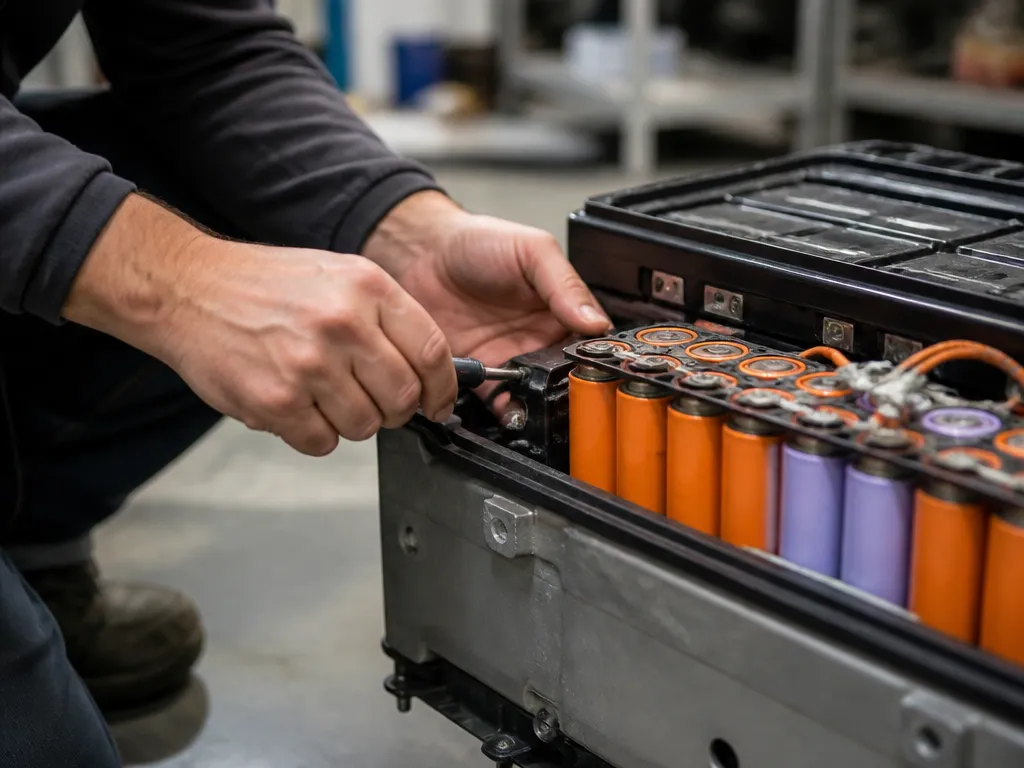
Cycle life is the manufacturer’s count of charge-discharge cycles a battery can deliver before it drops to a specified capacity limit.
In practice, you estimate service life by combining cycle life with how deep you discharge each day, then translating cycles into months or years based on your usage rate.
Manufacturers usually publish cycle life as a range of cycles to reach a threshold such as 80% remaining capacity, measured under controlled charge and discharge conditions. Because the test includes assumptions about temperature and charging method, treat published cycle life as a planning number, then apply a safety margin if your environment is hot, your device sees high loads, or you frequently charge to 100% right before heavy discharge.
How Partial Cycles Change The Count
Battery wear is driven mostly by how much “usable energy” you move through the cell over time, not by whether you complete a full 0 to 100% discharge. For everyday usage, you often create partial cycles (for example, dropping 20% then recharging back up). Deeper discharges shorten life faster, because they increase stress per trip through the same chemical changes.
For example, a backup battery used daily might be drained to 80% remaining (20% DoD) and charged back the same day. If the manufacturer states 500 cycles to 80% capacity, the simple cycle-equivalent approach gives about 500 / (0.2 cycles per day) = 2500 days, which is roughly 6.8 years, before reaching that same capacity-loss milestone. Real-world results can be worse if the battery sits hot, spends long periods near full charge, or experiences high peak loads.
| What you can watch | Why it matters for cycle-based lifespan | Action |
|---|---|---|
| Capacity retention target in the spec (ex: “to 80%”) | Defines the “end of life” point the cycle count refers to | Use the same threshold when estimating years |
| Measured available capacity (battery health or runtime drop) | Signals whether your effective cycles are adding wear faster than expected | Plan earlier replacement if you see rapid decline |
| Average DoD and time spent near 100% | Deeper discharges and long full-charge dwell increase stress | Consider partial-use routines when possible |
| Temperature during charge and discharge | Heat accelerates degradation independent of cycle count | Move charging away from hot enclosures |
Chemistry Differences Change The Clock
Recommended Products


Battery chemistry drives both cycle life and how the remaining charge “feels” in real use. LiFePO4 usually tolerates more full cycles and keeps voltage flatter until late discharge, while Li-ion and Li-poly often show a steeper voltage drop and earlier capacity loss when stressed by heat or frequent high-rate charging.
Voltage behavior affects runtime perception and end-of-life symptoms, even when the stored energy (Wh) is similar. A flatter curve like LiFePO4 can let a device keep working at a steady level longer, then drop off more abruptly as cells approach their lower cutoff. A more sloped curve like common Li-ion or Li-poly chemistries often makes devices feel “weaker” earlier because the voltage crosses the device’s operating thresholds before the pack is fully depleted.
Cycle-life Expectations By Chemistry
Cycle life mostly depends on how hard the battery is used: depth of discharge, charge rate, temperature, and whether charging is frequently to very high states of charge. Still, chemistry is a big part of the baseline. LiFePO4 is the most cycle-stable choice for consumer packs that tolerate heavier everyday charging, while Li-poly (a gel-like form factor of lithium chemistry) is common in compact devices and packs where size matters, often giving shorter service life under the same abuse.
In practice, think in terms of “years in service at typical use” versus “cycles at controlled conditions.” Full cycles are harsh because lithium plating risk rises when charging is cold or at high current, especially for Li-ion types. LiFePO4 has more forgiving charge tolerance, but it also has its own limits, and it still ages faster with heat and long time spent fully charged.
| Aspect | Li-ion (common phone/laptop/power bank types) | LiFePO4 (often for off-grid and tools) | Li-poly (common in compact packs, phones, thin devices) |
|---|---|---|---|
| Typical end-use | Phones, laptops, many power banks | Portable power, solar backups, some tools | Thin, compact packs, custom-shaped battery modules |
| Cycle-life expectation | Good, but can drop quickly with heat and frequent full charges | Usually longer cycle life under comparable conditions | Often shorter than LiFePO4 for the same stress |
| Voltage vs state-of-charge | More noticeable voltage slope, runtime can “feel” shorter early | Flatter voltage, later cutoff more abrupt | Varies by design, often similar “feels like it drains” behavior to Li-ion |
| End-of-life behavior | Capacity loss shows up as shorter runtime, plus increased cutoff triggers | Capacity loss tends to show as earlier abrupt drop near lower voltage limit | Capacity loss often looks like sudden runtime contraction in compact devices |
| Big aging drivers | Heat, high average state-of-charge, fast charging stress | Heat and long high charge time still reduce life | Heat and frequent high-rate charging accelerate aging |
For end-of-life recognition, watch for symptoms that match chemistry voltage behavior. A LiFePO4 pack can keep a device running strongly, then the device shuts sooner than expected because the pack hits its discharge floor. A Li-ion or Li-poly pack more often shows earlier “brownout” warnings (screen dimming, device throttling, UPS-style load shedding) because voltage drops sooner under load as capacity shrinks.
Why Batteries Age Faster
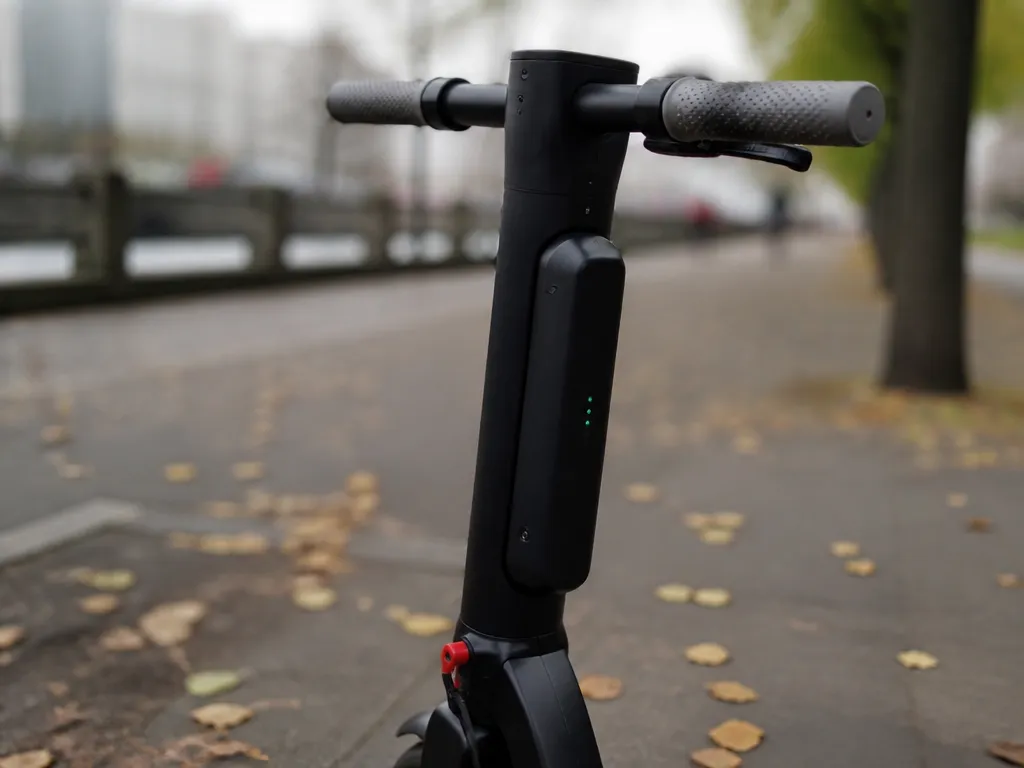
Heat, high state-of-charge, deep discharge, and aggressive charge or load patterns each push lithium cells toward capacity loss sooner. Battery aging is also shaped by how tightly the battery management system (BMS) can control voltage, current, and temperature.
Heat is the fastest aging lever you can control. Storing a pack warm or repeatedly running it at high load creates internal stress, which can accelerate electrolyte breakdown and increase resistance. Frequent high-drain use also means the battery spends more time near its temperature limits, so the BMS may throttle output or charging sooner than expected.
Staying near full charge also ages many lithium packs faster than living in the middle. A high state-of-charge increases chemical stress over time, so a device that sits at 100% all day, every day, usually reaches “noticeable capacity loss” sooner than one that cycles between moderate levels. If your power setup is “always plugged in,” a smarter schedule (or a battery with a charge limiter) can help longevity.
For example, a tool battery used daily often survives longer than a battery stored at full charge in a charger dock because its charge and discharge are cycling naturally. Another example is backup solar gear that is left charged all summer and only used briefly during outages, which is the pattern that most rewards moderate charge storage.
Cycle Depth And Current Stress
Deep discharge reduces the number of cycles you can get. Going close to empty forces the cell voltage down to lower levels where wear accumulates faster, and the BMS may cut off early to protect the pack, leaving you with “less usable capacity” sooner. A practical rule is to avoid repeatedly draining to the low end when you can charge sooner or use a larger battery for the same runtime goal.
Practical cue: if a pack consistently shuts off “early,” the capacity loss can be real (not just a temporary voltage sag under load).
Fast charging and high drain are related because both raise current. High current increases heat inside the cells and raises the chance the BMS limits charging or output, which can make charge sessions hotter and more stressful over months. USB-C Power Delivery (PD) chargers can negotiate higher wattage, so the charger you pair matters as much as the battery’s chemistry and temperature.
| Everyday behavior | What it does to aging | Safer alternative |
|---|---|---|
| Charging repeatedly when the pack is already warm | More internal heat during charge accelerates wear | Let it cool, then charge |
| Regularly draining near “empty” | Higher stress from deep discharge reduces cycle life | Recharge earlier, reduce power spikes |
| Using high-wattage loads (inverter, tools) back-to-back | Higher C-rates increase temperature and resistance growth | Use breaks and ensure ventilation |
| Frequent fast charging to top-off | Combines current stress with high state-of-charge aging | Prefer moderate-charge targets when time allows |
BMS limits matter because they are the safety and lifespan governor. The BMS controls charge current, discharge current, cell balancing, and cutoffs based on voltage and temperature, and it can reduce stress when conditions are safe. Packs with weak or poorly designed BMS protection are more likely to see unsafe temperatures or uncontrolled cell imbalance, both of which can lead to faster capacity loss or even swelling.
Storage Rules For Unused Batteries
Recommended Products

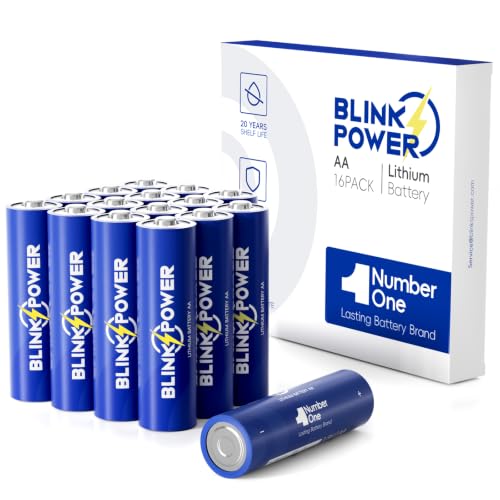
Unused lithium batteries age mainly from time spent at high state of charge and from temperature stress. Stored near full charge in warm conditions, they typically lose capacity sooner than batteries stored cooler and at a moderate charge level. Storage affects both how long the pack runs your device when you pull it back out and how long it lasts before you notice reduced capacity.
State Of Charge And Temperature Rules That Matter Most
For long storage, aim for a “cool and not full” approach. A common target is roughly 30% to 60% charge for lithium-ion and lithium-poly packs, and you should store in a dry place away from heat sources and direct sun. For LiFePO4 packs, moderate charge storage also helps, but follow any maker guidance printed on the battery or in the manual since BMS behavior can differ.
Cold storage slows chemical reactions, but freezing is not the goal. Keep batteries above freezing temperatures when possible, especially portable packs and batteries with electronics, since condensation and stress can be worse than mild warmth. Warm storage (for example, a closed car in summer or beside a heater) accelerates capacity loss and can trigger BMS faults after prolonged heat exposure.
| Storage goal | Practical target | What goes wrong if ignored |
|---|---|---|
| Time in storage | Set up a periodic check | Long gaps can hide a failing cell balance or drifting capacity |
| Charge level | Store around 30% to 60% | High state of charge increases calendar aging |
| Temperature | Cool, dry, stable room temperature range | Heat speeds aging and can cause swelling or shutdowns |
Storage Habits For Power Banks And Laptop Packs
Power banks and laptop battery packs are often left “fully charged” because users top them off before travel. For storage, disconnect the battery from the device if the pack supports it, then store it at a moderate charge rather than 100%. If your power bank has a health screen, use it to confirm remaining charge and avoid leaving it sitting at full for months.
For laptop batteries, many modern systems let you set charging limits in firmware (for example, “charge to 50%” type modes). Use that when the laptop is stored for weeks, and keep the battery cool and dry. If the battery ever shows swelling, a warped case, or repeated overheating warnings, stop using and contact the manufacturer or a qualified repair service.
Long-storage Checklist And What To Do Before Use
Before you trust a stored pack for critical use (tools, medical devices, backup power), test it with a low-risk load first, then verify runtime under a realistic draw. Runtime changes with capacity loss, and the first use after storage can show weak balance or BMS cutoffs, which are better detected during a test than during an emergency.
Warranty And Replacement Signals
Warranty terms tell you how the manufacturer expects the pack to behave, but they rarely guarantee full performance for the entire runtime you want. Replacement is usually triggered by a measurable capacity drop, abnormal voltage behavior, or any safety red flag like heat, swelling, or charging instability. Use the warranty wording as a guide, then rely on battery health symptoms in daily use.
Warranty documents often state either a time limit (months or years) or a cycle limit (how many full charge and discharge cycles). Time-based coverage is common for consumer packs that age slowly, while cycle-based coverage often appears on packs sold for heavy use. When you see both, treat the shorter or stricter condition as the realistic window.
Warranty wording should be read with the battery’s end-of-life definition in mind, usually a capacity threshold or failure mode. A typical pattern is “covered until X years or until capacity falls below Y percent,” but the exact language varies by brand. If your pack app shows capacity nearing that stated threshold, you can plan replacement even if the device still runs.
| Warranty wording you might see | What it really means for service life | Practical action |
|---|---|---|
| “X months/years limited warranty” | Age limits coverage even if the pack still works | Track performance, especially if the pack sits warm or is used daily |
| “X cycles limited warranty” | Coverage tied to repeated charge use | Count cycles loosely (or check app estimates) if you use the pack hard |
| “Capacity drops below Y%” | Degradation threshold defines coverage | Plan replacement before you hit cutoff behavior |
| “Fails due to defect” with heat or swelling exclusions | Safety events may be excluded from warranty | Stop using and follow safe handling if you see swelling or overheating |
Degradation Indicators That Feel “Normal” Vs “Urgent”
Capacity drop you can notice is often the earliest practical sign. Runtime shortens, recharge time may not improve, and the device can feel like it reaches cutoff sooner (even at the same “battery percent” reading). Some battery meters are optimistic, so use consistent tests like running a fixed load until shutdown, and compare across weeks.
Voltage sag and cutoff behavior are strong clues. Voltage sag shows up as a sudden dip under load, even when the battery meter still looks high, followed by early shutdown or a protection trip. This can mean worn cells, a weakened protection circuit, or a degraded connection, and it is a good reason to stop guessing and inspect the pack and charging path.
Heat during charge or discharge is a major replacement trigger. Mild warmth can be normal for some devices, but persistent hot surfaces, strong chemical odor, or charging that repeatedly stops and restarts are not. Stop charging and stop use immediately if the pack is unusually hot, is hissing or venting, or shows any physical change.
What To Do When It’s Time To Replace
Battery replacement is most justified when multiple symptoms agree: shorter runtime plus capacity threshold behavior, repeated voltage sag, or recurring heat/protection events. For critical gear like UPS backups, scooters, or tools where failure is inconvenient or dangerous, treat protection trips as an end-of-life signal rather than a “keep using” hint.
Replacement timing should also account for how the pack is used and stored. Frequent full charges, high temperatures, and long periods at high state-of-charge push aging faster, while cool, moderate storage slows it down. If the pack is older than the warranty window and you see any safety red flag, replacing promptly is safer than continuing troubleshooting.
Safety red flags override warranty considerations. Swelling, venting, strong odor, or repeated overheating during charge are reasons to stop using the pack and arrange safe disposal or service, even if the warranty might still be active.
Troubleshoot Sudden Runtime Loss
Sudden runtime loss is usually a symptom of a charger problem, a battery protection shutdown, damaged cells, or an internal BMS balance or power-rail fault, rather than “normal aging.” A slow decline that tracks heat, depth of discharge, and time is typical; a fast drop over days or after a specific event is the red flag.
Runtime drop patterns help you separate abnormal from ordinary wear. A slow decline is usually gradual and stays consistent week to week, while a sudden drop often follows charging with the wrong adapter, using a damaged cable, storing in high heat, or a power accessory failure that forces the battery to work harder.
Charger, Cable, And Usb-c Pd Checks
Charger mismatch is a common cause of runtime loss because lithium packs need the right voltage and current profile. For fixed-voltage chargers (most wall adapters for power stations), confirm the output spec on the label. For USB-C, the negotiation matters because the device and adapter agree on available power using USB Power Delivery (PD).
Start with the simplest evidence on the gear you already have. Read the adapter’s output ratings, confirm the correct voltage mode, inspect the USB-C cable for damage, and compare the adapter output to what the battery or power bank expects. Cheap or damaged cables can cause voltage drop, trigger protection, or prevent the pack from reaching full charge.
Battery Health Tests And Stop-use Triggers
After charger and cable checks, test the pack behavior in controlled conditions. Compare runtime from a full charge to a baseline you trust (for example, how long it used to run the same load at the same settings). If runtime drops sharply but the charger still “says full,” the BMS may be cutting off early due to one weak group of cells.
For deeper checks, use a battery tester or a power meter that can measure USB-C PD output, or use the power station’s own diagnostics if it has them. Look for warnings tied to temperature, cell imbalance, or overcurrent. If you can only use runtime observations, treat consistency as the metric: repeated early cut-offs under the same load are a failure pattern.
When to stop using and get the pack serviced: stop immediately if the battery housing is swollen, if it smells like solvent or overheated electronics, if it gets hot while charging on the correct adapter, or if it repeatedly cuts off far earlier than before under the same load.
| Symptom | Most likely cause | Next safe step |
|---|---|---|
| Runtime drops over a few charges | Cell imbalance, BMS protection, or load changes | Verify correct charger, confirm USB-C PD mode, retest with same load |
| Charges to “full” but dies under load | Voltage sag or weak cell group triggering cutoff | Do not keep cycling, test with meter if available, service if repeatable |
| Warm adapter or cable during charge | Cable resistance or poor PD negotiation | Replace cable, avoid no-name adapters, retest |
| Swelling, deformation, odor | Cell damage or thermal runaway risk | Stop using, isolate safely, and have it serviced |
Safety note: If you see swelling, leaking, or the pack becomes hot enough to be painful to touch, stop charging and stop use. Avoid opening the pack yourself, especially if lithium cells are puffy or the BMS is damaged.
Quick Summary
Lithium battery “life” means two timelines, runtime on a charge and service life before capacity noticeably drops, and they do not track exactly. Runtime is driven by energy in watt-hours (Wh) and the device’s average power draw in watts (W), and it often decreases as voltage sags under load. Capacity on labels may be given in mAh, but the article emphasizes checking Wh first to estimate how long the battery can power your device.
Service life is typically treated as cycle life, with many packs rated for hundreds of cycles before reaching about 80% capacity, and one cycle is often cumulative throughput rather than a strict 100% to 0% drain. Aging accelerates with heat and with high state-of-charge storage, so avoid hot storage and do not leave the pack at 100% for months. Stop using a lithium pack if it swells, smells sweet or solvent-like, runs unusually hot, or has damaged wiring or connectors. The most important takeaway is to check Wh for runtime and use cycle and temperature habits for service life expectations.
Frequently Asked Questions
How Many Years Does A Lithium Battery Last In Real Life?
Most lithium-ion packs are rated for hundreds of charge cycles and also age over time, so “years” depends on storage and use. If you want a practical timeline, check the product warranty and any stated cycle-life or capacity-retention spec, because that is what the manufacturer is committing to.
What Makes A Lithium Battery Last Longer, Heat Or Faster Charging?
Heat shortens battery life more than you might expect, so avoid charging or using the pack when it feels hot to the touch. If fast charging is supported, use chargers that match the battery’s required voltage and current limits, since repeated high power at high temperature accelerates wear.
How Long Should A Lithium Battery Keep Power Before I Replace It?
A common sign of aging is when runtime drops noticeably, often due to reduced capacity after many cycles. As a rule, you can plan replacement when the battery no longer meets your expected runtime and the device reports low health, since that is a better indicator than calendar time alone.
Can I Use Any Usb-c Charger To Charge My Lithium Battery Safely?
No, you should only use a charger that matches the battery’s specified voltage and supports the device’s power requirements (for example, the USB-C Power Delivery profile if it is used). If you do not see clear requirements on the battery or device label, stick to the manufacturer charger or a certified one that explicitly lists the correct PD output.
What’s The Most Common Mistake That Cuts Lithium Battery Life Or Causes Safety Issues?
The biggest mistake is charging with the wrong voltage or a poor-quality charger, which can create overheating and premature degradation. Also avoid blocking vents, and stop using a battery if it is swollen, cracked, leaking, or unusually hot, because that is not a “wait and see” situation.

- 10 Best Battery For Generator Battery Safety System 2026 - October 12, 2026
- 10 Best Battery For Generator Battery Safety Option 2026 - October 12, 2026
- 10 Best Battery For Generator Battery Safety 2026 - October 12, 2026