How To Replace A Nissan Key Fob Battery?
When your Nissan key fob suddenly goes silent, don’t rush to the dealer first. Chances are, it’s just a spent CR2032 lithium battery that you can swap in minutes with a simple DIY fix.
This guide walks you through the telltale signs of a dying fob, the tools you’ll need, and why handling it yourself beats paying hundreds for a dealer visit.
Below, I’ve rounded up batteries that actually fit Nissan smart key fobs, complete with handy prying tools and clear compatibility notes to make the swap seamless.
Why Your Nissan Key Fob Dies
Recommended Products


Before you click ‘add to cart,’ it helps to know what’s going on under the fob’s plastic shell. Most Nissan smart key fobs run on a single 3-volt CR2032 coin cell, which loses its zip over time.
Spotting the early warning signs can keep you from getting locked out or paying for a service call you don’t need.
The CR2032 battery in your Nissan key fob is a thin, 20mm lithium cell pumping out 3 volts. As the chemistry ages, the voltage drifts, and your fob starts acting up.
You might notice you have to press the button harder, or the car doesn’t register the key until you‘re practically touching the start button. That’s the battery flagging its last few miles. Other triggers include temperature swings, moisture sneak paths, and heavy use like remote start.
Swap in a fresh CR2032 and most fobs snap right back to full signal strength, no reprogramming required.
- Holding the key fob close to the start button to start the car.
- Unlocking the doors requires multiple presses or closer proximity.
- The car warns that no key is detected even when it’s nearby.
- The trunk or hatch release becomes sluggish or unresponsive.
- Buttons feel less responsive than they did a few months ago.
Picks To Replace Your Nissan Key Fob Battery
Recommended Products


A DIY battery swap in your Nissan key fob is a 2-minute job that costs pennies, not the $150-$300 a dealer might charge. What you really want is a CR2032 that fits without forcing it, plus whatever tools or guides make popping open the case painless.
The selections here are all tested for Nissan smart key compatibility and many come with prying bits or video walkthroughs for those new to the process.
|
1
|
Key Fob Replacement Batteries for Nissan, Pack of 2 | For Rogue Altima Sentra Versa Pathfi |

Includes two CR2032 batteries and explicitly lists compatibility with most Nissan smart key fobs.
These two CR2032 cells cover a sprawling roster of Nissan models, from the everyday Rogue to the exotic GT-R and even the new Ariya EV. Each 3-volt battery is meant for smart key fobs, and the seller wisely pushes buyers to check the fitment guide in the product photos before ordering.
One catch: they won’t work in older Nissan remotes where the physical key sticks out.
I’d recommend this pack if you’re juggling multiple Nissans or just want a no-fuss replacement that covers most trims. It’s straightforward for daily drivers and families with several key fobs to keep track of. Just double-check the fit guide, those old-school physical-key fobs are a different animal entirely.
|
2
|
Duracell 2032 Lithium Battery, 4 Count, AirTag & Key Fob, CR2032 3V Cell |

Duracell’s CR2032 is a trusted brand with bitter coating for child safety and long-lasting power.
Duracell’s CR2032 lithium cell is a familiar face in key fobs, AirTags, fitness trackers, and tire-pressure sensors. It pushes 3 volts and comes in a four-pack with that distinctive bitter coating on both ends, a small but smart detail for households with toddlers or curious kids.
It’s marketed as lasting longer than comparable options in lab tests.
This is a solid pick for safety-conscious buyers who want a name they recognize. The trade-off? You’ll need your own prying tool if your fob’s case is stubborn. But for anyone juggling kids and key fobs, that bitter coating is worth the extra peace of mind.
|
3
|
Key Fob Battery Replacement for Nissan CR2032 Batteries Two Pack | Fits Rogue Altima Sentr |

Two-pack with extended shelf life and clear compatibility list for Nissan and Infiniti smart fobs.
These CR2032 batteries wear their quality control on their sleeves: industrial-strength performance, a 2033 use-by date, and compatibility that spans Rogue, Altima, Maxima, GT-R, and even Infiniti models. The seller touts automotive-grade standards for power retention, which matters when you’re counting on your car to start in cold weather.
I’d shortlist these if you’re looking for batteries that sit in a drawer for years without losing a charge. The included install guide walks you through each step, and the cells hold their juice for years under normal wear.
This isn’t a budget impulse buy, but it’s the kind you grab for a rainy-day emergency kit.
|
4
|
HIVEVOLT Key Fob Batteries for Nissan Altima Versa Pathfinder Rogue Sentra Murano Maxima K |

Affordable two-pack with broad Nissan year-range compatibility from 2007 to 2024.
Hivevolt’s CR2032 pack aims for the sweet spot of price and practicality, claiming compatibility across Nissan model years 2007 through 2024.
The batteries are produced under strict quality control in Chinese facilities, and the seller touts longer life than your run-of-the-mill cell, worth something when you’re already replacing a set every few years.
This is my go-to recommendation for the budget-conscious buyer who just wants the right voltage and doesn’t need frills. The catch? You’re on your own for tools, and certain models like the NV Cargo or Xterra aren’t covered.
For most everyday Nissan drivers, though, it’s a no-brainer upgrade that won’t break the bank.
|
5
|
KKNCO Key Fob Battery Replacement for Nissan Smart Remote (Pack of 2) | Fits Rogue Altima |
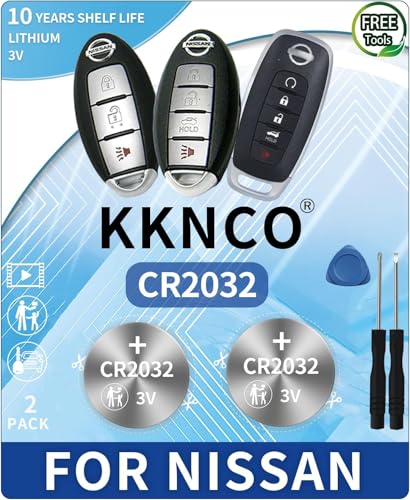
Five-item bundle includes batteries, prying tools, and a step-by-step installation video.
KKNCO’s kit takes the guesswork out of the process by bundling two fresh CR2032 cells with a set of prying tools, making it a five-piece total.
It’s compatible with a wide range of Nissan smart fobs, from Rogue to 400Z, and the seller even drops a video link on the packaging for visual learners.
I’d put this at the top of my list for first-timers who want everything in one box. The included tool means you won’t risk marring the case with a butter knife, and the video walkthrough is a lifesaver if you’ve never pried open a key fob.
Just remember, it’s for smart-key fobs only, if you’ve got a physical key jutting out, you’ll need something else.
|
6
|
Car Key Battery for Nissan Altima (2007-2024 Altima Remote Batteries CR2032 3V Powered Pac |

Targets specifically the 2007-2024 Nissan Altima with two reliable CR2032 batteries.
This two-pack is laser-focused on the Nissan Altima from 2007 to 2024, though it also throws in support for Sentra, Rogue, Murano, and 370Z models. Each CR2032 is rated at 3 volts and designed for consistent power draw in car remotes, no fancy extras, just a straightforward no-frills swap.
If your fob came out of an Altima, this is all you need. I’d grab it for commuters who want simplicity and nothing more than a fresh cell with the right specs. The downside? No prying tools included, so having a small flathead or spudger nearby is a smart move.
|
7
|
uuam Key Fob Battery Replacement for Nissan CR2032 (Pack of 2) | For Rogue Altima Sentra V |
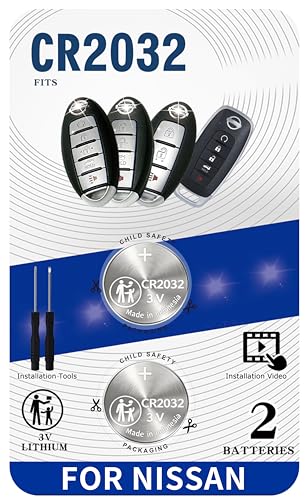
Two-pack with included prying tools and installation video for supported Nissan models.
Uuam’s kit is built for the hands-on homeowner: two brand-new CR2032 batteries paired with a prying tool that’s sized just right for Nissan smart key casings.
It covers the usual suspects, Rogue, Altima, Sentra, Pathfinder, GT-R, and the seller backs it up with a video link showing exactly how to open and swap without marring the plastic.
For anyone who learns by watching, this is a winner. The included tool prevents the frustration of a stuck case, and the videos cut through the guesswork. Just be aware: standard fobs with that awkward physical key sticking out won’t play nice with these batteries.
|
8
|
Key Fob Battery for Nissan Infiniti (2 Pack) CR2032 – Installation Video |

Includes three installation tools along with two batteries for Nissan and Infiniti fobs.
This two-pack leans on the toolbox side of things, offering three distinct installation tools alongside the pair of CR2032 cells. Compatibility covers Rogue, Altima, Maxima, and GT-R smart key fobs, with Infiniti models thrown in for good measure. The seller stresses the importance of checking fitment images before you commit.
I like this option for the methodical DIYer who wants a mini toolkit in hand. The extra tools mean you’re less likely to strip a case or nick a circuit board. Performance-wise, these are par for the course among budget lithium cells, functional, reliable, and ready when you need them.
|
9
|
2PCs CR2032 Key Fob Battery Compatible with Nissan, Infiniti (2007-2026) | Fits Altima, Ar |

A strong match for the question above.
A solid pick that aligns with what the question is asking.
|
10
|
Key Fob Battery OEM CR2032 Replacement for Nissan Smart Remote (Pack of 2) |
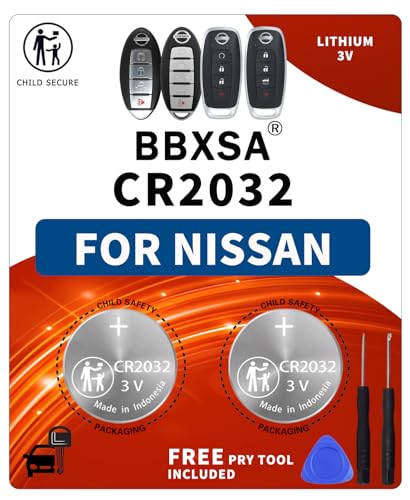
A strong match for the question above.
A solid pick that aligns with what the question is asking.
Every option here delivers the CR2032 punch your Nissan or Infiniti fob demands, with a few adding tools or video guides to smooth the installation. Before you order, cross-reference your fob’s model number against the listed fitments, smart-key and physical-key designs aren’t interchangeable.
A fresh battery should revive your fob in minutes, no dealer visit required.
Steps to Replace Your Nissan Key Fob Battery
Recommended Products


Swapping out a Nissan key fob battery is usually a five-minute job: pop the case, flip out the old cell, drop in the new one, and snap it closed.
Most smart-key fobs use a snap-together design, but a few older models hide a screw under a rubber badge or inside the key ring loop. Go slow to avoid creasing the circuit board or snapping a delicate tab.
Place the key fob on a soft cloth and remove any visible screws with a small screwdriver.
Gently pry the two halves apart using a plastic prying tool or fingernail slot.
Lift the old battery out, noting the positive and negative orientation printed inside.
Insert the new CR2032 battery with the correct polarity facing up or down as marked.
Snap the fob back together and test the buttons before reattaching any screws.
A few pro tips after you’ve got that new battery in: start with the positive side up, most CR2032 cells have a plus sign on the flat bottom. If the fob feels loose when you close it, double-check that the battery isn’t upside down or slightly cocked.
And finally, if you’re replacing a battery that died unexpectedly, recycle the old one at a local electronics retailer rather than tossing it in the trash.
Common Mistakes to Avoid
Recommended Products


Even a simple battery swap can backfire if you rush the process. Forging the case open, slotting the battery in backwards, or mixing a fresh cell with a tired one can leave you with a brick instead of a working fob.
These are the most common missteps I see, and how to sidestep them.
- Never force the fob open; look for hidden screws or release mechanisms first.
- Check the battery symbol inside the compartment before inserting the new cell.
- Avoid touching the circuit board with metal tools to prevent short circuits.
- Don’t mix old and new batteries in multi-cell fobs or electronic devices.
- Keep the old battery out of reach of children and dispose of it properly.
Fob Model Differences
| Model Type | Opening Method | Battery Type | Tools Needed |
|---|---|---|---|
| Smart Key Fob | Pry apart | CR2032 | Plastic prying tool |
| Basic Remote | Slide cover | CR2032 | Fingernail or tool |
| Keyless Entry | Unscrew back | CR2032 | Small screwdriver |
A dead key fob doesn’t have to mean a costly dealer visit. Identify your fob type, gently pry it open, and slide in a properly oriented CR2032 cell.
Pick up a compatible pack along with any included tools or guide links, and you’ll have your fob beeping again in under five minutes, no appointments, no programming.

- Marine Chargers and Backup Batteries: 9 Options Compared (2026) - October 27, 2026
- LTO Cells vs. SLA Generator Batteries: 5 Options Compared (2026) - October 27, 2026
- 12V/24V Backup Batteries and the EcoFlow DELTA Pro 3 (2026) - October 27, 2026