How Long Do Lithium Batteries Last?
Lithium batteries can lose noticeable capacity in as little as 1-2 years, even if you never “wear them out” with heavy use. The spec that matters most is cycle life plus calendar life, because time and temperature both age the cells. Expect a practical, device-by-device breakdown for phones, laptops, wearables, EVs, and home storage, plus the charger and settings checks that prevent premature aging.
Lithium battery lifespan is usually limited by two clocks: cycle life (charge and discharge repetitions) and calendar life (aging over years). Many devices keep most capacity for about 2 to 5 years, then decline faster with heat or frequent full charges. Real cycle counts and retention vary widely by chemistry (LFP vs NMC) and how you use the state of charge window.
How Long Do Lithium Batteries Last?
Recommended Products



Lithium battery “life” is usually defined two different ways: capacity fade and cycle counting. Capacity fade shows up as shorter runtime at the same usage, cycle life counts how many full charge-discharge events a pack can handle before it falls to an end-of-life capacity target.
In practice, runtime drops can start long before the battery “hits” its official cycle-life number.
Capacity loss and runtime loss track together, but they are not identical. Capacity loss is the pack’s ability to store energy decreasing over time, while runtime loss also depends on device power draw, firmware power management, battery temperature, and how deeply you discharge each use. A phone or laptop may feel like it is degrading faster or slower than another product with the same nominal capacity.
What “End Of Life” Usually Means
Many datasheets use an end-of-life target around 80% of original capacity. That threshold matters because it gives a consistent comparison across cells and pack designs, even though “80%” can still mean plenty of usable time. Pack makers and vendors sometimes quote different targets or charge/discharge conditions, so you should read the test setup, not just the number.
Calendar aging is the gradual wear from time and storage temperature, even if you do not cycle the battery. Cycle aging comes from repeated charge and discharge, especially at higher states of charge and larger depth of discharge. Cycle aging can dominate in high-use devices like power tools and EVs, while calendar aging often dominates in products that sit partly charged for long periods (some wearables and stored backup packs).
| Category | Cycle life (typical spec reporting style) | Calendar life (common spec reporting style) | Capacity retention you may notice |
|---|---|---|---|
| Smartphones | Vendors often rate cell packs in “cycles to a capacity target,” but real-world varies with temperature and charging behavior. | Many users see noticeable decline over years, even with moderate use, especially with time spent near high charge levels. | Expect gradual drops in peak runtime and battery health percentage before a hard failure. |
| Laptops | Cycle life depends heavily on whether charging is mostly full, how often you run near empty, and cooling conditions. | Thermal history during years of use drives capacity fade as much as the number of charge cycles. | Users often feel it as reduced charge retention and earlier “low battery” warnings. |
| Wearables | Frequent small cycles can still add up, but their energy management can reduce full-depth cycling. | Calendar aging is common because wearables may stay at high state of charge for long stretches. | Battery health can drop while the device keeps working for a long time. |
| EVs | Cycle life is strongly influenced by charging patterns and how often the pack sits hot or at very high state of charge. | Calendar aging still matters because a car spends lots of time parked, sometimes at elevated temperatures or charge levels. | Capacity retention is typically managed by battery management to delay deep wear. |
| Home energy storage / UPS-like packs | Low cycling can extend life, but occasional high-current events can still age cells. | Calendar aging is often the limiting factor if the system sits at a steady state of charge for years. | Power availability stays until capacity and internal resistance drift enough to hit limits. |
Temperature is the biggest practical lever you control, because heat accelerates both capacity loss and internal resistance growth. Charging at high temperatures, leaving a pack hot in the sun, or storing it at high state of charge all shorten usable life. Charging speed and charge rate can matter too, since higher current often increases heat and stress, even if it looks “safe” in the moment.
Depth of discharge drives cycle aging because deeper discharge swings the chemistry further each cycle. Staying near mid-range state of charge reduces stress, while frequently charging to 100% and then using until near-empty generally speeds decline. Battery management systems help, but they do not erase the physics of aging.
Typical end-of-life capacity targets (often near 80%) are why battery health numbers matter more than raw runtime impressions. “Working” can still mean “degraded,” so plan replacements when capacity or performance hits the level you cannot tolerate, not only when the battery suddenly fails.
Cycle Life Vs Calendar Life
Recommended Products


Cycle aging comes from charging and discharging events, while calendar aging happens even when a battery sits idle. Manufacturers often publish both cycle life and capacity retention graphs, so the “lifespan” you get depends on how much of your time is spent cycling versus storing.
Cycle counting can be surprising because a cycle is usually defined by equal cumulative energy throughput, not by a full empty-to-full run.
For example, two 50% depth-of-discharge swings are roughly equivalent to one full cycle in many battery models, but the exact equivalence depends on how the vendor defines cycle depth and measurement method.
Calendar aging accelerates when the battery spends long periods at high state of charge (SoC), especially at elevated temperature. High SoC is also where charging termination and internal overpotential are hardest on cell materials, so the “same years” can turn into faster capacity loss if you keep a device near 100% charge for months.
How To Read Manufacturer Cycle-life And Retention Graphs
Battery datasheets and retention charts typically assume a controlled protocol: a set SoC window, a specific charge or discharge C-rate (charge rate relative to capacity), and a defined ambient temperature. When you compare graphs, treat them like recipes, not universal laws: a curve labeled “cycles to 80% capacity” can shift dramatically if your real-world charging is slower, hotter, shallower, or more frequent.
Cycle-life graphs often plot “remaining capacity versus cycle count” or “cycles to a target capacity loss” under a specified depth of discharge. Capacity retention graphs under calendar aging usually plot “remaining capacity versus storage time” at set temperatures and SoC, so a chart at 25°C and 50% SoC is not the same as storage at 40°C and 90% SoC.
Charging time links to aging through temperature and charging rate. A “fast charger” often reduces time-to-full, but it can increase instantaneous current and temperature, so the best outcome is usually moderate charge power and less time spent near the top of charge when temperatures are high.
For practical expectations across categories, treat capacity retention as a range, then pick a likely outcome based on use style. Heavy cycling with high average SoC pushes the battery toward cycle-limited behavior, while storage at high SoC pushes toward calendar-limited behavior, and most real devices land between the two.
Replacement indicators are usually about capacity loss and charge behavior, not a calendar date. Capacity drop that forces more frequent charging, noticeable runtime shrink, or a battery health screen showing accelerated wear patterns often signals you are moving from “normal aging” into “replacement time,” especially if overheating or swelling appears.
Expected Lifespans By Device
Recommended Products


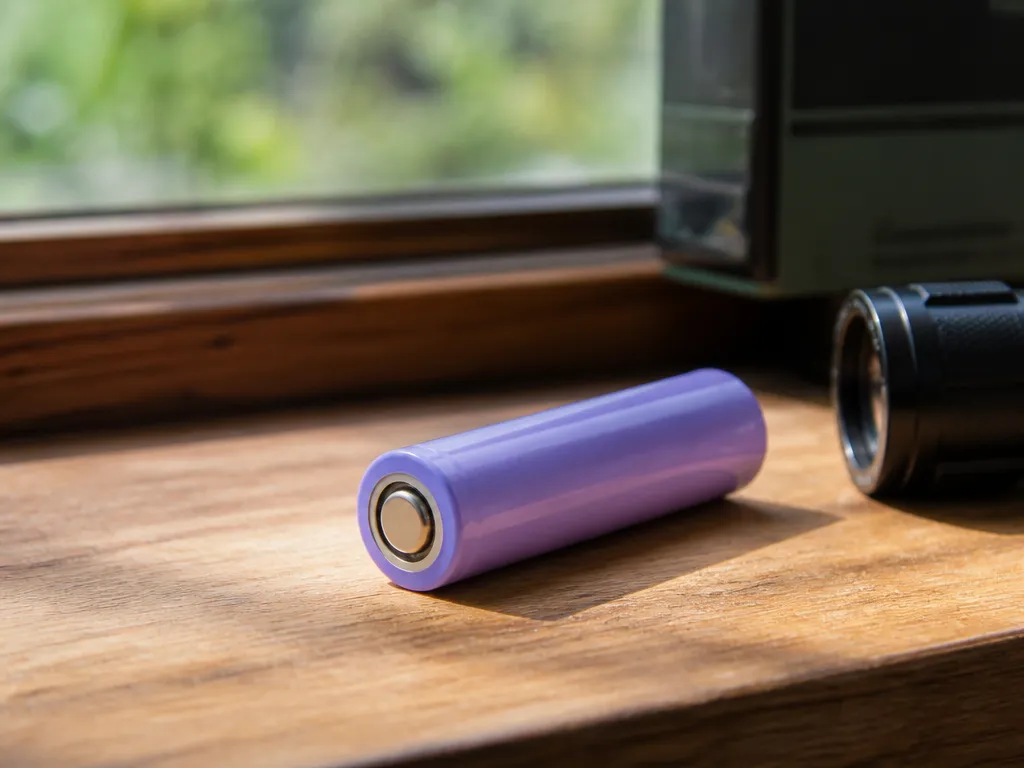
Lithium battery life is usually reported as cycle life (how many full charge and use events it can handle before capacity drops) and calendar life (how many years it lasts while sitting in storage and use). Most consumer devices also lose capacity faster when kept at high heat and high state of charge (SOC) for long stretches. Always compare both the cycle-life and calendar-life lines in your specific product’s datasheet or manual.
Cycle aging happens from repeated charging and discharging, especially when you regularly swing the battery’s SOC widely (large depth of discharge). Calendar aging happens even when you are not using the battery much, driven by time at temperature and how long it stays near full charge. Temperature is the biggest accelerant in both cases, so a phone or laptop kept hot in a car, on a bed, or under a thick case will age faster than one used at normal room conditions.
What The Numbers In The Datasheet Mean
Look for “cycle life to X% capacity,” commonly 80% or 70% remaining capacity, plus the test conditions. Test conditions often specify an end-of-charge SOC limit, depth of discharge, and a charge rate (current or C-rate). If the datasheet only gives one number with no conditions, expect it to be optimistic, and plan on shorter real-world life when you charge to 100% often or leave the device at high SOC overnight.
Capacity retention milestones to use as practical checkpoints are roughly: after 300, 500, and 1,000 cycles (or the closest values listed), then after 2 to 5 years. If your device health screen reports a steep drop earlier than expected, confirm whether the drop is calibration-related (some systems need a full discharge and recharge cycle) versus real capacity loss. A safer long-term strategy is to manage SOC and temperature rather than chase exact cycle counts.
| Device category | Cycle-life range (to ~80% capacity) | Calendar life range | Common capacity-retention checkpoints | What to verify in your manual/datasheet |
|---|---|---|---|---|
| Smartphones | ~300 to 800 cycles | ~2 to 4 years | After 300 cycles: noticeable but often tolerable drop. After 500 cycles: bigger drop in battery health scores. After 1,000 cycles: often well below original capacity if used heavily. | Capacity to “X%,” test SOC window, fast-charge limits, and any “charging to 100% frequency” guidance. |
| Laptops (internal Li-ion / Li-poly) | ~300 to 1,000 cycles | ~3 to 6 years | After 300 cycles: some runtime loss. After 500 cycles: runtime loss becomes clearer. After 1,000 cycles: many packs are due for replacement in typical daily use. | Cycle-life to 80% spec, whether it’s tested at 25 C, and whether the system supports charge caps (like 80% or 85%). |
| Wearables (watches, earbuds cases) | ~300 to 1,000 cycles | ~2 to 5 years | After 300 to 500 cycles: runtime shortening shows up. After 1,000 cycles: many users see frequent recharge needs. | Battery type and “expected service life” language, plus charging guidance (temperature, use of standard charger). |
| EV traction packs | ~1,000 to 2,000+ cycles (varies widely) | ~8 to 15+ years | After 300/500 cycles: usually not the limiting factor. After 1,000 cycles: meaningful capacity loss depends on fast-charging and climate. After 2 to 5 years: look for gradual degradation, especially in hot climates. | Battery warranty “capacity retention” thresholds, test temperature, and whether degradation is measured at pack level or cell level. |
| Home energy storage (solar batteries, backup packs) | ~2,000 to 10,000 cycles (application-dependent) | ~10 to 15+ years | After 300/500 cycles: often mild capacity loss in moderate-use systems. After 1,000 cycles: inspect trends. After 2 to 5 years: verify energy throughput and reported degradation rate. | Cycle definition (DoD and C-rate), allowed operating temperature band, inverter compatibility limits, and the manufacturer’s projected end-of-life threshold. |
Smartphones and wearables commonly show battery health score changes sooner than laptops because they are often charged more frequently and exposed to heat during gaming, wireless charging, and fast charging. Laptops can last longer per cycle when you keep them cool and do fewer deep discharges, but many users see capacity decline when they run at high loads and charge immediately to 100% repeatedly.
In practice, the biggest swings in lifespan come from how often you charge to high SOC and how often the battery sits warm.
EVs and home storage are built around controlled operating envelopes, but the real degradation trend still depends on fast charging frequency, average temperatures, and how deeply the pack cycles. For EVs, track both “capacity at warranty threshold” language and your local climate patterns, since hot-soak and high SOC storage tend to accelerate aging. For home systems, check the configured cycle pattern in the controller settings, since daily deep cycling in a backup-like mode can cut cycle life faster than occasional backup events.
Chemistry Affects Aging
Recommended Products


Lithium iron phosphate (LFP) and nickel-based chemistries (NMC, NCA) age differently because they tolerate heat and high state-of-charge (SoC) in different ways. LFP generally handles heat and longer storage at moderate charge better, while NMC/NCA typically degrade faster when they run hot or sit at high SoC. Device makers still tune charge voltages and temperature limits, so real-world behavior varies by model.
NMC and NCA cells are more sensitive to high voltage stress at elevated temperature, which accelerates side reactions in the electrolyte and on the anode. LFP’s chemistry is more tolerant of these conditions, so it often holds capacity longer when users keep it in the “ready” range and avoid extreme heat. The trade-off is that each pack’s usable range depends on the protection electronics and the cell’s voltage window, so two packs with the same labeled capacity can age differently.
| Cell chemistry (typical) | Where aging accelerates | Charge limit behavior | Storage preference | Practical takeaway |
|---|---|---|---|---|
| NMC/NCA | High temperature plus high SoC, long time at near full charge | Often narrower “healthy” SoC window for best long-term results | Moderate SoC for months is usually safer than storage near full | Use charge limits if the device provides them, and avoid leaving it hot and full |
| LFP | Heat still hurts, and running near extremes of the voltage window still wears cells | More tolerant of higher SoC, but long exposure still ages any Li-ion | Storing at a moderate charge is still a good rule | Benefit is often best when heat is controlled and the pack stays in a reasonable SoC band |
Charge limits and the SoC window matter because lithium plating and electrode side reactions are time-dependent under stress. Keeping a pack away from the very top end of its charge voltage reduces the “calendar aging” load from lingering at higher electrochemical potential. Calendar aging is the capacity loss that happens even when the pack is idle, while cycle aging is driven by repeated charge and discharge swings.
Temperature changes both cycle aging and calendar aging, but it often dominates the calendar component. Heat speeds the chemistry that slowly eats usable capacity, and it also increases the risk that pack protection will clamp charging or that a damaged cell will worsen quickly. For safety, treat any signs of swelling, strong odor, hot casing during charging, or repeated charger cutoffs as a stop-use event.
Where Everyday Usage Meets Chemistry Behavior
Wearables and phones mostly see NMC/NCA-like packs, because compact energy density is the priority. The practical aging lever for these devices is often how frequently they spend time warm and near full, since constant topping off keeps the cell at a higher voltage for longer. Many devices include protection logic and sometimes “optimized charging” modes, which can reduce time spent at very high SoC.
EVs and many power tools commonly use either NMC/NCA or LFP depending on the model, and the biggest differences show up during hot charging and long parking at high SoC. EVs with user-selectable charge limits benefit because they reduce time near full when you do not need full range. LFP packs often tolerate being used more like a “daily” pack, but leaving any lithium pack heat-soaked and fully charged still accelerates aging.
Home energy storage and portable power stations often run longer periods at intermediate SoC and rely on charge controllers. LFP tends to be favored where the system is expected to cycle often or sit ready for outages, because it tolerates frequent partial cycling and standby conditions better in typical user scenarios. Still, the most actionable factor is heat management: a well-ventilated battery compartment and controller temperature limits can matter as much as chemistry.
Charging Habits That Cut Life
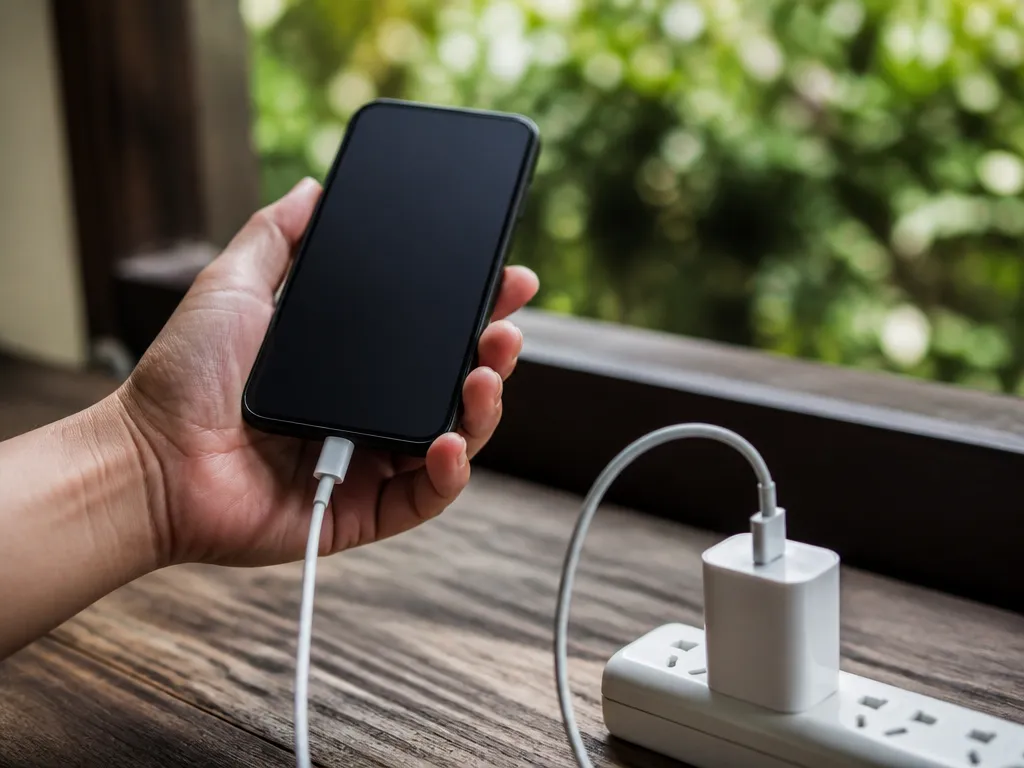
Charging habits shorten lithium battery life mainly through heat, high state of charge, deep cycling, and charging rates that stay high for too long. Capacity loss is usually gradual, but the damage from heat and sustained high SoC can accelerate noticeably over months.
Practical SoC window: keep daily use roughly between 20% and 80% charge when you can. For storage, aim around 40% to 60% and avoid leaving it near 100% for days.
SoC guidance varies by device size and design, but the “aging drivers” are consistent: high SoC increases internal stress, while low SoC increases stress during recharge and can trigger more time at elevated charge power. Treat “always full” power habits as a lifespan tax.
Heat, Temperature Rules-of-thumb
Charging heat is the fastest life killer you can control. If the battery or the charger housing feels hot to the touch during charging, throttle or stop until it cools, since most lithium protection systems are designed to guard against faults, not to preserve life.
Best practice is to charge in moderate room temperatures (roughly 10 C to 30 C). Avoid charging on direct sun-heated surfaces, under a pillow, inside a hot car, or right after heavy load use, since the cell temperature can overshoot even if the environment looks mild.
Fast Charging Tradeoffs (C-rate And Time On Charge)
Fast charging can be safe when the charger and device negotiate the right limits, but it still increases heat because higher current (amps) means more resistive heating. Use fast charge when you need it, then switch to lower power once you are near full, or let the device taper.
Charging rate is often expressed as a fraction of capacity (C-rate). As a rule of thumb, aim to spend less time charging above about 0.5 C, and avoid long sessions that keep the pack hot and near high SoC.
| Charging habit | What happens electrically | Life impact |
|---|---|---|
| Frequent top-ups at high SoC (for example 90% to 100%) | BMS must hold voltage high; cell stress stays elevated | Higher calendar aging over time |
| Charging at high current for a long time (hot device) | More I²R heating in cells, tabs, and cables | Accelerated cycle aging |
| Short fast charge followed by normal taper | Heat is limited by reduced time at peak current | Generally less damaging than sustained fast charging |
Charger Compatibility Checks That Affect Thermal Stress
Thermal stress rises when the charger is mismatched or when the negotiation falls back to awkward modes (higher current than expected, or repeated re-negotiation). The most important compatibility signals are voltage and current ratings, plus whether the charger and device can agree on a safe profile.
USB-C power accessories add another layer: power delivery negotiation decides voltage, current, and power level. If a charger is “compatible-looking” but not actually negotiating the profile your device expects, the device may draw more current than you intended to reach the same power target, or it may heat longer while trying to stabilize.
USB-C PD to verify: confirm the device says “USB Power Delivery” (or “PD”), confirm the charger is a real USB-C PD source (not only USB-A to USB-C signaling), and confirm the max wattage your device can request is covered by the charger.
Portable power banks, solar generators with USB-C, and laptop docks all can vary widely in PD behavior. Verify the power bank output wattage and PD support from its label, because a “higher watt number” only helps if the PD profile negotiation works and the device requests what it needs.
Heat, Swelling, Safety Triggers
Recommended Products

Heat and physical damage are the fastest ways lithium batteries lose capacity, and they can also turn a “wear” problem into a safety problem. Swelling, venting smells (sweet, solvent-like, or sharp), or repeated sudden shutdowns during charging are strong stop-using signals.
Common Degradation Symptoms That Get Worse Under Heat
Runtime drop is usually the first sign: the device works, then cuts out earlier even at similar charge levels. Voltage sag can look like dimming screens, erratic motor control, or a power station that refuses to deliver its rated output until the pack cools.
Sudden shutdowns are a key clue when they happen under load or right after connecting a charger. Firmware and the battery management system (BMS) may protect the pack by cutting output when it detects overheating, cell imbalance, or abnormal voltage behavior.
Swelling And Venting: Immediate Actions
Swelling means gas generation inside the pouch or cylindrical cell sleeve, and that usually predicts faster failure. Vented electrolyte may be corrosive and can stain or haze nearby plastics and metals, so treat it as a serious hazard.
Immediate goal is to stop energy flow and reduce risk. The safer choice is to move the device to a nonflammable area and avoid puncturing the pack.
Avoiding Unsafe Charging Scenarios
Damaged packs, bent contacts, and cracked insulation can create internal shorts or charge paths the BMS did not intend. Water ingress is also dangerous because it can accelerate corrosion and create leakage currents that raise heat during charging.
Blocked vents matter because many lithium devices rely on airflow or case thermal paths to keep cells within an acceptable temperature range. Firmware and charger behavior can change when the BMS detects a problem, such as throttling charge current, repeatedly pausing, or flagging a fault and refusing to charge.
When Charger Or Firmware Behavior Changes, Treat It As A Warning
Charging behavior that used to be stable but suddenly turns into frequent “fault, retry, pause” cycles can signal that the BMS is protecting cells from overheating or detecting imbalance. Some devices also reduce charge rate to limit temperature rise, so a steady slowdown can be a normal derate, but only if heat stays reasonable and the behavior is consistent.
Stop using the battery and plan for replacement if repeated protective cutoffs happen during everyday loads, if the pack heats quickly at the same power level, or if swelling returns after the device cools. For any pack that shows venting signs, replacement is the only practical safe path, and recycling should be done through appropriate battery collection channels.
Safety priority: if you smell unusual fumes, see swelling, or feel rapid heating during charging, end use first. After that, switch to proper replacement and disposal rather than trying new chargers or “resetting” the behavior.
Maximize Lifespan Maintenance
Longevity in lithium batteries is mostly decided by heat, time spent at very high state of charge (SoC), and how aggressively you cycle the cell. A practical goal is to keep average charging in a mid SoC band, avoid hot conditions, and prevent long storage at a full or nearly empty level.
Daily Routine: Soc Window, Charge Timing, And Temperature Control
For everyday use, treat charging like a controllable pattern, not a single event. Keep the pack cool during charging, and try to finish charging sooner rather than leaving the battery sitting at high SoC for hours.
Many devices charge to full for performance and safety reasons, but you can still manage the “time at the top.” Smart devices often include battery health or “charge limit” settings that cap charge around a manufacturer-chosen value, so look for that toggle in your phone, laptop, or power tool app.
| Situation | What tends to hurt lifespan | Safer maintenance move |
|---|---|---|
| Leaving a phone/laptop plugged in overnight | Long time at high SoC (and sometimes warm battery) | Use charge limit mode if available, or time the charge to finish near use |
| Travel charging in a hot environment | Elevated pack temperature during charging | Charge in shade, ensure airflow, pause if the device gets hot |
| Frequent deep drain (0 percent and recharge) | Deeper cycles increase stress | Top up earlier, then recharge before very low warnings |
Storage Guidance: Soc, Environment, And Refresh Charging
Storage aging is calendar aging, it continues even when the device is off, so starting SoC matters. For lithium batteries in devices you plan to leave unused, aim for a partial charge state rather than full, and keep the battery cool and dry.
For long storage periods, avoid “set and forget at 100 percent.” Many manufacturers recommend checking the device periodically and doing a small refresh charge only if the battery voltage has dropped too low, so follow the manual for the exact target range and interval.
If your battery pack or device has a documented “storage mode” or a recommended SoC for storage, use that value. When evidence is missing, a conservative approach is partial charge plus cool storage, then a brief top-up only as needed.
Replacement Decision: When Capacity Loss Becomes Unacceptable
Capacity fade shows up as shorter runtime, more frequent low-battery warnings, and faster voltage drop under load. A useful decision rule is to replace when the battery can no longer meet your expected runtime with normal use, or when the device repeatedly hits cutoffs earlier than you can tolerate.
Battery health tools (phone battery screens, laptop diagnostics, or power-station readouts) help, but interpret them alongside real behavior. If performance falls off sharply after a specific incident (heat exposure, liquid contact, or repeated over-current trips), treat it as a reliability signal and stop pushing the battery.
Ups, Inverters, And Portable Power Stations: Cycling Vs Standby Loads
Power stations, UPS units, and inverter systems affect lifespan through how they handle load and how often they cycle the battery. Continuous high-rate loads, frequent start-stop behavior, and hot locations can drive aging faster than occasional standby use.
Standby UPS operation is usually gentler because the battery sits on reserve and doesn’t experience frequent deep discharge, but an in-rack or wall-powered environment can still heat the pack if ventilation is poor. Active cycling, running long sessions through an inverter, or repeatedly draining to low SoC and recharging rapidly is the faster aging pattern, so keep depth of discharge moderate and avoid unnecessary discharge cycles.
Replacement And Recycling Guidance
Battery replacement is guided by measurable capacity loss and real-world warning signs, not by age alone. A smart battery health reading or a charger/app log that shows steep drop-off is a stronger trigger than “it feels older.”
Start with the battery health metric the device provides. For phones, laptops, tablets, and many wearables, look for a “maximum capacity” percentage, a “battery health” screen, or service diagnostics that the manufacturer publishes in software or settings.
For measured wear, treat capacity retention as your main yardstick and watch how fast it declines over time. For cycle-driven devices like power tools and EVs, the “how many full cycles” history matters, but calendar aging still counts because lithium chemistry ages even when unused.
Warranty, Service-channel Checks, And Safe Triage
Warranty terms vary by brand and region, so confirm eligibility through the manufacturer’s support or the device’s warranty page before buying a replacement. Many services require using an authorized replacement channel, especially for packs that include a BMS integrated into the device.
In practice, a conservative workflow prevents wasted money and reduces fire risk.
For example, if a laptop “battery health” screen looks poor, confirm whether the charging fault is actually the charger, the port, or the battery by testing with a known-good charger that matches the device’s required voltage and wattage from the label or manual.
Recycling And Disposal: What To Look For Locally
Recycling rules vary by country, city, and even waste-collector partner, but most regions treat lithium batteries as hazardous and discourage curbside disposal. Look for “battery recycling” drop-off points at electronics retailers, municipal hazardous waste programs, or certified collection events.
For example, if you have a portable power station or UPS unit with a removable battery pack, recycling the entire module may be simpler than recycling only the cell assembly, because the module already includes protective circuitry and terminal safety. For non-removable packs, the safest route is to recycle the full device through the manufacturer take-back or a certified electronics recycler.
Transport Considerations For Li-ion Batteries
Shipping lithium batteries has specific packaging and labeling requirements, especially for loose cells and damaged batteries. Region and carrier rules differ, so use the carrier guidance for “lithium battery transport” and avoid mailing damaged or swollen packs unless the shipper instructs you on approved packaging.
Safety warning: if a lithium battery is swollen, cracked, or overheated, do not attempt repair, puncture, or internal servicing. Replacement and certified recycling are the practical options.
Quick Summary
Lithium batteries can show noticeable capacity loss in as little as 1 to 2 years, even without heavy use, because both cycle life and calendar life age the cells. The article emphasizes that time and temperature accelerate wear, so “years” alone is not enough.
In practice, many devices keep most capacity for about 2 to 5 years before declining faster when heat is present or when full charges are frequent. The usable lifetime is tracked as capacity fade and sometimes feels like runtime loss.
Capacity fade is the battery’s ability to store energy decreasing over time, while runtime loss also depends on device draw, firmware power management, battery temperature, and how deeply you discharge each use. Many datasheets use about 80% of original capacity as an end-of-life target, and the article advises reading the test setup because conditions can vary. It also recommends using a moderate state-of-charge window, roughly 20 to 80% for storage and daily use, avoiding long time at 100%, and keeping batteries cool, since swelling or sudden runtime drops are stop-using safety signals. The single most important takeaway is to manage temperature and state of charge, because heat and high charge levels are the fastest path to capacity loss.
Frequently Asked Questions
How Many Years Do Lithium-ion Batteries Typically Last In Laptops, Phones, And Power Banks?
Lithium batteries are usually rated by cycle life (charge-discharge cycles) and calendar aging, so real lifespan varies a lot with heat and how deeply you drain them. A practical rule is to expect noticeable capacity drop after years of normal use, and to treat “dead” cells as a sign of aging, not just a charging issue.
Why Does My Lithium Battery Lose Runtime Even Though I Charge It Correctly?
Most runtime loss comes from capacity fade, which accelerates with high temperatures and frequent 100% charging. If the pack spends time hot (for example, in a car or while fast charging), it will often wear faster than expected.
How Can I Tell If My Charger And Lithium Battery Are Compatible, Especially With Usb-c Power Delivery?
You should verify the device and charger support the same voltage and power profile (for USB-C PD, the charger must offer the right PD voltages and sufficient wattage). If you have to guess, do not use a “works with anything” charger, and instead match the battery pack’s recommended input specs printed on the case or manual.
Is It Dangerous If My Lithium Battery Gets Warm While Charging Or Using A Portable Power Station?
It’s normal for batteries to get warm, but hot to the touch, swelling, hissing, or a strong burning smell are warning signs. Stop using the device, disconnect power if it is safe to do so, and do not charge a damaged or swollen pack.
When Should I Replace A Lithium Battery, And What Is The Most Common Buying Mistake?
Replace it if it no longer holds charge for your expected use, if charging becomes unreliable, or if you see swelling or physical damage. The most common buying mistake is getting a replacement that is the wrong capacity, chemistry, or connector, so always match the battery’s label specs or the manufacturer’s replacement guidance.

- 10 Best Battery For Generator Battery Rv Upgrade 2026 - October 12, 2026
- 10 Best Battery For Generator Battery Retrofit System 2026 - October 12, 2026
- 10 Best Battery For Generator Battery Retrofit Service 2026 - October 12, 2026