How To Change A Battery In A Honda Key Fob?
You’re rushing to your car, press the unlock button, and… nothing. No click, no beep, no door opening. That’s the dead-key-fob-battery moment every Honda owner dreads. It’s surprisingly common and, honestly, easy to fix without a trip to the dealer.
I’ll walk you through identifying your fob type, matching it to the right battery, and swapping it in minutes.
Identifying Your Honda Key Fob Type
Recommended Products


First thing: not every Honda key fob takes the same battery. Mixing up a smart fob with a standard one is the #1 reason people order the wrong part. You’ll want to check whether your key has a flip-out blade (standard) or a flush, button-heavy shell (smart).
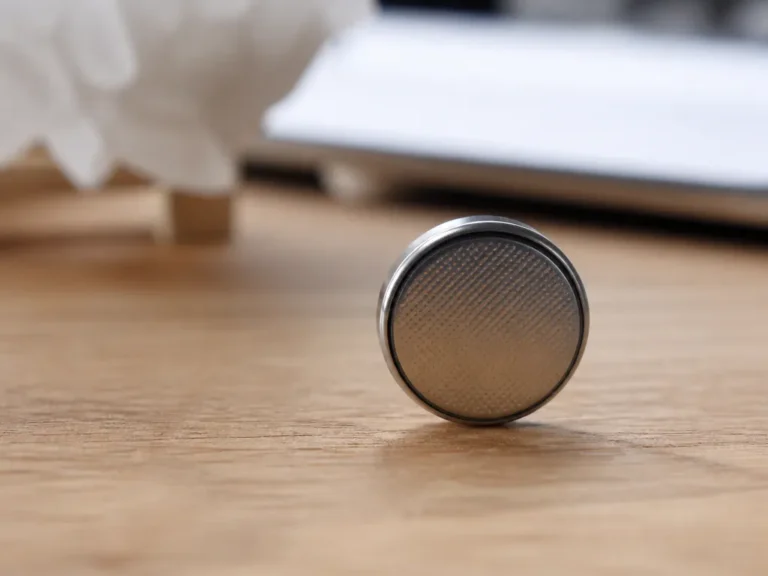
That tells you whether you’re hunting for a CR1616, CR1620, or CR2032. Peek at the old battery , it’s literally printed on the side.
Tools Needed for Battery Replacement
Recommended Products


Good news: you don’t need a mechanic’s toolkit for this. A plastic pry tool and a soft surface are basically it. If you’re worried about scratching the casing, a guitar pick or a dull butter knife works in a pinch.
Having everything laid out before you start saves you from fumbling around with a half-open fob.
- New CR2032 or CR1616 battery depending on your fob type.
- Small flathead screwdriver or plastic pry tool.
- Phillips head screwdriver for older standard key fobs.
- Clean cloth to wipe the internal contacts gently.
- Container to hold small screws if applicable.
Stick with plastic if you can , a metal screwdriver will gouge the housing and could short something out if it slips. A plastic pry tool gives you just enough leverage to pop the halves apart without drama.
If that’s not an option, a butter knife works, but slide it in slow and feel for the seam. Work around the edge in small steps rather than forcing it.
Lay the fob on a towel so nothing slides away, and keep the area well-lit , those battery compartments are tiny.
Reliable Batteries for Your Honda Key
Recommended Products


I’d rather you not hunt through a dozen listings trying to decode part numbers in the comments. These picks cover the actual fob types Honda has used over the past decade-plus, from the CR-V and Civic to older Accords and Pilots.
A couple bundles toss in prying tools or videos, which can save first-timers some guesswork. Others lean on Duracell’s kid-safe coating or just pack more batteries for multi-car households.
|
1
|
Key Fob Replacement Batteries for Honda, Pack of 2 | Fits CRV Civic Accord Pilot Odyssey H |
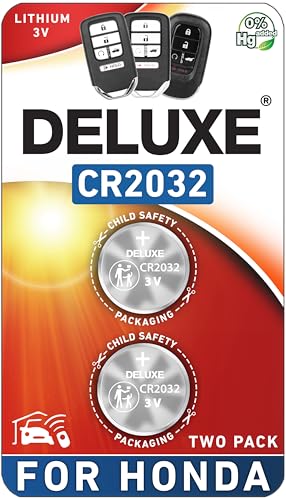
This two-pack gives you a matched set of CR2032 cells sized for newer Honda smart fobs, with a fitment guide to double-check your model year before you buy.
If your Honda’s a 2008-or-newer smart fob , think CR-V, Civic, Accord, Pilot , these CR2032s are your baseline play. The listing calls out that they won’t work with older keys that have a sticking blade, which cuts down on return hassles.
They’re the same sort of 3V lithium cells dealers will sell you for a markup, and they drop in without any reprogramming. The included fitment guide makes narrowing down your exact model year pretty painless before checkout.
Two batteries is the sweet spot if you just need a spare on hand. But heads-up: no prying tool or instructions are included, so if you’re going in blind without something to safely crack the casing open, you’ll need to pick one up separately.
I’d also check those fitment images twice if your fob is pushing 15+ years , the years covered here start at 2008.
|
2
|
Duracell 2032 Lithium Battery, 4 Count, AirTag & Key Fob, CR2032 3V Cell |

Duracell CR2032 cells use that bitter-coated design to help keep curious kids from swallowing them, plus they claim a longer runtime than some rivals.
These are the standard CR2032 lithium cells in a child-resistant pack, and Duracell slaps a bitter coating on both sides of every battery , a small touch that matters if you’ve got little ones rooting through your console.
They’re rated broadly for Honda fobs but also cover AirTags and other gadgets you might have lying around. Runtime-wise, they’re solid; my read is these usually beat cheaper generics by a few months.
Four-count’s nice if you want backups or have other CR2032 gadgets to keep fresh. Just don’t expect a prying tool in here , you’ll want your own.
Price-per-cell runs a little higher than store-brand generics, but if child safety’s a priority or you just want a name you recognize on the battery door, it checks out. One thing to scan: make sure your fob actually takes a CR2032 before you click buy.
|
3
|
Duracell 2032 Lithium Battery, 2 Count, AirTag & Key Fob, CR2032 3V Cell |
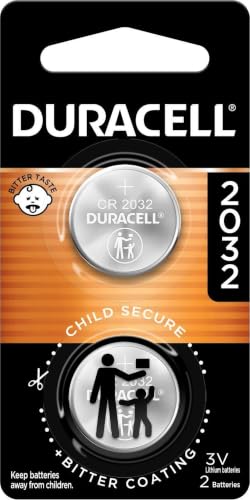
Smaller two-pack of the same Duracell CR2032 cells, good if you just want reliable replacements without the bulk.
Same bitter-coated CR2032 tech as the bigger Duracell pack, just scaled down to two. If you’ve got one Honda, live solo or a couple, and just want a quick replacement without building a battery stash, this’ll do.
Voltage sits at 3V like OEM expects, and they drop in cleanly with no re-pairing needed. Packaging’s still child-safe, which I appreciate even if I’m the only one changing batteries.
Per-unit pricing’s steeper than the four- or eight-packs, so if you’re rotating spares or have multiple electronic gizmos eating CR2032s, you’ll save money going bigger. And again , no pry tool, so you’ll want your own if you don’t already.
But for a fast, no-frills swap that gets you back in the car today, this is straightforward. Jot down your old battery’s model number just to be safe.
|
4
|
Key Fob Battery Replacement for Honda CR2032, Pack of 2 | Civic, Accord, CR-V, Pilot, Odys |

Two CR2032s paired with a fitment guide and video walkthrough, aiming to simplify the whole DIY swap for newer Honda fobs.
This one stacks two CR2032 cells alongside a downloadable video guide covering the opening and replacement steps , handy if you’ve never pried apart a key fob before.
It claims compatibility across a healthy Honda range (Pilot, Odyssey, you name it) and says no reprogramming is required after the swap, which matches my experience with most CR2032 smart fobs. The batteries themselves are the same 3V lithium type dealers push, just without the markup.
Video support is the main reason I’d shortlist this for a first-timer , it removes the guesswork of where the clips live and how much force is safe.
But no physical prying tool in the box, so if you don’t already have something plastic and flat lying around, factor that in. Also scan the fitment guide carefully before checkout; these are meant for the newer smart fobs, not the older ones with flip-out keys.
|
5
|
KKNCO Key Fob Battery Replacement for Honda Key CR1616 (Pack of 2) | Fits Accord 03-13, Ci |

CR1616 cells plus prying tools aimed at older Honda fobs with flip-out blades , a bundle built for a different fob style.
Flip-open the key and see a smaller silver disc wedged in there? That’s probably a CR1616, and this kit covers older Accords, Civics, even some Pilots and Fits from the early-to-mid 2000s.
You get two batteries and actual opening tools , a pry implement and a tiny screwdriver , so you’re covered from the unboxing step. That combo alone saves you from buying tools piecemeal.
If your fob has that chunky plastic shell with a metal flip-out key, this is likely your match. I’d glance at the included fitment images though , the years listed vary by model, and some run only to 2012 or 2013.
One heads-up: definitely not compatible with the newer smart fobs that take CR2032s, so make sure your key actually pops open with a blade before you commit.
|
6
|
Duracell 2032 Lithium Battery, 8 Count, AirTag & Key Fob, CR2032 3V Cell | AirTag & Key Fo |

Eight Duracell CR2032s mean you’re covered for spares, loaners, or every CR2032 gadget in your household.
If you’re stocking up or juggling multiple Hondas , maybe a CR-V, an Accord, and that stubborn set of AirTags , this eight-pack of Duracell CR2032s keeps you from re-ordering every month. Same bitter-coating safety setup and child-resistant packaging, and these cells usually run longer than budget generics.
The per-battery cost drops nicely here, so if you’re going to use them anyway, buying in bulk saves hassle.
Best for families with several Honda vehicles or spare keys. The large count ensures you have batteries on hand for years. The safety features are crucial for homes with kids. However, the upfront cost is higher than smaller packs. No installation tools are included with this purchase.
You must provide your own pry tool or screwdriver. Verify that all your fobs use CR2032 cells. This avoids waste from incompatible purchases.
|
7
|
Key Fob Replacement Batteries for Honda (2008-2024) | Fits Civic CRV Accord Pilot Odyssey |

Kit marries OEM-grade CR2032 batteries with a plastic install tool designed to avoid marring your fob’s finish.
What sets this apart is the bundled scratch-free install tool alongside two CR2032 cells. If you’re the kind of person who winces at the idea of a screwdriver near your key fob, that alone’s worth it.
It’s aimed at Honda smart fobs roughly 2008 to 2024 , Accord, CR-V, HR-V, stuff like that , and claims no reprogramming is needed after the battery swap, which lines up with most smart fob designs.
The video support here helps, especially if you’re unsure where the seam actually runs on your fob. But be honest with yourself on the fit , it’s only for smart fobs, and older ones with flip-out keys need a different battery type entirely.
Treat that plastic tool gently, and you’ll be fine.
|
8
|
Duracell 2032 Lithium Battery, 6 Count, AirTag & Key Fob, CR2032 3V Cell |

Mid-size six-pack of Duracell CR2032s , a decent middle ground if you want more than two but don’t need the full eight.
Six feels like a fair middle ground , more than you’d need for a single fob but not the commitment of an eight-pack. These are the same Duracell CR2032s with the bitter coating, and runtime’s predictably solid versus generics.
I’d put this one in the ‘if you’ve got a couple CR2032 devices or want a running spare’ bucket.
Still no prying tool included, so factor that in if you don’t already have one. And, as always, triple-check that your fob actually takes a CR2032 before checkout , grabbing the wrong size is the fastest route to a return.
If six sits right with you though, this one won’t disappoint on performance.
|
9
|
Key Fob Battery Replacement for Honda CR1616, Pack of 2 | Accord, Civic, Pilot, Odyssey, C |

A CR1616 pack that throws in a screwdriver , handy for fobs where the battery’s held in by a tiny screw rather than just clips.
Some older Honda fobs don’t pop apart with a pry tool , they’ve got a little screw holding the battery tray in place, and you’ll need an actual screwdriver to get in there. This kit calls that out and tosses in a small Phillips head for exactly that reason.
Alongside two CR1616 cells, you’ve basically got the minimum you’d need to get the job done.
Ideal for older Honda models with screw-held battery covers. The included screwdriver saves you from finding one elsewhere. The video guide helps navigate the disassembly steps safely. Two batteries provide a replacement and a backup option. However, it is not for newer smart key fobs.
Verify your key takes a CR1616 cell before buying. The screwdriver is small, so handle it with care. Do not overtighten the screw upon reassembly.
|
10
|
KKNCO Key Fob Battery Replacement for Honda Key CR2032 (Pack of 2) | Fits CRV Civic Accord |

Another Honda-compatible CR2032 bundle that includes opening tools , aiming for a one-box swap without needing extra purchases.
This one bundles two CR2032s with a pair of plastic opening tools designed not to scratch the fob housing , useful if you’re new to this or just paranoid about gouging your key.
It’s scoped for the same era of Honda smart fobs (roughly 2008-2024) and again says no reprogramming needed after the battery change, which has matched my experience.
Great for DIYers who want a complete solution in one box. The included tools eliminate the need for household substitutes. The video instruction boosts confidence for first-timers. Two batteries allow for immediate use and storage. However, it is incompatible with older standard keys.
Check the fitment guide for your specific Honda model. The plastic tools are durable but require gentle use. Avoid prying too aggressively to prevent clip breakage.
There’s no one-size-fits-all battery across Honda fobs, but the right one depends on whether you’re dealing with a smart fob (usually CR2032) or an older flip-out key (often CR1616).
If you’re buying for the first time, I’d lean toward a kit that throws in a prying tool , it keeps you from improvising with something sharp. If you’re stocking up or juggling multiple cars, a bigger Duracell pack cuts down future reorders.
Step-by-Step Battery Replacement Guide
Recommended Products


Once you’ve cracked the fob open, replacing the battery’s mostly about not rushing. There are a few small steps where folks usually slip up , like forgetting battery polarity or forcing the case shut.
Remove the physical key from the fob if it is a smart key model.
Insert your pry tool into the seam on the side of the fob.
Gently twist the tool to separate the two halves of the casing.
Locate the old battery and note its orientation before removing it.
Insert the new battery with the positive side facing up correctly.
Snap the two halves of the fob back together firmly until it clicks.
Drop the new battery in the same orientation as the old one , usually the positive side faces up, but I’ve seen exceptions on some fobs, so peek at how the old one sat. Snap the halves back together and press along the seam until it clicks.
Don’t muscle it; the clips should settle without force. Once it’s closed, test the buttons right there , stand close to the car and see if the doors unlock or the trunk pops. If it beeps or blinks, you’re good.
If not, pop it back open and check seating and polarity.
Troubleshooting Common Key Fob Issues
Sometimes a new battery doesn’t solve the whole story. If your fob’s been acting flaky even after the swap, it might be another gremlin entirely.
Common Issues and Fixes
| Issue | Possible Cause | Solution |
|---|---|---|
| Weak Signal | Battery installed incorrectly | Recheck polarity and reseat battery |
| No Response | Dirty contact points | Clean contacts with alcohol swab |
| Intermittent Function | Loose battery clip | Gently bend clip for tighter fit |
| Case Won’t Close | Misaligned internal components | Realign circuit board and try again |
Start by cleaning the battery contacts with a cotton swab , corrosion or grime there can kill the connection fast. If the buttons themselves feel mushy or unresponsive, the rubber keypad might be wearing out inside, which battery-swapping won’t fix.
And if the fob worked fine yesterday but suddenly won’t respond range-wise, check your car battery , a weak car battery can mess with keyless entry reception. Try moving closer to the vehicle next time to rule that out before assuming the fob’s dead.
A dead fob battery is usually a 5-minute fix if you’ve got the right cell and maybe a pry tool. Match your battery type to your fob (CR2032 for newer smart fobs, CR1616 for older flip-out keys), open it gently, swap it, snap it back, and test.
Keeping one spare battery on hand means you’re never stuck tapping the fob against your steering column hoping it wakes up. Honestly, once you’ve done it once, you’ll wonder why you ever waited for a service appointment.

- 10 Best Battery For Generator Ev Battery Bank Marine 2026 - October 27, 2026
- 10 Best Battery For Generator Ev Battery Bank Lto 2026 - October 27, 2026
- 10 Best Battery For Generator Ev Battery Bank Low Voltage 2026 - October 27, 2026