How To Remove Battery From Chamberlain Garage Door Opener?
If your Chamberlain garage door opener won’t respond, a dead battery is the usual suspect. But removing it isn’t always straightforward. Some models hide a tiny coin cell inside the remote, while others tuck a heavy 12-volt backup battery behind the motor housing.
The removal steps are completely different for each. Use the wrong approach, and you risk cracking plastic clips or shorting terminals. Here’s how to handle both scenarios safely, plus which replacement batteries actually fit.
Why Your Chamberlain Garage Door Opener Battery Needs Removal
Recommended Products


Batteries in Chamberlain systems don’t last forever. They degrade, leak, or drain completely. Knowing why timely removal matters can save your circuit board from permanent damage.
Garage door opener batteries wear out chemically over time. A typical Chamberlain remote battery lasts one to three years. Backup batteries in the main motor unit often last a bit longer. When voltage drops too low, the remote loses range.
You might notice the door only opens when you’re standing right under it. That weak signal means the battery is struggling. Leaving a depleted battery inside invites corrosion. Acid leaks can eat through copper contacts and ruin the remote.
In motor units with backup systems, a swollen lead-acid battery poses a physical risk. It can crack the housing or press against wiring. Pulling the battery out stops this damage. Addressing it early saves the opener from premature failure. Quick removal also prevents unexpected lockouts during bad weather.
- Remote requires multiple clicks to trigger the garage door motor.
- Opener beeps continuously indicating low backup power reserves.
- Visible white or green crust forms around the battery contacts.
- Remote feels unusually warm after attempting to open the door.
- Door moves slower than usual during battery backup operation.
- Battery casing appears swollen or bulging inside the compartment.
Locating The Battery Inside Different Chamberlain Setups
Recommended Products


Chamberlain uses different battery types depending on the component. Finding the exact compartment dictates which tools you need for safe removal.
Opening The Remote Shell
Most Chamberlain handheld remotes use CR2032 or A23 batteries hidden behind a snap-fit back cover. Look for a small slot along the edge of the remote casing. Insert a flathead screwdriver or a dedicated scratch-free tool into this slot. Twist gently to separate the two plastic halves.
Don’t force the seam apart with your fingernails. Excessive pressure cracks the plastic shell permanently. Once the back pops off, the circular battery sits visible inside a molded cradle. Note which side faces up before touching anything. The positive terminal usually points toward you.
Accessing Wireless Wall Keypads
Wireless keypads mounted outside the garage often require removing the entire bottom half of the unit. Slide the battery cover downward to release the locking tabs. Some older Chamberlain keypads use screws instead of friction clips. Check the back panel for small Phillips-head screws near the bottom corners.
Removing these screws exposes the battery tray. The keypad battery slides out horizontally once the tray clears the housing. Keep track of any rubber gaskets lining the cover edge. These seals prevent rain from reaching the electrical contacts during outdoor use.
Battery Types By Chamberlain Component
| Component | Common Battery Type | Removal Tool Needed |
|---|---|---|
| Handheld Remote | CR2032 / A23 | Flathead screwdriver or pry tool |
| Wall Keypad | CR2032 / 9V | Phillips screwdriver or fingers |
| Motor Backup Unit | 12V Lead-Acid | Nut driver or wrench |
Replacement Batteries To Restore Chamberlain Garage Access
Recommended Products


Removing the old battery solves the immediate hazard but leaves the system powerless. To get the door working again, you’ll need a fresh replacement. The options below fit various Chamberlain components, from small remotes to large motor backup units.
Each pick matches the voltage and physical dimensions needed for a secure installation.
|
1
|
CHAMBERLAIN / LiftMaster / Craftsman 4228 Replacement Battery for Battery Backup Equipped |
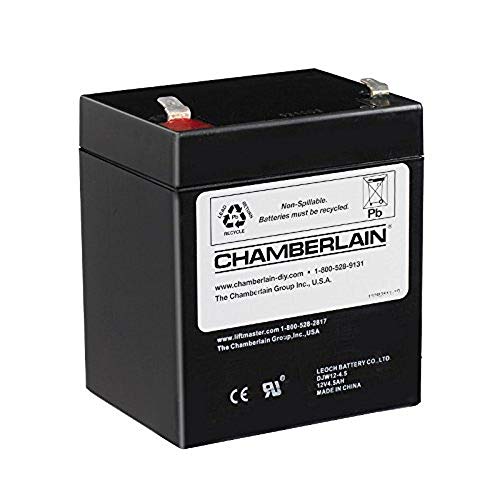
Restores emergency power to Chamberlain motor units after you remove the old 12-volt backup battery.
The CHAMBERLAIN 4228 Replacement Battery delivers 4. 5 amp-hours at 12 volts for main motor backup systems. This sealed lead-acid unit fits directly into Chamberlain openers equipped with battery backup features. Removing the dead battery from the motor housing clears space for this exact drop-in replacement.
The packaging may arrive in black and grey colors depending on current inventory batches. It provides enough capacity to run emergency lighting and cycle the door during power outages.
This battery suits homeowners who just extracted a swollen or dead backup cell from their ceiling-mounted opener. Installation requires reconnecting the red and black wire harness terminals correctly. One limitation involves the weight of lead-acid chemistry compared to modern lithium alternatives.
Ensure the mounting bracket inside the motor housing remains undamaged before sliding this unit into place. It works universally across all Chamberlain garage door openers that support backup functionality.
|
2
|
Garage Door Opener Battery Replacement CR2032, Pack of 2 | Chamberlain, LiftMaster, Genie, |

Provides exact CR2032 coin cells needed once you pry open a Chamberlain remote to remove its dead battery.
This two-pack of CR2032 button coin cells replaces the small battery inside Chamberlain handheld remotes and wireless keypads. After popping the remote shell open and extracting the old cell, this direct replacement slides right into the molded cradle.
The batteries maintain consistent power output regardless of extreme summer heat or freezing winter temperatures. They fit LiftMaster, Genie, Craftsman, Linear, and Sears devices alongside Chamberlain models. Having two cells means you can fix multiple remotes simultaneously after removing their depleted batteries.
Multi-car households benefit greatly from keeping a spare CR2032 ready after completing the removal process. These cells work flawlessly in single-button visor clips and multi-button key fobs alike. A minor drawback is the lack of an included pry tool for opening stubborn remote casings.
Users must source their own flathead screwdriver to safely separate the plastic halves. Always verify compatibility using the provided fitment guide before discarding your old battery.
|
3
|
Garage Door Opener CR2032 Battery Replacement for Remotes, Keypads, Sensors | Two Pack for |

Supplies premium SHI brand replacements ready to install after removing the old battery from Chamberlain sensors or remotes.
Smarter Home Ideas manufactures this two-pack of CR2032 Elite Series batteries specifically for garage door accessories. Once you successfully remove the exhausted battery from a Chamberlain remote or safety sensor, this cell drops right in. The blister pack displays contents clearly and undergoes quality inspection inside the United States.
These batteries carry a seven-year shelf life with a use-by date extending to late 2033. They deliver stable voltage for wireless entry keypads and overhead door sensors alike.
Homeowners who prioritize long-term storage will appreciate the extended expiration window on these cells. They handle high-drain demands from frequent garage door usage without experiencing sudden voltage drops. However, buyers must carefully check the image-based fitment guide to confirm physical dimensions match their specific remote model.
Installing a mismatched coin cell risks damaging the contact springs inside the battery tray. Keep the original packaging until you verify the new battery powers the remote correctly.
|
4
|
BBXSA Garage Door Opener Battery – CR2032 Button Lithium 3V (Pack of 2) |
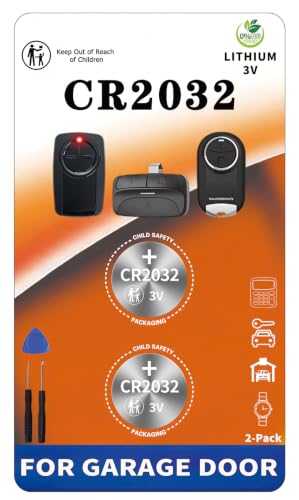
Offers purpose-built BBXSA lithium cells designed to replace whatever battery you just removed from your Chamberlain remote.
BBXSA engineers these CR2032 3-volt lithium batteries specifically for garage door systems rather than general electronics. After prying the back off your Chamberlain remote and removing the dead coin cell, this battery fits perfectly. Unlike generic grocery store cells, these handle the rapid power bursts required by garage door transmitters.
The two-pack format lets you service multiple devices across a full-home setup simultaneously. They resist temperature fluctuations that typically cause standard batteries to fail prematurely in unheated garages.
These batteries excel in regions experiencing harsh seasonal shifts where garage temperatures swing wildly year-round. They provide reliable signals for both single-button clickers and complex wireless keypad entry systems. One honest limitation involves the absence of detailed instructions for opening specific remote housings.
Users unfamiliar with prying apart Chamberlain remotes might struggle to reach the battery compartment initially. Once inside though, the swap takes mere seconds thanks to the standardized CR2032 sizing.
|
5
|
Garage Door Opener Battery Replacement CR2032, Pack of 4 | Chamberlain, LiftMaster, Genie, |
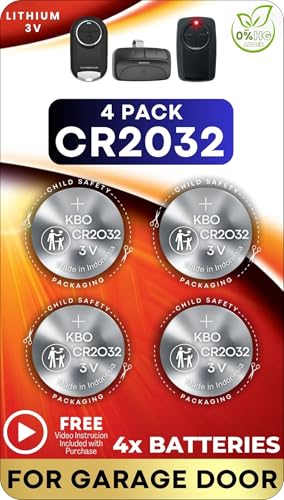
Stocks four CR2032 cells so you never lack a replacement after removing dead batteries from multiple Chamberlain devices.
This four-pack of CR2032 button coin cells ensures you have ample spares after removing dead batteries from Chamberlain gear. Whether you are servicing a visor remote, a wall-mounted keypad, or a photo-eye sensor, these fit universally.
Each cell maintains steady power delivery even under high-usage conditions typical of busy family garages. The broad compatibility extends beyond Chamberlain to include LiftMaster, Genie, Craftsman, and Overhead Door models. Buying in bulk reduces the per-unit cost significantly compared to smaller packs.
Property managers overseeing multiple garage installations find this four-pack highly efficient for batch maintenance tasks. Replacing batteries across several units at once saves time and prevents recurring service calls. A potential downside is storing unused lithium cells improperly if they sit idle for extended periods.
Keep them in their original sealed packaging away from metal objects to prevent accidental short circuits. Always double-check the fitment guide before forcing a new cell into an unfamiliar remote model.
|
6
|
Genie Chain Drive 750 3/4 HPc Garage Door Opener w/Battery Backup – Heavy Duty – Operate y |

Illustrates the integrated backup design you encounter when removing a battery from a complete Genie chain drive system.
The Genie Chain Drive 750 represents a complete opener system featuring an integrated battery backup module. While not a standalone battery, understanding this unit clarifies how backup systems house their internal power cells. Removing the battery from such a heavy-duty 3/4 HPC motor requires accessing the dedicated backup compartment.
This California Senate Bill 969 compliant system delivers up to fifty cycles during primary power failures. The five-piece rail system snaps together easily while pre-programmed remotes eliminate extra setup steps.
Homeowners upgrading their entire garage setup often extract old batteries from previous openers before installing units like this. The included wireless keypad and multi-function wall console add convenience beyond basic remote clicking. One notable limitation involves the sheer size of the motor housing compared to older belt-drive models.
Ensuring adequate ceiling clearance becomes critical before attempting installation. The chain drive operates reliably but produces more audible noise than premium belt-driven alternatives during daily use.
|
7
|
Mighty Max Battery ML5-12 – 12V 5AH Chamberlain 41A6357-1 Garage Door Opener Battery |
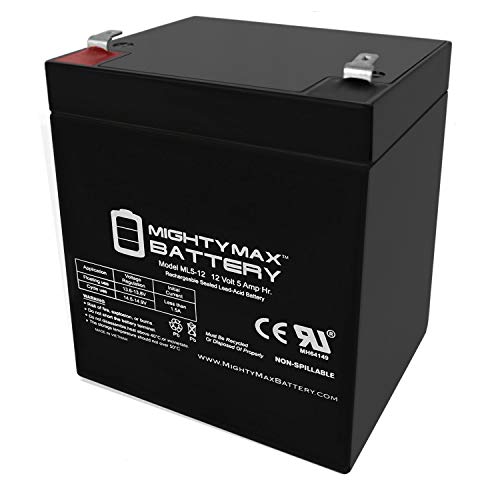
Replaces the specific 12V 5AH sealed lead-acid battery you just removed from a Chamberlain 41A6357-1 compatible opener.
The Mighty Max ML5-12 serves as a direct 12-volt 5-amp-hour replacement for Chamberlain 41A6357-1 garage door opener batteries. After disconnecting the wires and physically removing the old sealed lead-acid block, this UL-certified unit slides into position. It measures exactly 3. 58 by 2. 76 by 4.
21 inches to match factory specifications perfectly. The spill-proof AGM construction allows mounting in any orientation without risking acid leaks inside the motor housing. F1 terminals accept standard quick-disconnect wire harnesses found on most Chamberlain backup systems.
This battery handles deep discharge recovery exceptionally well making it ideal for areas prone to frequent power outages. It resists shocks and vibrations generated by the heavy garage door motor during daily operation. Buyers should note that this listing includes only the battery itself without any replacement wire harnesses.
You must reuse the existing cables attached to your Chamberlain opener after removing the old cell. A full one-year warranty provides peace of mind regarding manufacturing defects or premature capacity loss.
|
8
|
Garage Door Opener Battery Replacement for Major Remotes, Keypads, Sensors | 2 Pack CR2032 |

Includes a scratch-free tool specifically designed to help you safely remove the battery cover from Chamberlain remotes.
This two-pack of CR2032 lithium batteries stands out by including a scratch-free tool for opening remote compartments. Removing the battery from a Chamberlain remote often damages plastic edges when using improvised screwdrivers. The included pry tool prevents cosmetic damage while exposing the battery tray cleanly.
These leakproof cells feature high-density airtight sealing structures that protect circuit boards from corrosive acid exposure. They deliver stable three-volt constant power output ensuring instant response times from your garage door transmitter.
Anyone who previously cracked a remote case while extracting a dead battery will appreciate the specialized opening tool. The leakproof design guarantees that forgotten batteries won’t destroy expensive Chamberlain keypads over time. A slight drawback involves the higher initial price point compared to bare-bones battery multipacks lacking accessories.
However, avoiding a ruined remote housing easily offsets that minor cost difference. Store the included tool in your garage drawer for future maintenance needs beyond just battery swaps.
|
9
|
Genie 12V Replacement Garage Door Opener Battery Backup, 111658.0002.S | Replacement Batte |

Demonstrates the exact disconnection sequence required when removing a 12V backup battery from integrated garage door systems.
The Genie 111658. 0002. S acts as an official 12-volt replacement battery backup for compatible Genie garage door openers. While branded for Genie, studying its installation manual reveals the universal steps for removing backup batteries safely. The process requires powering off the opener completely before removing the protective battery cover.
Disconnecting the old battery involves pulling specific terminal connectors without bending the delicate metal pins. This replacement-only unit restores outage capability but cannot function as an aftermarket add-on for basic openers.
Understanding this removal procedure helps Chamberlain owners navigate similar backup compartments on their own ceiling-mounted motors. The automatic charging feature ensures the new battery stays topped off whenever primary power remains active. One significant limitation restricts this specific battery exclusively to Genie systems preventing cross-brand compatibility.
Chamberlain users must source equivalent 12-volt cells matching their specific model numbers instead. Nonetheless, the quick replacement methodology demonstrated here applies broadly across most major garage door manufacturers today.
|
10
|
Garage Door Opener Battery Replacement A23 12V, Pack of 1 |
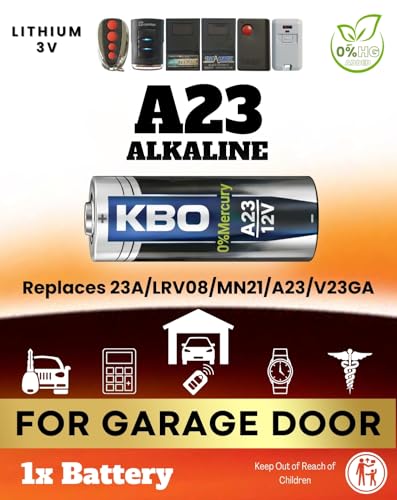
Fits older Chamberlain remotes requiring an A23 12V alkaline cell after you remove the original drained battery.
This single-pack A23 12-volt alkaline battery targets older Chamberlain remotes that do not use flat CR2032 coin cells. Removing the cylindrical battery from legacy models like the 61LM or 62LM requires sliding it out vertically. The high-drain alkaline chemistry ensures crisp signal transmission for smooth garage door activation every time.
An advanced leak-resistant seal protects the remote’s internal contacts from corrosion during long-term installation. The compact single-pack format avoids unnecessary clutter for users maintaining just one vintage remote control.
Owners of older Chamberlain or LiftMaster security systems rely heavily on this specific A23 form factor. The impressive five-year shelf life makes it perfect for emergency spares stored inside glove compartments. A clear limitation involves purchasing only one battery per package unlike the multi-packs available for newer CR2032 styles.
If you manage multiple older remotes you will need to order several individual packages separately. Verify your remote accepts a cylindrical 12-volt cell before attempting to force it into a coin-cell tray.
Swapping the battery resolves the immediate power issue regardless of which Chamberlain component failed. Selecting the correct voltage and physical shape ensures the replacement seats properly inside the compartment. With fresh power installed, attention must shift toward maintaining the connection points and preventing future drainage issues.
Cleaning Contacts After Removing The Old Chamberlain Battery
Recommended Products


Extracting the battery often reveals corroded metal springs or dirty contact pads. Cleaning these surfaces ensures the new battery delivers full power without resistance causing intermittent remote failures.
Corrosion builds up quietly inside Chamberlain remotes while old batteries sit dormant. White or bluish powder around the metal springs indicates leaked electrolyte fluid. Leaving this residue blocks electrical flow even after installing a brand-new battery. Dip a cotton swab in white vinegar to dissolve alkaline corrosion safely.
Rub the affected contacts gently until the metal shines again. Follow up with a dry swab to remove all moisture before inserting the replacement cell. For heavier buildup on 12-volt motor backup terminals, use fine-grit sandpaper wrapped around a flathead screwdriver.
Scrubbing the terminal clamps restores solid conductivity between the wire harness and the battery posts. Never blow on the contacts with your mouth to clear debris. Breath introduces moisture that accelerates future rust formation.
Taking two minutes to clean the compartment dramatically extends the lifespan of whatever battery you install next. Neglecting this step causes new batteries to drain prematurely due to increased electrical resistance at the connection points.
Remove the old battery and inspect the metal springs for white crusty buildup.
Dip a cotton swab lightly in white vinegar and scrub the corroded contact points.
Wipe the area with a dry swab to absorb leftover moisture and dissolved residue.
Check that the metal springs bounce back firmly when pressed down with a fingertip.
Insert the new battery ensuring the positive side aligns with the marked plus symbol.
Avoiding Damage While Prying Open Chamberlain Remote Casings
The physical act of opening the remote causes more broken units than actual battery failures. Applying force incorrectly shatters the plastic clips holding the two halves together permanently.
Skip Metal Screwdrivers On Thin Plastic
Standard metal flathead screwdrivers concentrate too much pressure on a single point. Pushing one into the seam of a Chamberlain remote often gouges the soft plastic exterior. Instead, use guitar picks or dedicated plastic pry tools designed for electronics repair.
These softer materials flex against the casing without leaving permanent scratches or dents. Slide the tool into the battery access slot and twist slowly. Listen for the distinct click of internal tabs releasing.
If the case resists opening, move the tool to another section of the seam rather than forcing it harder. Patience prevents costly replacements of the entire remote housing just to access a cheap coin cell battery.
Managing Snap-Fit Versus Screwed Enclosures
Not all Chamberlain remotes open the same way. Newer visor clips typically rely entirely on friction-fit plastic tabs. Older models sometimes hide tiny Phillips screws beneath decorative stickers or rubber padding. Inspect the back surface closely under bright light before applying any prying force.
Missing a hidden screw guarantees you will snap the enclosure trying to pull it apart. Once screws are removed, the casing still requires gentle separation because adhesive tape often reinforces the seal. Work your way around the perimeter methodically.
Reassembling the remote requires aligning the rubber buttons precisely before snapping the shell shut again.
Removing a battery from a Chamberlain garage door opener depends entirely on whether you are servicing a handheld remote or the main motor backup unit. Remotes require careful prying to access small coin cells while motor units involve disconnecting wired 12-volt lead-acid blocks.
Grab a plastic pry tool or a flathead screwdriver and open your specific Chamberlain component today. Inspect the contacts for corrosion before dropping in a fresh replacement. Getting this done now prevents being locked out of your garage tomorrow morning.

- Marine Chargers and Backup Batteries: 9 Options Compared (2026) - October 27, 2026
- LTO Cells vs. SLA Generator Batteries: 5 Options Compared (2026) - October 27, 2026
- 12V/24V Backup Batteries and the EcoFlow DELTA Pro 3 (2026) - October 27, 2026