Can I Share My Iphone Battery With Another Iphone?
Direct answer: You cannot share a battery between iPhones. The batteries are sealed inside each device, and there’s no built-in method to transfer charge directly from one iPhone to another. If a friend needs a boost, you’ll rely on external power sources or charging accessories instead of any battery handoff.
Sharing an iPhone battery is impractical. iPhones lack a physical battery swap option or a cross-device energy transfer protocol. The only way to provide power to another device is through an external charger or power source that both phones can connect to independently. This means no energy piggybacking, no magic battery bridge, and no reversible charging on current iPhone models.
Key Takeaways
- Direct answer: You can’t transfer charge directly between iPhones; batteries stay inside their own devices.
- Best workaround: A portable power bank or a MagSafe battery pack is the practical way to top up another iPhone.
- Reverse charging status: Apple devices do not support reverse wireless charging for iPhone models.
- Practical limits: Energy transfer depends on charger quality, device health, and the method used.
- Safety first: Use reputable chargers and avoid makeshift adapters to protect battery life and device safety.
why direct sharing isn’t a thing
Recommended Products

Two factors prevent direct energy handoff between iPhones. First, the battery is embedded and non-removable in most models, accessible only through authorized service channels. Second, Apple has not implemented a cross-device charging protocol that would allow one iPhone to charge another through any standard connection. In practice, the only reliable way to transfer power is through an external charger or energy source.
Think of energy flow as a one-to-many relationship. A phone can draw energy from a source, and that source can distribute energy to multiple devices, but the devices themselves don’t share energy directly. This distinction matters when planning how to stay powered while traveling or when someone needs a boost.
For instance, on a road trip, if one phone is low on battery, the best solution is to hand over a portable charger or use a MagSafe battery pack to top up. The charging source acts as the bridge, not a direct battery transfer. Expect faster, safer charging based on the proper charger, device health, and how you manage power on the go.
Two practical implications arise. First, have a reliable, portable charging kit for trips, commuting, or long events. Second, manage expectations regarding how quickly you can recharge on the road. If you’re down to 10 percent, anticipate a 20 to 40-minute top-off with a capable 18-20W charger or a higher-output power bank, depending on the model. This is the realistic pace of mobile charging away from outlets.
How energy can move between devices in practice
Recommended Products


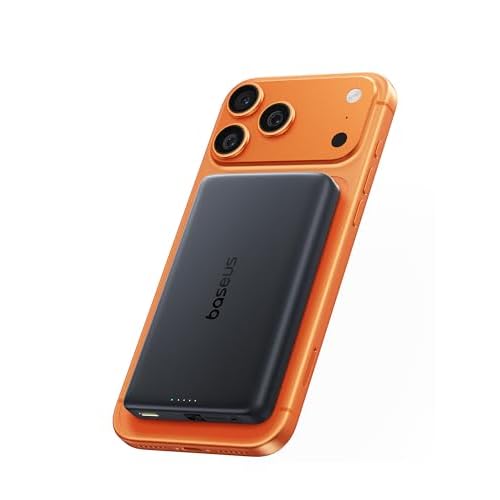
External power sources are the only way to move energy to a second iPhone. A high-quality power bank with USB-C or Lightning outputs can quickly charge a phone, especially if it supports fast charging and matches the iPhone’s standards. A MagSafe battery pack, designed to snap onto compatible iPhones, provides convenient top-ups without cables, but its total capacity is limited and depends on the phone’s compatibility and current battery state.
Connecting two iPhones with a cable won’t transfer energy between them. A cable can only move charge from a charger to a device or from a pass-through charger to multiple devices if supported. In other words, you can charge both phones from a common power source, but you can’t daisy-chain energy from one phone’s battery to another’s. This distinction is essential when deciding how to help a friend in a pinch: opt for a shared charging setup rather than attempting a battery handoff.
Consider the following realities when evaluating options. A power bank’s output must meet or exceed the iPhone’s fast-charging threshold for efficient top-ups. The iPhone’s battery health and temperature can also impact charging speed. A MagSafe battery pack is convenient, but it won’t significantly enhance charging if your device is already warm or near full. In extreme temperatures, charging performance can vary, and efficiency drops as the device heats or cools beyond its optimal range.
For example, a power bank rated for 20W or more can charge a modern iPhone from about 20% to 60% in half an hour under ideal conditions. Real-world results vary with factors like coil heat, cable quality, and battery age. If using a MagSafe battery, expect a slower top-up than with a dedicated 20W wall charger, particularly if the pack isn’t near full and the phone’s screen is active. The core takeaway: use a proper external charger, not the notion of cross-device energy handoff.
Best options for helping another iPhone when you’re far from a plug
Recommended Products


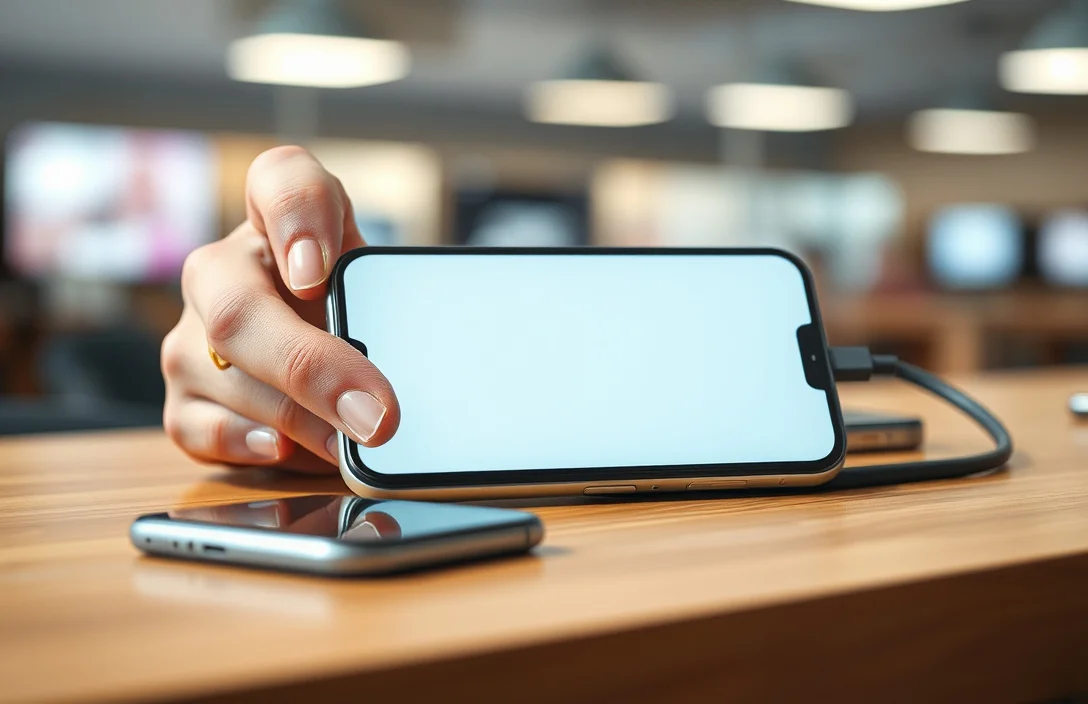
Option 1: External power bank
- Pros: Portable, versatile, multiple outputs; can charge both devices sequentially or at once with two ports.
- Cons: Adds bulk; needs its own charging cycle; capacity varies.
- Best for: Long days out, group events, travel where outlets are scarce.
Option 2: MagSafe Battery Pack (for compatible iPhones)
- Pros: Wireless top-up, snap-on convenience, no cables.
- Cons: Limited capacity; depends on MagSafe compatibility; slower top-ups when the pack is near empty.
- Best for: Quick top-offs during transit with minimal setup.
Option 3: Battery case (integrated charger)
- Pros: All-in-one design; more grip for holding; built-in protection.
- Cons: Bulky; heavier; can reduce phone usability due to added bulk.
- Best for: Long commutes or days away from outlets.
Option 4: Shared wall charger with a second cable
- Pros: Simple, reliable; fast if you have two outlets.
- Cons: Tethered to a wall; not a portable solution.
- Plan ahead with a portable charger: carry a bank with enough capacity and a high-output port for faster top-ups.
- Use a MagSafe battery pack if you prefer minimal setup and quick, cable-free tops.
- Maintain a dedicated charging cable set that works across devices, so you’re never stranded if your friend’s phone needs a boost.
- Enable iPhone features that conserve energy when you’re low, such as Low Power Mode, to stretch available charge.
- When possible, coordinate charging breaks with your travel or meeting schedule to maximize efficiency.
- Believing you can pass charge directly from one iPhone to another. The energy handoff isn’t supported, and attempting it can damage accessories.
- Using low-quality or counterfeit chargers. They can overheat or fail to deliver stable power, accelerating battery wear.
- Assuming a battery’s capacity means infinite life. A battery ages and holds less energy over time, changing charging dynamics.
- Neglecting environmental temperature. Charging in extreme heat or cold slows charging and harms longevity.
- Misjudging cable quality. A cheap cable can bottleneck charging speed and efficiency.
| Best for: A stationary setup with a friend nearby. | Option | Pros | Cons | Best For |
|---|---|---|---|---|
| External power bank | Portable, multiple outputs | Bulk, needs charging | On-the-go days away from outlets | |
| MagSafe Battery Pack | Wireless top-ups, quick to attach | Limited capacity | Quick boosts without cables | |
| Battery case | Integrated protection, better grip | Bulky, heavier | Long commutes, all-day use | |
| Dual-device wall charger | Fast charging for two devices | Requires outlet, less portable | Car trips or home desks with outlets |
The table provides a quick reference, but the real decision comes down to your environment and how you move. If you’re often away from power sources, a power bank with a 20W or higher output and a reliable cable will outperform a MagSafe pack in raw speed. If simplicity and minimal clutter matter to you, a MagSafe battery pack can be a better everyday companion. A battery case makes sense if you want extra protection and grip, but be realistic about the added bulk.
Pairing a small power bank with your iPhone and having a MagSafe option on hand covers most common scenarios. When sharing energy with friends, you’ll typically provide power by giving them a charged source rather than trying to transfer energy directly.
What to consider if you rely on someone else to charge you
First, plan ahead. If you depend on others for charging during a trip or event, bring a portable charger and a short charging cable compatible with both devices. This reduces friction and ensures you’re not waiting on someone else’s schedule. The best outcomes come from a well-equipped kit rather than a last-minute scramble.
Second, check the output capability of your charging setup. The iPhone benefits from a charger that can deliver at least 18W for a noticeable top-off within 30-40 minutes. If using a power bank, confirm the rated output and the actual energy delivered to devices under load. Brand-name accessories with known specifications reduce the risk of slower charging or overheating.
Coordinate with your friend. If both phones are low, a coordinated plan – each phone plugged into a quality charger for a fixed window – will usually yield better results than a single improvised charge. The goal is predictable, safe charging that preserves battery health rather than a quick but risky energy dump.
Safety and battery-health considerations you should heed
Avoid charging in hot environments or leaving devices on unmonitored chargers for extended periods. Overheating degrades lithium-ion chemistry faster and can trigger thermal protection mechanisms that throttle charging. Use certified accessories from reputable brands. If a device feels unusually warm during charging, disconnect it and let it cool before continuing.
Battery health is crucial as it determines how much energy a phone can hold and how quickly it charges. If a battery is aged or swollen, charging behavior can change, and efficiency drops. In such cases, replacing the battery at an authorized service provider is often more cost-effective and safer than pursuing faster charging speeds. Protect battery life by avoiding long, high-heat charging sessions on compromised packs.
The simplest rule: keep your charging gear in good shape and use it as intended. External power banks and MagSafe packs safely deliver energy when used correctly. If you notice odd heat, smells, or swelling, stop using the accessory and consult service options rather than forcing it.
Practical steps for staying charged on the go
For example, on a long day, split time between charging sessions with a shared outlet or a power bank. If you’re driving, keep a small car charger handy to keep both devices topped up as you move. The practical approach is to have a reliable kit and a plan.
Common mistakes and misunderstandings to avoid
Bottom line: you can’t share a battery between iPhones, but you can keep both phones charged with a portable power bank, a MagSafe battery pack, or a capable wall charger. The trick is choosing the right energy source for your situation and using it safely to protect battery health.
If frequently away from outlets, build a compact kit: a reliable power bank with 18-20W output, a MagSafe battery pack for quick tops, and a short, sturdy charging cable you can lend without hesitation. With a clear plan, you’ll avoid scrambling and keep both phones ready for use.
You’ll get a practical verdict and a concrete next step: assemble a small on-the-go charging kit that includes a 20W-capable power bank and a MagSafe battery pack for situations where you want to minimize clutter. That setup covers the majority of everyday scenarios without chasing an impossible cross-device battery handoff.
FAQ
Can I charge two iPhones at once using a single power bank?
One power bank can charge two iPhones if it has two outputs or you use two compatible cables, but you’ll still be charging each device separately from the bank, not transferring energy between them. Look for a bank with multiple ports and a total output of at least 30W to keep both devices topped up efficiently.
Do iPhones support reverse wireless charging to share energy?
No. Apple devices do not support reverse wireless charging for iPhones, so you can’t backfeed energy from one iPhone into another without an external charger or power source.
Is it safe to use third-party charging gear with an iPhone?
Yes, but only if the gear is certified (for example, MFi certified) and from reputable brands. Using low-quality or counterfeit accessories can cause overheating, device damage, and accelerated battery wear.
How long does it take to top up an iPhone on the go?
With a 20W or higher charger, a 20-60% top-up is common in about 30-40 minutes under ideal conditions. Real-world times vary with battery health, temperature, and charger efficiency.
What’s a common mistake when helping others charge their iPhone?
Assuming a single quick top-up is enough for all day. Battery depletion patterns vary by usage, so plan multiple, shorter charging breaks or bring a reliable power bank for continuous top-ups.

- 10 Best Battery For Generator Battery Safety System 2026 - October 12, 2026
- 10 Best Battery For Generator Battery Safety Option 2026 - October 12, 2026
- 10 Best Battery For Generator Battery Safety 2026 - October 12, 2026